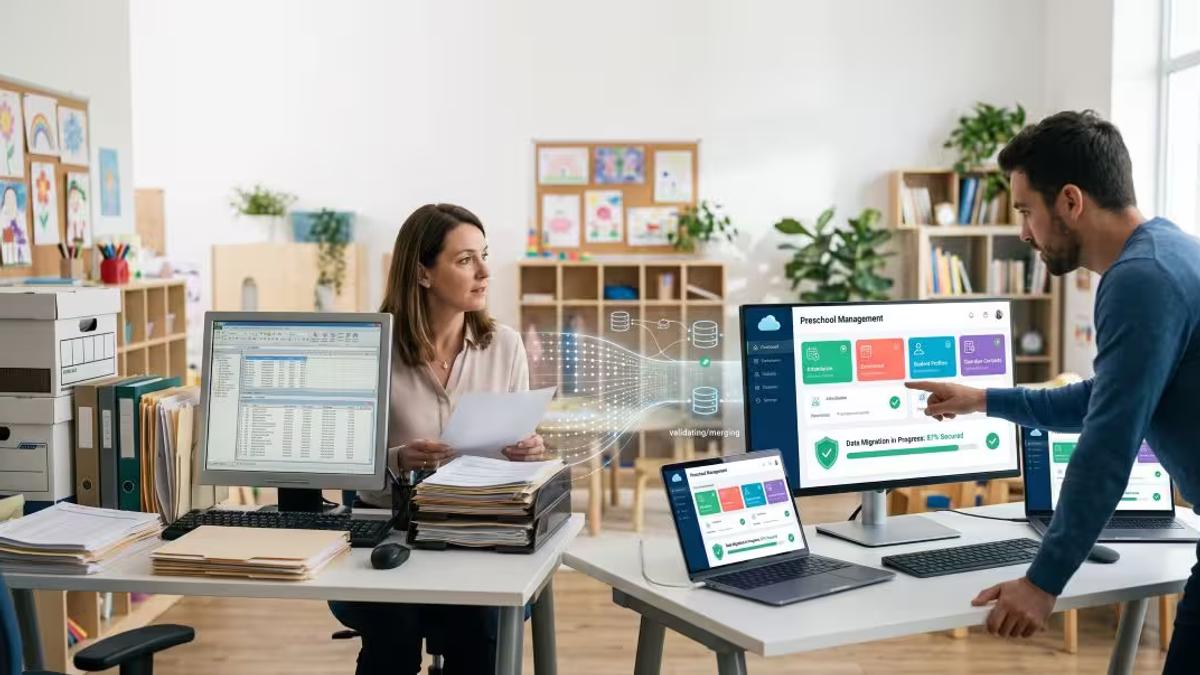
Changing preschool software for any private educational establishment can be a daunting task, especially when taking into consideration data migration. There could be all sorts of features available in the new system to make things easier and more convenient, but all of that will be irrelevant if it results in the loss of historical data during the process.
Should you wish to shift your student database to another system, then this is how it should be done without hassles.
What Is Student Data Migration? A Guide for Educational Institutions
Migrating student data involves moving your student data from the existing system, which could be an old preschool management system or spreadsheet, or a combination of the two, to a new software system. These usually include student information, registration records, attendance records, contact details of the guardians, billing information, and at times pictures or milestones of the little ones.
Based on information contained in the migration data roadmap provided by the United States Department of Education, migration is most effective when it is considered as a project on its own, as opposed to being a bolt-on aspect of the overall software implementation project. This one mind-set difference helps educational institutions avoid a lot of stress in the future.
Why Educational Institutions Migrate Student Data to New Systems
Private educational institutions often switch to new preschool management software for the same set of well-known reasons. Their existing software might be out-of-date, too expensive to update, or lack certain functionalities that the parents now demand such as real-time updating or an online portal. Or their employees might be working on spreadsheets and paper forms which delay all the processes. Finally, their administration might want to have one unified system rather than using different systems for different needs.
Whatever the reason for the data migration, the goal is the same: to ensure a smooth transition. Build a system that staff can trust and that gives families a smoother experience from the moment they enroll.
What Student Records and Data Should You Migrate?
Everything does not have to move. It is important to know the difference between what your organization needs for its daily operations and what should go into storage.
Data that should get priority includes names of pupils, their ages, as well as whether or not they are enrolled and the contact details for their parents or guardians. Photos, emergency contacts, as well as other medical information need to be taken seriously owing to its sensitive nature.
A simple rule helps here. If a record is needed for daily operations, compliance, or ongoing communication with families, it should move. Older or inactive records can often be archived separately instead of cluttering the new system.
Student Data Migration Process: Step-by-Step Guide
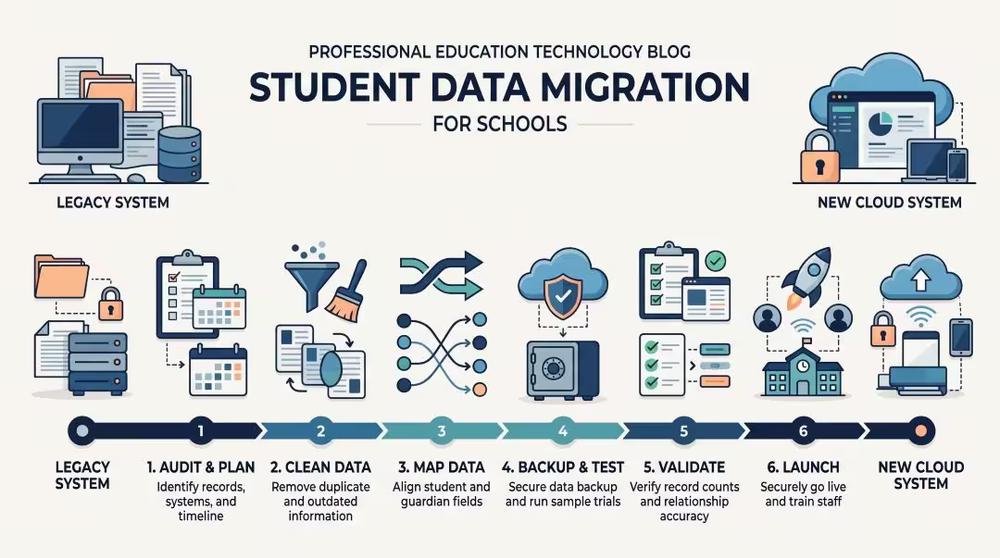
A clean migration follows a sequence rather than happening all at once.
To start, define what needs to be moved and identify who will manage each type of data. Make an exhaustive list of your existing documents because past processes may have created multiple student records, outdated contact information, and inactive families.
Following that, clean up the data before doing anything on the new platform. Get rid of duplicates, sort out any conflicts, and determine where there is missing data. Finally, ensure that all your fields line up with those from the new platform since things like "enrollment status" have different meanings on different platforms.
Before any live transfer, back everything up and confirm the backup actually restores properly. Then run a test migration using a realistic sample of students and families to ensure the integrity of the data sets. Once that passes review, validate the results by comparing record counts and checking that guardian relationships and billing details match. Only then should you schedule the final cutover, ideally over a school break or other low activity period, followed by hands-on support for staff during the first few weeks after launch.
Common Student Data Migration Challenges and How to Avoid Them
The most frequent issues involve duplicate student profiles, missing required fields, and records that lose their connection to the right family. Billing data is another common trouble spot in the migration of student data, since balances and payment plans need to be reconciled exactly.None of these problems are unusual. They tend to show up when a migration is rushed instead of planned as a real project with proper time set aside.
How to Keep Student Data Secure During Migration
Preschools can have sensitive data about kids, therefore, we have to ensure that security is not an afterthought. It requires encryption when moving and storing data, restricting access to only those who are meant to use it, and giving vendors who help migrate data time-restricted access. Logging everyone's actions who had access to the data when migrating will ensure more security.
It also means having a backup plan for when something does not go as expected. An untested backup of your legacy system is really just a hope, not a safety net during the data migration process.
Student Data Migration Checklist Before You Switch Systems
Confirm your scope, timeline, and the staff responsible for each category of data. Back up your current student information system and merge duplicate records before mapping anything in the migration guide. Run a test migration with a realistic sample and compare it closely against your existing reports. On launch day, freeze changes in the old legacy system, run your validation checks, and give staff and families a clear channel for reporting issues related to the data sets.
How Touchstone Digital Solutions Can Help With Student Data Migration
A software switch is a good opportunity to clean up years of scattered records and start fresh with something your staff and families can actually rely on. Touchstone Digital Solutions works with private educational institutions on more than just interactive displays and digital legacy software; we also assist in data migration. If your team is planning a move to new preschool management software and wants a partner who understands how school data works in practice, we would be glad to help you think it through.