
Why Schools Must Move from Paper Files to Digital Student Records
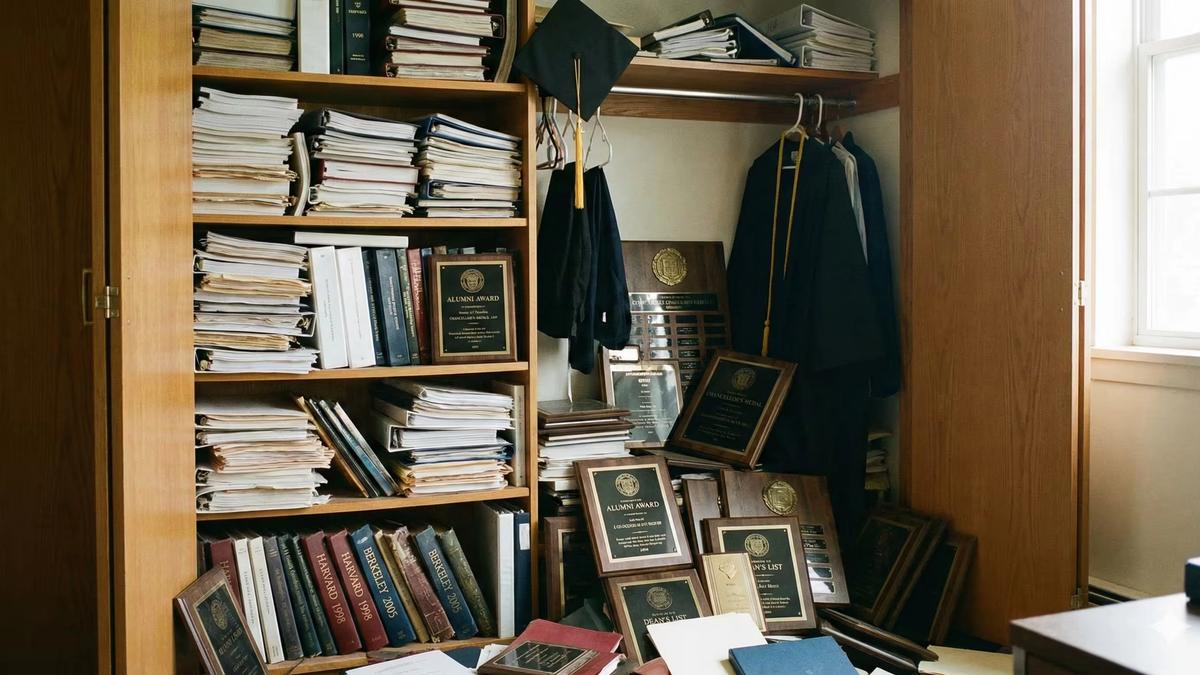
Those filing cabinets have been with you longer than some of your newest faculty. They're reliable and never need software updates. But they're also eating up valuable space, making searches feel like archaeological digs, and turning compliance audits into full-contact sports.
Touchstone Digital Solutions helps schools protect something valuable: their legacy and student data. The transition from paper mountains to school record digitization software doesn't have to feel like running wind sprints in August.
A school district with 5,000 students produces about 2 million pages in educational materials each year. The information which has been collected for decades requires storage in a more suitable location instead of a basement that experiences flooding.
Why Digitizing Student Records Is Critical for Modern Schools
Schools possess valuable historical knowledge which should be preserved together with their potential future developments in a centralized document management system. The process of digitizing student records establishes a system which enables schools to honor their achievements, acknowledge their donors, and present their institutional history through storytelling that attracts potential students and their families.
Step 1: Audit and Classify Existing Paper Student Records
You need to understand everything about your work before you start the first scanning process. Create an inventory by category: transcripts, enrollment forms, disciplinary records, health records. The active records should be divided from the archived materials while you verify which state retention requirements apply, as not all records need to be transferred to the document management system.
Pro tip: You'll discover files from students who graduated before you were born. It's like a time capsule, except less fun and more FERPA-compliant.
Step 2: Choose the Right School Record Digitization Software
Not all school record digitization software is created equal; some are superior in their document management capabilities. You need a platform that works well with your current Student Information System while it also understands educational compliance requirements and provides support during technical difficulties in your workflow.
Key features to demand: OCR capability that makes scanned documents searchable, FERPA compliance that keeps you out of legal trouble, role-based access controls so not everyone can see everything, and cloud-based storage so you can access records from anywhere.Many companies have built their reputations on handling educational records at scale. Some K-12 schools cut their enrollment timeline from one week to one day using proper automation in their management systems. That's the kind of efficiency in student record management that makes administrators cry tears of joy.
Step 3: Prepare Paper Documents for Student Record Digitization
Remove staples, paper clips, and those ancient rubber bands that disintegrate when you touch them. Organize documents in the order you want them digitized for efficient workflow in your document management system.
Create a naming convention that makes sense. "Student_LastName_FirstName_DocumentType_Date" works better than "scan001.pdf" when searching later. Quality check your physical documents because if something's illegible on paper, it'll be illegible digital.
Step 4: Migrate Paper Student Records to Digital Systems
You've got two paths: DIY or outsource.
For DIY, invest in quality scanners with automatic document feeders to enhance your document management capabilities. Scan at 300 DPI minimum for optimal quality in your document management and record management processes. Use OCR software to make everything searchable.
For outsourcing, companies specialize in education records while maintaining FERPA compliance. It's more expensive upfront but saves staff hours.
Either way, scan in batches and verify as you go.
Step 5: Implement Quality Control in Digital Student Record Migration
The task requires testing OCR functions through document examination and duplicate file assessment with matching original files from multiple file groups within the document management system. The process requires checking OCR functionality and document searchability while the team needs to confirm metadata accuracy and document indexing status for their work.
Your verification checklist: Is the image clear? Is all text readable in your digital files? Are pages in order? Is the file named correctly? This step prevents crises when someone needs a transcript immediately from your digital files.
Step 6: Train Staff on Digital Student Records Management Software
Your new digital school records system needs proper user training for effective operation within the student record management framework. The team must schedule training sessions while they create quick-reference guides and identify super users who will handle troubleshooting tasks. Basic operations include record searching document uploading and access control implementation and security procedure execution. A single mistake has the potential to ruin all operations.
Step 7: Secure Digital Student Records and Ensure FERPA Compliance
Your digital records require comprehensive protection measures. The system requires implementation of multi-factor authentication along with regular backups to multiple locations and encryption for data at rest and in transit and audit trails that track every access.
Establish role-based permissions to restrict staff access to necessary information. Security audits need to become a standard procedure that occurs with the same frequency as fire drills.
Step 8: Dispose of Paper Student Records According to Retention Laws
Once everything's verified and backed up, you can deal with those filing cabinets. Check state retention laws because some records must stay physical for specific periods in your record management strategy. For everything else, use a certified shredding service that provides certificates of destruction.
Beyond Storage: How Digital Student Records Enable Interactive School Experiences
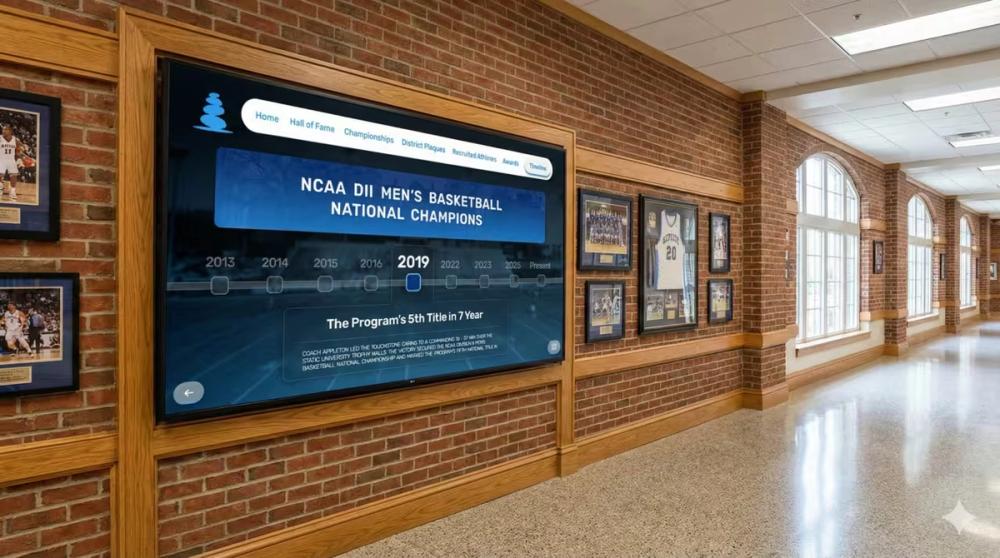
The process of creating digital records enables institutions to establish foundational work for future endeavors. Touchstone Digital Solutions assists institutions in transforming their digitized materials into interactive exhibits which display their accomplishments and their donor recognition and their institutional history.
Imagine an innovative, interactive lobby for potential students, including a digital wall of fame featuring championship teams, academics, and famous alumni. Picture donors seeing their contributions recognized on sleek digital displays updated instantly. We transform static halls of fame and plaques into memorable interactive experiences with ROI beyond measure.
How Schools Can Start Digitizing Student Records the Right Way
Schools can create a record system which supports their academic achievements and establishes links with their former students through digital recordkeeping. Begin with a single department and one type of record. Your digitized pages decrease paper waste which has been stored away while creating additional data that will showcase your school's history.
Ready to Digitize and Secure Your School’s Student Records?
Your paper records deserve better than a basement, and your achievements deserve better than forgotten plaques in a document management system. Touchstone Digital Solutions provides private schools and colleges and universities with digital display solutions which showcase their academic excellence. We assist clients who want to start their digitization process or transform their digital collections into interactive experiences.