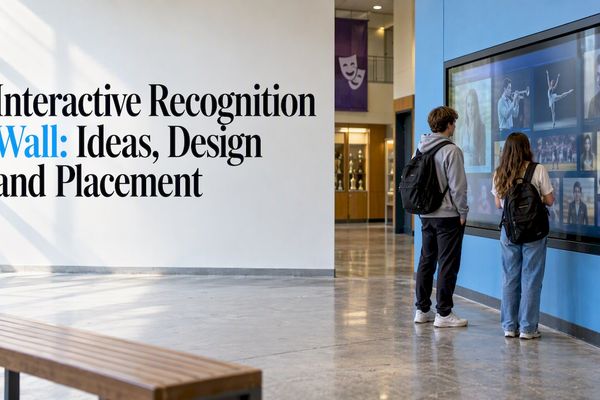

The best digital hall of fame ideas start with a simple question: who in your school’s history deserves to be seen, and how will visitors find them? A touchscreen can hold every inductee, record, team photo and yearbook page you own. The design choices you make around it decide whether people stop and explore or walk past.
This guide walks through what to feature, how to design it, how to build one step by step, and what to check on privacy and accessibility before you buy. It is written for athletic directors, principals, alumni relations staff and teachers who want recognition that feels like your school and not like a template.
Touchstone-dsMake Your School’s Achievements VisibleTouchstone turns school achievements into customizable, interactive displays that celebrate milestones and help students and alumni feel connected.Explore digital hall of fame displays
TL;DR
- Start with content, not hardware: decide which people, teams, records and eras belong on the display, then pick the screen size.
- Mix categories (athletics, academics, arts, service, staff, donors) so more students see themselves in the display.
- Design for search first. Visitors want to type a name or a graduation year and land on a profile in two taps.
- Plan for FERPA and accessibility before launch, because you stay responsible when a vendor hosts your content.
- Wall-mounted and floor-standing touchscreen bundles from Touchstone run $3,100 to $4,900 and $3,550 to $4,300, one-off.
Table of Contents
- What a digital hall of fame actually is
- Twelve digital hall of fame ideas worth considering
- Design ideas that make people stop and explore
- Hardware ideas: where to put it and what to buy
- How to create a digital hall of fame, step by step
- Think about who you honor and what they take home
- Privacy and accessibility: what to check before you buy
- Our perspective: make it feel like your school
- Ready to see it in your lobby?
- FAQ
- Sources
What a digital hall of fame actually is
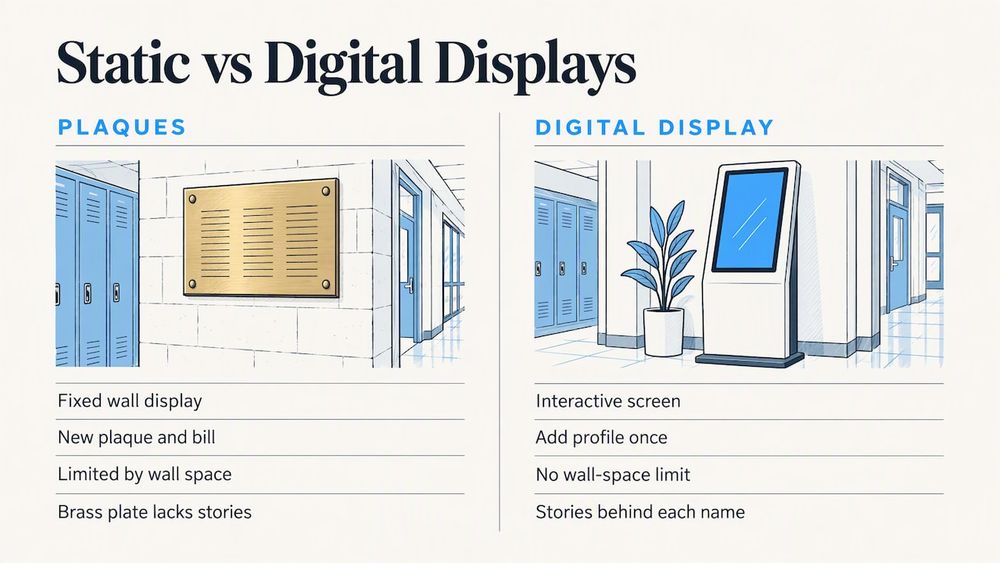
A digital hall of fame replaces framed photos, plaques and banners with an interactive screen. Instead of a fixed wall where every new inductee means a new plaque and a new bill, you add a profile once in a content system and it appears on the display. Photos, video, stats, quotes and timelines sit behind each name.
The practical gains are easy to name. You are no longer limited by wall space. You can fix a misspelled name in minutes. You can add this season’s champions the week they win. And you can show the stories behind the names, which a brass plate never could.
Educators who write about digital storytelling make a related point: a display works harder when it behaves like a living archive instead of a static monument. ISTE’s piece on the power of storytelling describes how students find their voices when they help tell their own stories, and that idea carries straight over to recognition walls that students and alumni can contribute to.
Twelve digital hall of fame ideas worth considering
You do not need all twelve. Most schools launch with three or four and add the rest as the content grows.
1. An athletic hall of fame with full inductee profiles
This is the classic starting point. Each inductee gets a photo, years of play, sport, career highlights and a short story. Add filters by sport, decade and induction class. Our Digital Athletic Hall of Fame is built around exactly this layout.
2. Record boards that update themselves
Physical record boards go out of date the day a record falls. A digital version lets you change a time, distance or point total in the content system and show it immediately. List the previous record holder underneath so the history stays visible. See how this works on our Digital Record Boards page.
3. A digital trophy case
Trophy cases fill up, and the oldest hardware ends up in a closet. A digital case photographs every trophy, banner and plaque and pairs it with the roster and season recap. That keeps a 1974 championship as visible as last year’s. Details are on our Digital Trophy Case page.
4. An academic wall of fame
Athletics tends to dominate recognition walls. Balance it with valedictorians, National Merit finalists, science fair winners, AP scholars, debate and robotics teams. If you are unsure which achievements to list, our guide to the top achievements for an academic wall of fame gives you a starting list.
5. Arts, music and theater recognition
Play recordings, concert clips, gallery photos and all-state selections belong in the same system as the football roster. A short video of a senior solo says more than a line of text.
6. A donor recognition wall
Donors notice where their names appear. A digital wall lets you recognize giving levels, campaigns and named funds without reordering engraved panels every year. Our Digital Donor Walls are designed for this.
7. Digitized yearbooks
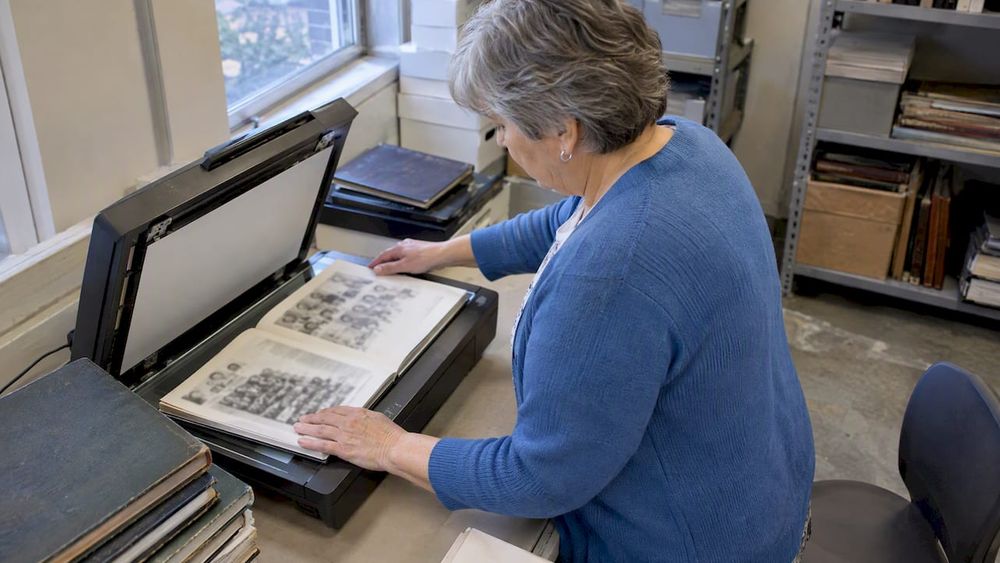
Yearbooks are some of the best raw material a school owns, and most sit in a storage room. Scanning them and making them searchable turns a shelf of fragile books into the most visited part of the display. Read about the benefits of digital yearbooks, or look at our Professional Yearbook Digitization service.
8. A digital history archive and timeline
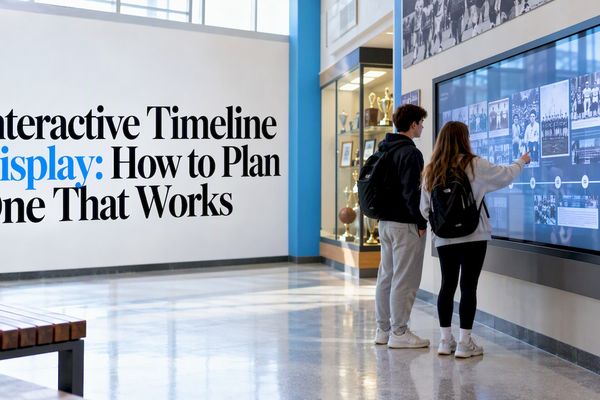
A timeline from founding day to now lets visitors scroll through decades of mascots, buildings, principals and traditions. Pair it with an archive of school photos and memories, or see our Digital History Archive.
9. Staff and teacher recognition
Retired coaches, longtime teachers, custodians who knew every student by name. Including staff tells alumni that the school remembers the adults who shaped it, and it often draws the strongest emotional response from graduates.
10. Service and character awards
Volunteer hours, leadership awards, student council, peer mentors. Because the brand voice of recognition is fairness, this category matters: it shows students that the school values who they are as well as what they win.
11. Alumni spotlights and career stories
A rotating spotlight of graduates now working as nurses, engineers, teachers, veterans and entrepreneurs gives current students a view of where a diploma from your school can lead. Ask alumni to submit their own short bio and photo.
12. A companion web view and QR codes
Not everyone walks past the lobby. A web version of the same content lets out-of-town alumni browse from home, and a QR code on a plaque or program can link into a profile. Multi-device access matters here: the content system should drive both screen and web from one source.
Design ideas that make people stop and explore
Content gets people to a profile. Design decides whether they stay. Here is what we would prioritize.
Make search the front door
Most visitors arrive with a name in mind: a parent, a teammate, a former coach. Put a large search field and a browse-by-year option on the home screen. A visitor should reach a profile in two or three taps.
Use your school’s identity, not a stock template
Colors, mascot, fonts, textures and even the sound of a gym floor can shape the look. A display that matches the lobby feels like part of the building. A generic template feels like an ad. This is why we build fully branded interfaces instead of one-size-fits-all layouts.
Lead with a rotating attract screen
When no one is touching the display, show motion: a photo wall, a “this day in school history” card, a newly added inductee. Motion invites the first touch.
Keep profiles short, with depth behind them
Give each profile a headline, a photo and three or four lines. Let visitors tap to see more: stats, video, newspaper clippings, quotes from teammates. People who want depth find it, and everyone else is not overwhelmed.
Use big, readable type
A serif or sans-serif face is a matter of taste, but contrast and size are not. Test the screen from the distance at which people will stand. If you have to squint, so will a grandparent.
Plan for new content
Schedule an annual induction class, a post-season update and a yearbook upload. A hall of fame that stops growing starts to look abandoned.
Hardware ideas: where to put it and what to buy
Placement shapes how the display is used.
- Main lobby or front office: reaches every visitor, parent and alumnus.
- Gym or fieldhouse entrance: ideal for athletic content, game-day crowds and families. Our guide to honoring student athletes with a digital board in your gym goes deeper.
- Hallway near the trophy case: replaces or complements existing cases.
- Auditorium lobby: strong for arts, performances and donor recognition.
Our touchscreen hardware bundles come in two forms. The Wall Mounted Touchscreen Bundle runs $3,100 to $4,900 one-off, depending on configuration. The Floor Standing Touchscreen Bundle runs $3,550 to $4,300 one-off. Wall mounts save floor space in narrow hallways. Floor stands work where drilling into the wall is not possible or where you want to move the display for events.
Software, trophy case, record board, donor wall, yearbook and archive projects do not have published prices on our site, so you would request a quote based on scope.
How to create a digital hall of fame, step by step
- Define your purpose. Is it to honor athletes, engage alumni, raise donations, or all three? Your answer decides which categories come first.
- Set inclusion criteria. Write down who qualifies (years since graduation, minimum achievements, committee vote). Clear rules protect the fairness of the whole project. Our guide on how to implement a hall of fame covers criteria and committees.
- Form a small committee. Include an administrator, an athletic director, a teacher, a longtime alumnus and a student if you can.
- Collect content. Gather photos, yearbooks, clippings, videos and rosters. Start with the last ten years, since that data is easiest to find, then work backward.
- Choose categories and structure. Decide your home-screen sections and the filters you want visitors to use.
- Select hardware and software. Pick the screen size, mount type and a content system your staff can manage without a developer.
- Review privacy and accessibility. See the next section.
- Launch with an event. Unveil the display during homecoming, a game or an induction ceremony.
- Keep it alive. Assign one person to own updates and set a calendar.
If you are comparing options, our buying guide for high schools lays out the questions to ask any provider.
Think about who you honor and what they take home
A screen is the centerpiece, but not every recognition moment needs one. Younger students, swim programs and club activities often work best with something a student can hold. Personalized badges and certificates, such as the personalized badges and certificates offered for swim milestones, show how a small physical award can mark a stage of progress. Pair a keepsake like that with a profile on your display, and the child gets a ribbon today and a place in the school’s story later.
Privacy and accessibility: what to check before you buy
Two issues catch schools off guard. Both are manageable when you plan early.
Student privacy (FERPA)
Student names, photos and bios are personally identifiable information. The U.S. Department of Education’s guidance, Protecting Student Privacy While Using Online Educational Services, explains that FERPA protects PII from education records, and that when you use an outside provider the data may be shared under the school official exception or under your directory information policy. In practice:
- Confirm that your directory information policy covers what you plan to display.
- Get written terms that prohibit the provider from re-disclosing data or using it for marketing.
- Remember that you remain responsible for giving parents or eligible students access to records on request. FERPA gives schools 45 days to respond.
- Get consent for current students when in doubt. Alumni profiles of adults are generally a different situation, but check with your district counsel.
If you have questions about your particular policy, your district’s legal counsel or privacy officer is the right person to ask.
Accessibility (ADA and Section 504)
A touchscreen has to work for visitors who are blind, have low vision, use a wheelchair or have limited dexterity. A low mounting height alone is not enough. The Department of Justice and the Department of Education have warned colleges and universities about adopting technology that blind students cannot use, in a joint letter on inaccessible electronic readers. The lesson applies to kiosks: menus, search and controls need to be usable without sight, with high contrast, text-to-speech options and no timed or complex gestures.
The web companion matters too. In April 2026, the Department of Justice extended compliance deadlines for its Title II web accessibility rule to April 2027 or 2028, depending on the size of the public entity. If your school is a public entity, ask any vendor how its web view handles accessibility, and ask your district which date applies to you.
Our perspective: make it feel like your school
We are a family-run company, and founders work directly with every school. We have seen the same pattern repeatedly: the displays people love are the ones where a school put its own faces, colors and stories first and let the technology disappear.
Our design team comes from the gaming industry and our interface work has been Emmy-nominated, so we care a lot about how a screen feels under a finger. But the real work is on your side: choosing who belongs, writing the stories, and being fair about it. A hall of fame is a statement of your values. Include the kid who anchored the relay and the kid who tutored half the class. Include the 1962 team as proudly as the 2026 one.
We also believe a hall of fame should not become one more cost to manage. Our platform is cloud-based, content updates are live, and there are no maintenance costs on our end that you need to budget for. If something goes wrong, you reach the people who built it.
— Gardner Gendron
Ready to see it in your lobby?
If you want to move from ideas to a real display, start with our interactive digital hall of fame platform. Tell us your categories, your colors and your space, and we will help you match them to a wall-mounted or floor-standing bundle and the software that runs it. You can also browse more digital hall of fame articles on our blog.
FAQ
How much does a digital hall of fame cost?
Our hardware bundles are priced as one-off purchases: $3,100 to $4,900 for the Wall Mounted Touchscreen Bundle and $3,550 to $4,300 for the Floor Standing Touchscreen Bundle. Software and custom projects such as donor walls, record boards or yearbook digitization do not have published prices, so scope determines the quote.
What should we put on a digital hall of fame first?
Start with the content you already have and can verify: recent inductees, current records and the last ten years of championships. Add academics, arts and service early so the display does not read as athletics only. Then work backward through yearbooks and archives.
Can students and alumni contribute?
Yes, and it is worth designing for. Invite alumni to submit a short bio and photo, and let students help write profiles under staff review. Educators describe this kind of participation as turning a passive wall into a living archive. Always review submissions before publishing, especially anything involving current students.
Is a digital hall of fame allowed under student privacy rules?
It can be, if you handle the data properly. Check that your directory information policy covers the information displayed, and use written terms that stop a provider from re-disclosing data. Ask your district counsel to confirm for your situation.
Sources
- ISTE: The power of storytelling
- U.S. Department of Education: Protecting Student Privacy While Using Online Educational Services
- DOJ and Department of Education joint letter on electronic book readers
- Jackson Lewis: DOJ extends Title II web accessibility deadlines