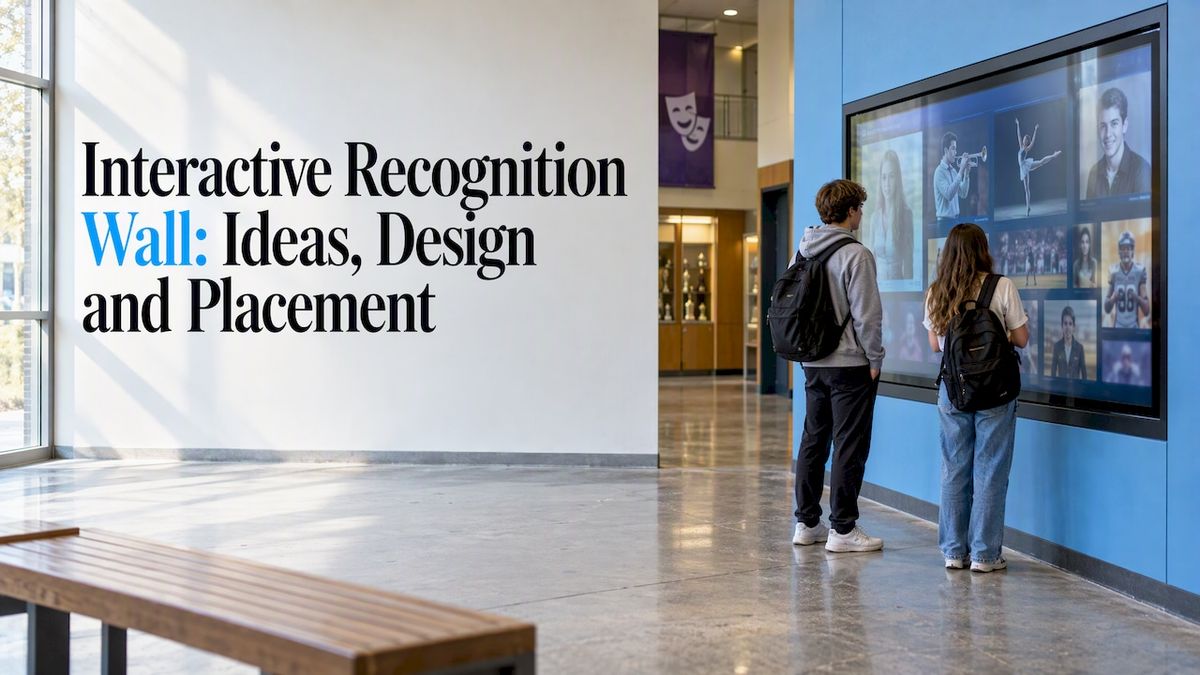
An interactive recognition wall is a touchscreen display that lets people search, browse and open the stories behind the names on it: athletes, alumni, donors, teachers, teams. For a school or university, it replaces the plaque you have to re-order every year with a display your staff can update from a web browser. This guide covers what to put on the wall, how to design it, where to place it, what a bundle costs and what to check on accessibility before you buy.
Touchstone-dsBring School Achievements to LifeTouchstone creates customizable digital Hall of Fame displays that help schools celebrate achievements and connect their communities through interactive experiences.Explore Touchstone displays
TL;DR
- A recognition wall earns its place when you have more names, photos and stories than a static plaque can hold, and when someone on staff will own the updates.
- Location matters more than screen size. Put it where people already stop: the lobby, the gym entrance, the main hallway.
- Design for two kinds of visitors: the person who gives it five seconds, and the person who stays for ten minutes.
- Our wall-mounted bundles run $3,100–$4,900 and our floor-standing bundles run $3,550–$4,300, both one-off. Software and custom design are quoted separately.
- Treat accessibility as a requirement from day one, not a retrofit.
Table of Contents
- What an interactive recognition wall actually does
- Recognition wall ideas that work in schools
- Recognition wall design: what separates a great one from an expensive monitor
- Where to put an interactive recognition wall
- Accessibility is part of the design
- Building culture, not just a display
- What it costs
- Perspective: why we build recognition walls the way we do
- How to get started
- See it for your school
- FAQ
- Sources
What an interactive recognition wall actually does
A traditional plaque has one job: carry a name. Once it is engraved, it is finished, and fixing a typo or adding this year’s class means a new order and a new installation.
An interactive wall works differently. Visitors search by name, filter by year or sport, open a profile with photos, stats and a written story, and move on to the next one. Staff manage the content in a cloud-based system, so a correction or a new inductee goes live without anyone touching a drill.
That shift changes what is possible:
- There is no cap on entries, so you can honor 1950s state champions next to this fall’s record-breaker.
- Content can carry video, game film, audio from a retired coach, or scanned yearbook pages.
- Updates take minutes. Names, titles and levels can be changed from any browser instead of waiting weeks for physical production.
A screen is not automatically better than metal and wood, though. If you have 40 names and no stories to tell, a well-made static display may serve you fine. The interactive format pays off when the list is long, the history is deep or the content keeps changing.
Recognition wall ideas that work in schools
Most schools start with one category and expand. These are the ideas we see schools return to, roughly in order of how often they come up.
Athletic Hall of Fame
This is the classic starting point. Inductees get a profile with their years, sport, achievements and a photo. Add team pages for championship seasons and you have a place where a graduate can bring their kids and say, “That’s me, third row.” Our Digital Athletic Hall of Fame is built for exactly this.
Record boards
Painted record boards are always out of date by the second week of the season. A digital version updates the moment a swimmer drops a second off the 100 free, and it can keep the previous record holders in a history view. See Digital Record Boards.
Digital trophy case
Floor space runs out, and trophies from the 1970s end up in a closet. A digital trophy case lets you show every banner, trophy and plaque the school has earned, with the story of the season attached.
Donor recognition
Giving levels, campaign progress, naming opportunities and the stories of what gifts funded all fit naturally on an interactive wall. If you are weighing options, our Digital Donor Walls page lays out what we build, and our post on how interactive recognition turns donors into donor stories shows the storytelling side.
Alumni and distinguished graduates
Universities use the wall to feature graduates by decade, field or region. It is a strong tool for alumni engagement offices because a visitor who finds a classmate on the wall tends to ask how to get in touch.
Digital yearbooks and history archives
Yearbooks sit on a shelf and rarely get opened. Scanned and searchable, they become one of the most visited parts of a wall. We offer professional yearbook digitization and a digital history archive for old photos, programs and newspaper clippings.
Staff, teachers and student achievement
Teacher of the year, service awards, academic honors, National Honor Society, fine arts. A wall that only celebrates athletics sends a message about what the school values. Widening the lens costs nothing on a digital system. For more categories, our list of how schools use interactive touchwalls is a good companion.
Recognition wall design: what separates a great one from an expensive monitor
Researchers who study interactive public displays in schools treat them as a communication medium whose meaning is built by the people who use them. In a 2023 paper in the Journal of Computers in Education, Maximilian Müller and colleagues argue that good design starts from clear goals around social interaction and the identity of the school community. In plain terms: the screen should look and feel like your school, not like a generic template.
Here is how we translate that into design decisions.
Start with your brand, not the software’s defaults
Colors, fonts, mascot, motto, even the texture of the background should look like the school. A wall in a gym lobby with the school’s colors and a banner-style header reads as part of the building. A generic gray interface reads as a kiosk someone bolted to the wall.
Design for a five-second glance and a ten-minute stay
Most people walking by will give your wall a few seconds. Give them something that works in that window: a rotating feature, a large photo, a name and a single line about the person. Then give the curious a way to go deeper: search, filters, full profiles, video.
If a wall only offers the deep path, passersby ignore it. If it only offers the glance, it never becomes a destination.
Keep the first screen simple
A good home screen has three to six clear entry points: Athletics, Alumni, Donors, History, Search, perhaps Staff. Every extra button costs you attention. Everything else can live one tap deeper.
Write profiles like a person would
A name, a year and a sport is a plaque. A two-paragraph story, a photo from the day, and a quote from a teammate is a memory. Ask inductees or their families to contribute. Many schools find that the writing is the hardest part, so budget time for it before launch.
Tag content so it appears where people look for it
The real value of your content system is not screen size. It is how easily your team can manage content. A good system lets you tag one profile into several sections, so a donor who was also a football captain shows up under Donors, Alumni and Athletics without being entered three times. It should also let the athletic department and the alumni office update their own sections while the school keeps a consistent look.
Use motion and 3D with restraint
Our interface is designed by UI/UX people from the gaming industry, and our visuals have been Emmy-nominated. That gives us a taste for smooth transitions and depth. The lesson we pass on to schools is that animation should help a visitor find and enjoy content, not slow them down. If a tap takes more than a second to respond, visitors give up.
Plan for the content you do not have yet
A wall launched with 30 inductees and nothing else looks empty. Before launch, gather photos, scans and short bios for at least your top categories, and decide who adds new content each term.
Where to put an interactive recognition wall
The same screen can be a landmark or a ghost depending on where it hangs. Some practical guidance:
- Choose a spot with natural foot traffic and room to stop. Main lobbies, gym entrances, performing arts center foyers and the hallway outside the front office all work. People should be able to pause without blocking others.
- Match the location to the content. Athletic content belongs near the gym or field house. Donor content belongs where visitors, families and board members enter. A history archive fits well near the library or main office.
- Think about event traffic. A wall by the gym entrance gets its biggest audience on game nights and at alumni weekends, so make sure the content is ready for those moments.
- Check lighting. Glare from a window can wash out a screen at certain times of day. Look at the spot at 8 a.m. and at 3 p.m. before you decide.
- Plan for power and network access before you buy. A wall can only be as live as its connection.
- Leave room for groups. Alumni rarely visit alone, and a wall with space for four or five people gets used more.
Wall mounted or floor standing?
A wall-mounted unit gives you a built-in look and suits hallways where floor space is tight. A floor-standing unit can move more easily between locations and suits lobbies where wall construction is not an option. Both are available as bundles. You can compare them on our touchscreen hardware page.
Accessibility is part of the design
If you work for a public school, district or public university, accessibility is not optional. The U.S. Department of Education has published guidance defining what “accessible” means in this context: a person with a disability should be able to get the same information, engage in the same interactions and enjoy the same services as a person without a disability, in an equally effective way. And the Department of Justice has said electronic technology in schools must be usable by everyone, as it explained in a letter on accessible technology in education.
There is also a timeline to keep in mind. The Justice Department’s ADA Title II web and mobile rule guidance says compliance dates were extended in April 2026: April 26, 2027 for governments with a population of 50,000 or more, and April 26, 2028 for smaller entities and special districts. That rule covers web content and mobile apps, so ask your district’s ADA coordinator or counsel how it applies to a wall’s software and to any web view of the same content.
Practical points to bring to any vendor:
- Mounting height and approach space so a wheelchair user can reach and read the screen. Ask your architect or facilities team to check against the reach ranges in the ADA Standards.
- High contrast and large, legible text.
- A way to use the content without precise touch, for people with limited dexterity or low vision.
- A web or mobile view of the same content, so someone who cannot use the display can still find a name.
Building this in from the start is far cheaper than retrofitting a wall after a complaint.
Building culture, not just a display
A recognition wall works best when it feeds the life of the school. When the display shows today’s students next to yesterday’s, it becomes a place where school pride is shared and passed on. The same thinking drives other investments in school spaces, such as performance flooring for school dance and drama spaces, which also make students’ work visible and give the community something to take part in.
Some ways to make the wall part of school routines:
- Announce new inductees on the wall first, then on social media.
- Have student media or a journalism class write profiles.
- Let seniors find their own name on signing day or graduation.
- Refresh the featured content every week so returning visitors see something new.
- Show students a record they might break.
What it costs
Pricing varies by vendor, screen size and how much custom design you want, so treat any number you read as a starting point and ask for a written quote.
With us, hardware bundles have published one-off prices:
| Bundle | Price |
| Wall Mounted Touchscreen Bundle | $3,100–$4,900, one-off |
| Floor Standing Touchscreen Bundle | $3,550–$4,300, one-off |
Software for your Hall of Fame, trophy case, record boards, donor walls and archives is not listed with a price, so contact us for a quote that fits your scope. Our model is built around no ongoing maintenance costs, and you get dedicated support after installation.
When you compare quotes anywhere, ask the same questions:
- What is included in the price: screen, enclosure, mount, software, setup?
- Who builds the design, and how much is customized to your school?
- What happens to your content if you ever leave?
- Who answers the phone when something breaks?
- Are there recurring license or hosting fees, and what do they cover?
Perspective: why we build recognition walls the way we do
We are a family-run company, and schools work directly with our founders. That shapes how we think about recognition.
We believe a recognition wall should say something true about the school. Every school has a different set of values, and some of them never make it onto a trophy: the student who volunteered 300 hours, the teacher who coached three sports, the family that funded the weight room and never asked for a name on the door. A good wall makes room for all of that.
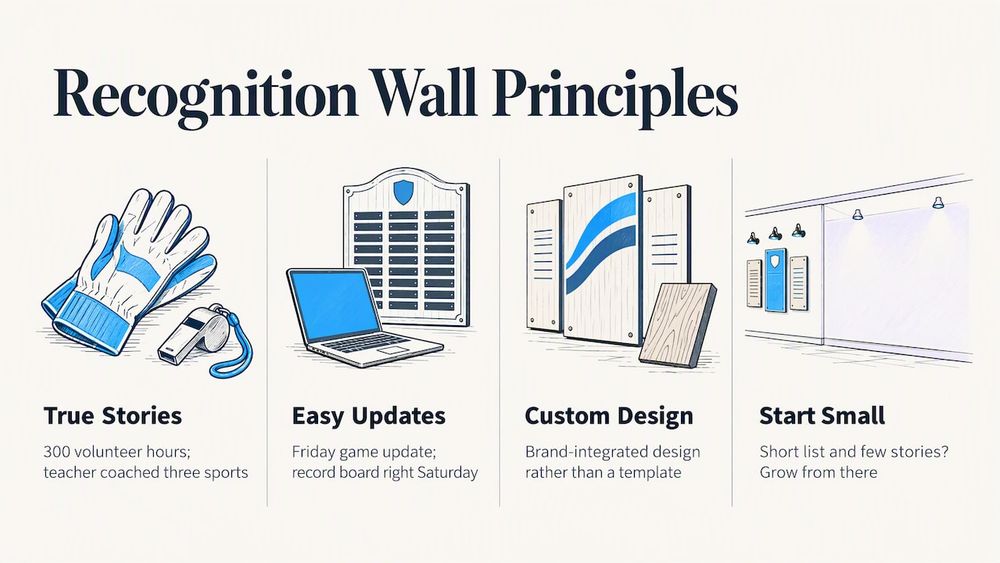
We also believe the technology should disappear. Schools do not want to learn a new platform every year or pay for maintenance. They want to know that when the athletic director finishes a game on Friday, the record board is right on Saturday morning. That is why we focus on a cloud-based system that staff can manage easily, and on a custom, brand-integrated design rather than a template.
And we believe it is better to say “you may not need a screen yet” than to sell one that sits idle. If your list is short and your stories are few, start with a small project and grow from there.
— Gardner Gendron
How to get started
A simple sequence keeps the project moving:
- Name the owner. One person in athletics, advancement or the front office should be responsible for content.
- Pick your first category. Athletic Hall of Fame, donors or yearbooks are the common starting points.
- Gather materials. Photos, scans, names, years and a few stories.
- Choose the location and check power, network, lighting and accessibility.
- Decide wall mounted or floor standing.
- Plan the launch. A dedication event or a homecoming reveal gives the wall an audience on day one.
- Set a schedule for updates, ideally at least once a month.
If you want to see how the pieces fit, our guide on features to look for in donor wall software is a good checklist, and our collection of interactive donor wall ideas has more examples.
See it for your school
Touchstone Digital Solutions builds interactive digital Halls of Fame, donor walls, record boards, trophy cases, yearbooks and archives for schools and universities, with custom branding and touchscreen hardware bundles. If you are planning a wall, visit our site and tell us what you want to celebrate. You can also look at the touchscreen software that powers it.
FAQ
What is the difference between an interactive and a digital recognition wall?
A digital wall can be any screen that shows names or slides in a loop. An interactive wall adds touch, so visitors can search, filter and open full profiles. If you have deep stories or a long list, interactive is usually the better fit. For a short list of names, a display-only screen may be enough.
How big should the screen be?
Size it to the space and the viewing distance, not to the budget. A lobby where people stand back from the wall calls for a larger display. A hallway where people stand close can use a smaller one. Mounting height and approach space matter as much as diagonal size, because the wall must be reachable by everyone.
Who updates the content?
Staff do, from a web browser, using a cloud-based content system. Many schools assign sections: athletics manages athletic content, the alumni office manages graduates and donors. One person should still own the overall calendar so updates actually happen.
Can one wall cover athletics, donors and history?
Yes. A single system can hold all three, and tagging lets one profile appear in more than one section. Many schools start with one category and add others after launch, which keeps the first project manageable.
Do we need to worry about accessibility?
Yes, especially at public schools and universities. Check mounting height, contrast, text size and non-touch alternatives, and ask your district’s ADA coordinator or counsel which rules apply to your wall and its software.
Sources
- Guiding the design and implementation of interactive public displays in educational settings (Journal of Computers in Education, 2023)
- U.S. Department of Education, definition of accessible
- U.S. Department of Justice and Department of Education letter on accessible technology
- ADA.gov, Title II web and mobile application rule first steps