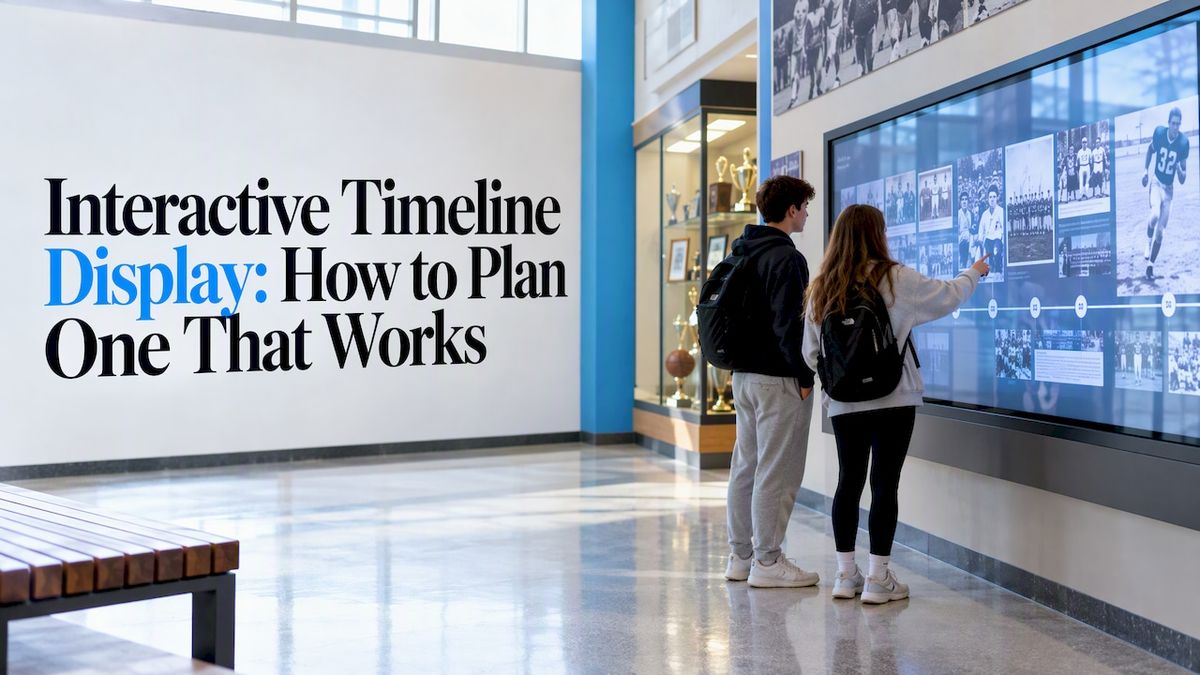
An interactive timeline display is a touchscreen that lets visitors move through your history by dragging, zooming and tapping. Instead of reading a flat list of dates, they open photos, stories, records and video tied to each moment. The good ones draw people in from across a lobby. The weak ones become a slow slideshow nobody touches. This guide covers what separates the two, from layout and gestures to content, accessibility and budget.
Touchstone-dsCelebrate School Achievements InteractivelyTouchstone helps schools celebrate academic and athletic accomplishments through customizable digital experiences that strengthen community connections.Explore Touchstone displays
TL;DR
- A strong timeline display works in two modes: an eye-catching passive loop when nobody is near, then a multi-touch explorer when someone steps up.
- Big screens change how people reach and swipe, so put navigation near the center and design for several users at once.
- Dates and facts are the easy part. Stories, people and context are what make a timeline stick.
- Decide early how much screen distance equals a year, and plan accessibility (contrast, height, reach) before you buy hardware.
- Touchstone bundles start at $3,100 for wall-mounted and $3,550 for floor-standing hardware, with software for timelines, halls of fame and archives.
Table of Contents
- What an interactive timeline display actually is
- Why a timeline works in a public space
- Design the passive mode first
- Interaction design: where most timelines fail
- Content: the part that decides whether anyone cares
- Accessibility before aesthetics
- Perspective: what we have learned building recognition displays
- Choosing hardware and software
- Where Touchstone fits
- A simple rollout plan
- FAQ
- Sources
What an interactive timeline display actually is
The phrase covers a lot of ground. Search it and you will find e-learning widgets, classroom timeline makers and web tools that students use on laptops. Those are useful for assignments. This guide is about something different: a permanent, large-format touchscreen in a school lobby, athletic hall, library or alumni center that tells the story of your institution.
That difference matters. A classroom tool is used by one person, for one project, up close. A public display is used by strangers, standing, often in pairs or small groups, for a minute or two. Every design choice (type size, gesture set, content depth) follows from that.
Common uses in schools and universities include:
- A school history wall, from founding year to today
- An athletic timeline with championships, records and inductees by decade
- A donor recognition timeline showing campaign milestones
- A digitized yearbook archive browsable by year
- An alumni center display that connects graduates to their era
If you are weighing the broader uses of a large touchscreen, our list of top uses for interactive touchwalls in education shows where a timeline fits among them.
Why a timeline works in a public space
People understand time spatially. Left is earlier, right is later, and a long horizontal sweep shows how much has happened. A touchscreen lets a visitor control that sweep with their own hands, which feels more personal than watching a video.
There is real precedent at scale. Duke University partnered with a collaboration technology company on a 6.5-foot by 24.5-foot interactive touchscreen wall that carries content on the university’s history and its vision for the future, plus student-story videos, as a first stop for visitors. You do not need that footprint. A single 55-, 65- or 86-inch screen can carry a school’s full story if the content is organized well.
Displays are social
Research on large public displays finds they act as natural ice-breakers, and that people rarely use them alone. A Lancaster University study on using large public displays to facilitate social interaction is a good starting point. The practical lesson: a grandparent and a grandchild, or two alumni from the same class, will want to touch the screen at the same time. If your software only handles one touch point, the second person is locked out and the moment is lost.
When you evaluate any timeline software, ask for a live test with two or three people dragging and pinching at once.
Design the passive mode first
Most of the day, nobody is touching your display. That means your timeline is mostly a piece of signage. Work on mixed-digital-signage and multi-touch design for social learning describes the ideal: a high-impact passive display that transitions smoothly into an interactive exploration space when someone approaches.
For a school, that can look like this:
- The screen loops through featured moments: a state title, a founding photo, a famous alumnus.
- A simple prompt invites a touch, such as “Find your graduation year.”
- The first tap drops the visitor into the full timeline at the right spot.
- After a minute of inactivity, the screen eases back to the loop.
That last step is easy to forget. A display stuck on a deep menu page looks broken to the next person walking by.
Interaction design: where most timelines fail
Plan for wide gestures and big screens
A large screen is not a big phone. In a usability evaluation of a multi-platform heritage storytelling concept, researchers used standard measures including the System Usability Scale and Net Promoter Score for an interactive display, and found that wider-than-expected physical gestures can get in the way for some users. The same research is a reminder that large touch surfaces need careful ergonomic planning.
In practice:
- Put the main navigation (years, categories, search) near the center of the screen, not at the edges.
- Keep buttons large and spaced apart.
- Avoid on-screen keyboards in corners. Offer a browsable list of names or years instead of requiring typing.
- Test with a shorter adult and a young student, not only with the tallest person on your team.
Decide what a year looks like
The team behind the Te Papa Quake Nation exhibit highlights an unglamorous but important question: how many pixels represent a year, and how long a day is, in the timeline’s logic. If you do not settle it early, scrolling feels erratic and disconnected from real history.
For a school timeline, this usually means choosing between two approaches:
| Approach | How it works | Best for |
| Proportional scale | One year always takes the same screen distance | Showing busy and quiet eras honestly |
| Event-based scale | Events are spaced evenly regardless of dates | Short timelines with lots of entries in a few years |
| Hybrid | Proportional spine with expandable clusters | Schools with 100+ years and uneven records |
Proportional spacing teaches something that a list cannot. Research on a deep-time museum exhibit notes that good timeline design encourages proportional reasoning, helping people grasp the real relative passage of time. Your school’s history is not millions of years, but the principle holds. If 40 years passed between the founding and the first state title, visitors should feel that gap.
Make it hold up under multi-touch
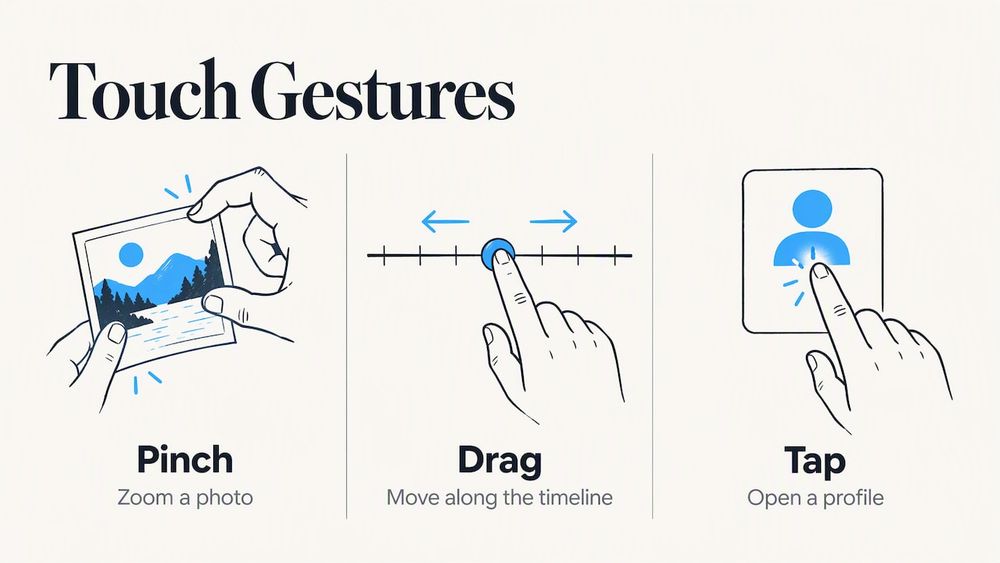
Pinch to zoom on a photo, drag to move along the timeline, tap to open a profile. Keep the gesture set small and consistent. If dragging moves the timeline in one place and moves a photo in another, people stop trusting the screen.
Content: the part that decides whether anyone cares
A display full of dates is easy to build and easy to forget. A review of information visualization frameworks for cultural heritage found that such tools improve initial engagement and suit lower-level learning, like identifying dates and facts, but are often less effective for deeper tasks unless tied to a broader storytelling approach.
So give each entry a reason to exist. A useful entry template:
- A date or date range
- One strong image (a scanned photo, a program, a headline)
- Two or three sentences of context: why this mattered then
- A person: who did it, and where are they now
- A link to related entries, such as the same team, same coach or same decade
Sources of material
Most schools already own more history than they realize. Look in:
- Yearbooks, which give you names, faces and photos for every class
- Athletic department records, trophy cases and record boards
- Local newspaper clippings and school newspaper archives
- Alumni newsletters and reunion materials
- Donor and campaign files
If your yearbooks are sitting on a shelf, our professional yearbook digitization service is built for exactly that step, and the Digital History Archive is where that material becomes a searchable, browsable collection.
Connect the timeline to learning
If the display sits near classrooms, use it as a teaching tool and not only a showcase. Classroom research on digital timelines in a social studies classroom looked at how one U.S. history teacher integrated them. Our own guide on integrating digital tools into a high school history curriculum offers practical ideas.
To push students past dates and into analysis, pair the timeline with note-taking. A student who finds a 1974 entry can write an annotated response, and tools for annotating videos and sources into study-ready notes are one way to tie what they find on the wall to a longer assignment.
Accessibility before aesthetics
A timeline everyone in your community cannot use is not a recognition display, it is a barrier. The Quake Nation team built in contrasting colors for visual impairments and screen heights suited to children and wheelchair users, and that is the right instinct for a school.
Build a checklist before you order:
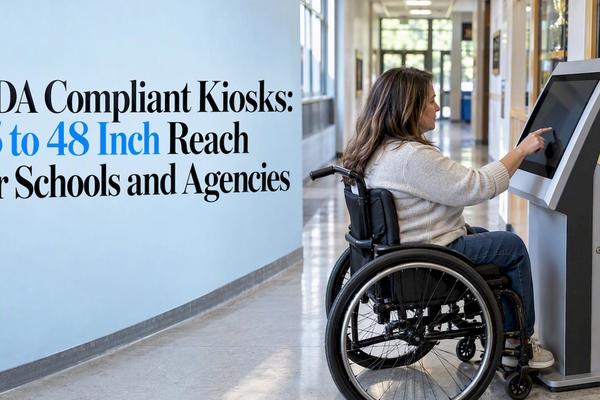
- Mounting height that works for seated users and younger students
- Clear floor space in front of the screen so someone can pull up close
- High-contrast text and a readable type size from a few feet away
- Content that does not depend on audio alone, and audio options for those who need them
- Captions on every video
U.S. public schools and universities have legal obligations under the Americans with Disabilities Act and related laws. Ask your district’s ADA coordinator or facilities office to review the planned location and mounting before installation, since requirements depend on your building and your institution type.
Perspective: what we have learned building recognition displays
We build digital halls of fame, record boards, donor walls and archives, so we see the same pattern in nearly every project. The schools that get the most out of a display decide what story they are telling before they pick a screen.
A timeline is a natural spine for that story. Athletic records make more sense when you can see who held them before. A donor wall means more when visitors can see what each campaign made possible. A yearbook archive stops being nostalgia only and becomes a way for a 1988 graduate to find a classmate in seconds.
Our team includes gaming-industry UI/UX designers, and that shows in how we think about touch: a display should feel responsive and a little bit fun, never like a PDF on a monitor. We are a family-run business, and our customers work directly with the founders. We also design each display around the school’s own branding, so a timeline in a small-town high school does not look like a template from a university across the country.
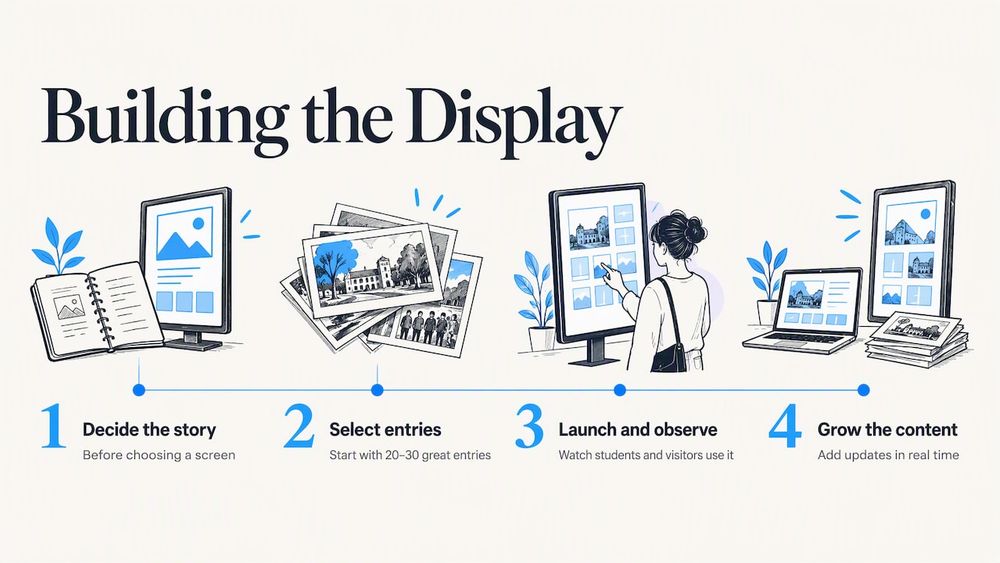
Our advice is simple. Start with 20 to 30 great entries, not 500 mediocre ones. Launch, watch how students and visitors use it, and grow from there. Because content is managed in the cloud and can be updated in real time, adding this season’s championship or this year’s inductees is routine, not a project.
— Gardner Gendron
Choosing hardware and software
Timeline displays are only as good as the screen and software behind them. Here is what to weigh.
Screen size and format
- 55 inches suits a corridor or a small library alcove.
- 65 inches works for a main lobby where people stand a few feet back.
- 86 inches makes a statement in a gym entrance or alumni center, and fits two or three people side by side.
You can compare options on our touchscreen hardware page, including the 55-inch, 65-inch and 86-inch displays.
Wall mounted or floor standing
Wall-mounted screens save floor space and suit hallways. Floor-standing units can move more easily to a new location, and suit areas where wall construction is difficult. Our wall-mounted bundles are listed at $3,100 to $4,900 one-off, and floor-standing bundles at $3,550 to $4,300 one-off.
Software questions to ask any vendor
| Question | Why it matters |
| Does it support true multi-touch for several users? | Displays are social, and one-touch screens frustrate groups |
| Is there a passive attract mode? | Most of the day, nobody is touching it |
| Can staff update content from a browser? | Otherwise the timeline goes stale |
| Can it carry your branding, colors and fonts? | Recognition should look like your school |
| What happens after year one? | Ask about support, updates and ongoing costs |
Where Touchstone fits
If you want a timeline display without building it from scratch, our Touchscreen Software powers fully customizable, brand-integrated displays with cloud-based content management. You can build the timeline as part of a Digital Athletic Hall of Fame, a donor wall, or a record board, and our designers handle the look and feel. We design for no maintenance costs and provide dedicated support after installation. To see it running, start from the Touchstone Digital Solutions home page and schedule a demo.
For a look at how a connected display changes campus life, read how an interactive record board transforms campus engagement.
A simple rollout plan
- Pick the location and watch foot traffic for a week. Where do people actually pause?
- Decide the story: whole school history, athletics only, or a donor campaign.
- Gather and scan material. Start with yearbooks and athletic records.
- Set the time scale (pixels per year) and the entry template.
- Write 20 to 30 strong entries with a person and a reason to care.
- Review accessibility with your facilities team before mounting.
- Launch, observe real users, and fix what trips them up.
- Add content each season so the display stays current.
Our step-by-step guide to setting up touchscreen lobby software in K-12 schools goes deeper on the setup stage.
FAQ
How is an interactive timeline display different from a timeline maker?
A timeline maker is a web tool where students or teachers build a timeline for an assignment, usually on a laptop. A timeline display is a permanent, large-format touchscreen in a public space, designed for visitors to explore on their own. It needs durable hardware, multi-touch design, an attract mode and a content system staff can update.
How much content do I need to launch?
Less than you think. Twenty to thirty well-written entries with strong images give visitors plenty to explore, and you can add more each season. Quality of storytelling matters more than volume, since research shows date-and-fact displays alone are weaker for deeper learning.
How much does the hardware cost?
Our published hardware bundles run $3,100 to $4,900 one-off for wall-mounted and $3,550 to $4,300 one-off for floor-standing. Software pricing for timelines, halls of fame and archives is not published, so contact us for a quote based on your project.
Can several people use the display at once?
They should be able to. Research on public displays shows people rarely use them alone, so multi-user touch is worth testing before you commit. Ask any vendor to demonstrate two or three people using the screen at the same time.
Do we need to digitize our old yearbooks first?
Not required, but it is often the richest source of names, photos and dates. Digitized yearbooks let you build a timeline fast and let alumni find their own class. We offer digitization as a separate service.
Sources
- Duke University upgrades with digital signage, Digital Signage Today
- Talking to strangers: Using large public displays to facilitate social interaction, Lancaster EPrints
- Designing a Mixed Digital Signage and Multi-touch Interaction for Social Learning, Springer
- User Evaluation of a Multi-Platform Digital Storytelling Concept for Cultural Heritage, MDPI
- Te Papa Quake Nation, Springload
- DeLVE into Earth’s Past, arXiv
- Cognition-Based Evaluation of Visualisation Frameworks, UCL Discovery
- The Impact of Using Digital Timelines in the Social Studies Classroom