
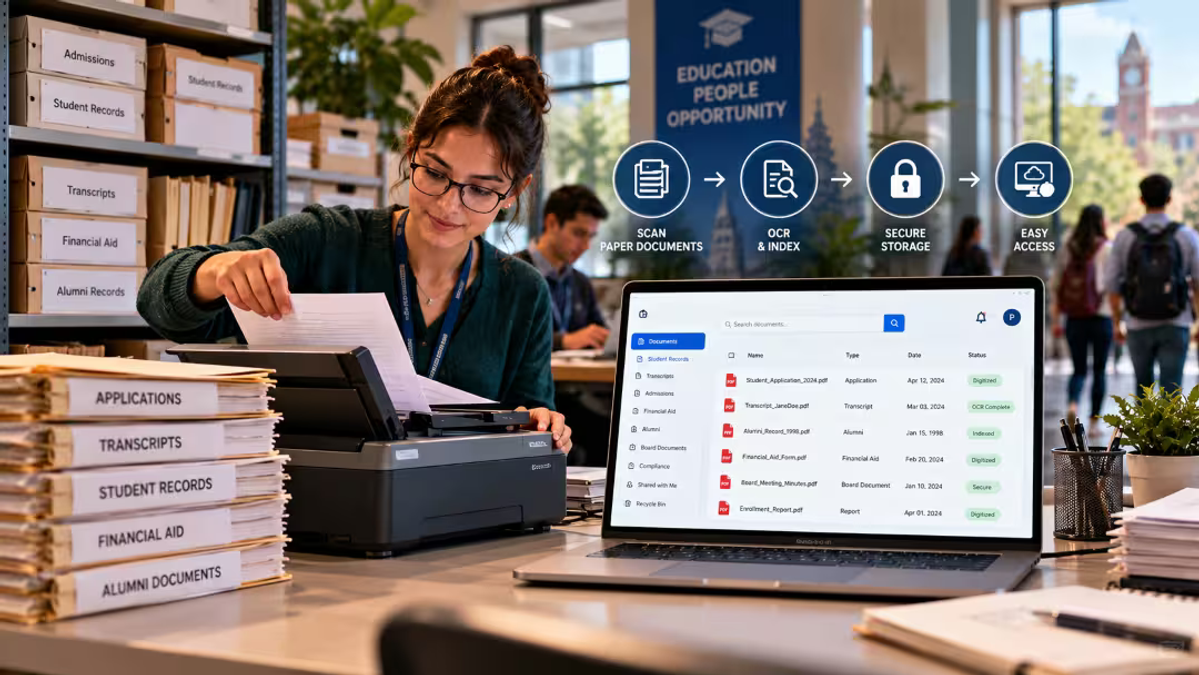
Documents accumulate silently. Application files, transcripts, alumni documents, board papers. One day there’s a need for the document from 1998, but where could it be?
Here’s the bottom line: document scanning for businesses is converting paper documents into searchable and secure digital documents on a large scale. In any case, the most cost-effective solution is almost never the most sophisticated one. It is the one that fits your volume and usage of paper documents.
Why Enterprise Document Scanning Matters for Schools and Universities
Nearly 80 percent of businesses are using paper in some way, even universities, which means that there is going to be plenty of competition. It is expected that by 2026, the document scanning service market will reach $5.7 billion.
That's good news. Competition means options, and options mean you don't need to overpay.
3 Document Scanning Options: Outsourcing, In-House, and Hybrid
You have three viable options: outsource, scan yourself, or a combination of the two. They each work better with certain budgets and volumes of documents.
Outsourced Document Scanning for Large Archives
For those who have years' worth of paperwork, professional document scanning is often the most economical method of getting rid of it. This service is paid by the page and does not require any equipment or training.
Instead of comparing only the total cost, compare the cost per page when it comes to scanning services for documents. This is because the things that are included matter a lot since preparation, indexing, and quality control all have an effect on the final cost.
In-House Document Scanning for Ongoing Records
When it comes to the arrival of new paper every day, it is almost impossible to beat a sheet-fed scanner at the point of entry. The hardware cost is paid upfront while the cost per page remains relatively low. This "day forward" process prevents the backlog from increasing again. Add to this a flatbed for delicate documents.
Hybrid Document Scanning to Reduce Costs
This is the sweet spot for most budgets. Outsource the archive once, then scan going forward. You pay for the heavy lifting a single time and keep ongoing costs small.
Enterprise Document Scanning Costs: What Is Included?
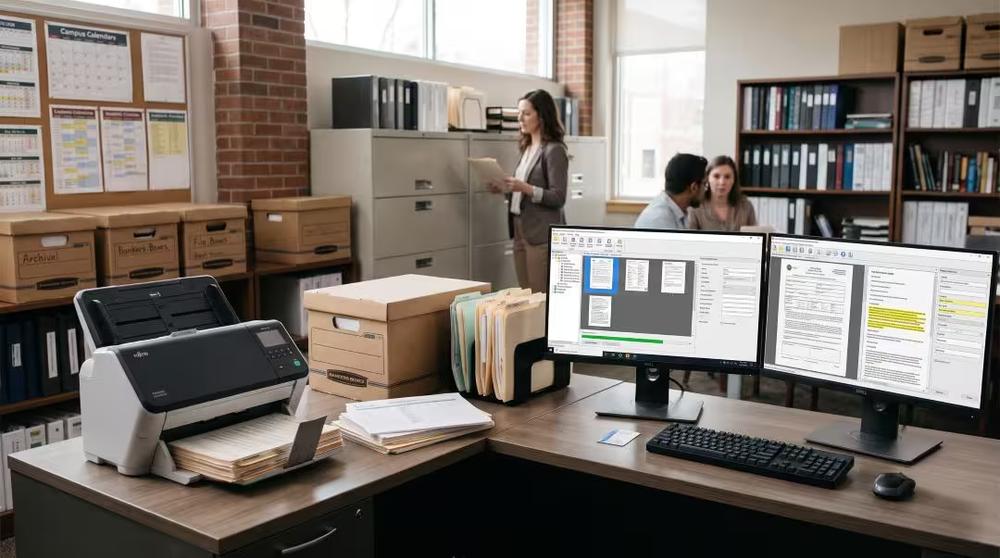
Scanning is only one line item. The realistic cost calculation of digitization of documents starts with the preparation stage, which involves the removal of staples, sorting and repair of torn papers. The subsequent process is scanning, which is paid for per page or per box. Add indexing, which tags files so people can actually find them, plus a digital home for storage and software for OCR, capture, and management.
Pricing in this space varies wildly. Per-page tools can run from about €6 to €200 per 1,000 pages, while full enterprise suites can start around $18,000 a year. The expensive mistake isn't picking the wrong vendor. It's buying at the wrong tier.
Run a document scanning services prices calculator early, using your real page counts, so the numbers don't surprise you later.
OCR vs. Intelligent Document Processing: Which Do Schools Need?
Here's the cheat code most budget buyers miss. OCR reads text off an image so you can search it. It doesn't comprehend its subject matter. Intelligent document processing takes things a step further by analyzing the documents, extracting relevant information, and tagging anything uncertain for review by a person.
OCR with basic indexing works for 90% of the requirements on most campuses. Use the advanced techniques only when you have a lot of data entry, such as with applications and invoices, where it can reduce processing time from 8 minutes to 2.
How to Choose Document Management Services for Schools
Scanned files need a home. Good document management system services offer you role-based access, where the registrar can access transcripts but the facilities department cannot.
Search for access controls where people get to see what is necessary for their work only, and audit trails where you can tell who accessed or altered certain documents. Also, search for hot and cold storage, where active files remain accessible while archived files go to inexpensive storage.
How to Protect Student Data During Document Digitization
Since student files are confidential, it is essential that security should not be an afterthought. Make sure to find out the place of processing before signing any agreement, because even a cloud-based recognition request transfers the page information from your internal system.
Also confirm a logged chain of custody for physical documents, and run a trial audit on a small sample job first. If a provider can't show you complete audit trails on ten boxes, don't hand them ten thousand.
How to Plan a Budget-Friendly Records Digitization Project
A records digitization process becomes easier if carried out in four stages.First, assess: rank your records by value, how often they're used, and legal requirements. Second, purge: shred what you are permitted to destroy before you spend money scanning it. Third, scan and index: capture using OCR and tag by type, department, and date. Fourth, store and govern: set retention policies and access controls.
Step two is the budget saver. Every page you don't scan is money you keep.
Begin with high-value streams such as contracts, HR records, and admissions records. Put lower touch archives on an "image-on-demand" basis, whereby a record is retrieved and scanned only when requested.
Document Scanning Services Checklist: What to Ask Before Hiring
Seek at least three bids for document scanning/digitization services, including page price quoted in writing with any additional costs listed. Ask for a trial run with a smaller quantity and verify that there is security, audit trail, and file format control. Above all else, ensure that you own your files and can export them whenever needed.
A paper to digital conversion services provider should make leaving as easy as joining. If they don't, that's your answer.
Choosing Affordable Enterprise Document Scanning Services
Inexpensive enterprise document scanning is all about making some good decisions: clean house, outsource the backlog, scan incoming paper documents internally, and select storage that is secured. Don’t opt for the expensive option unless you need it.
Once your records are digital, the fun part starts. At Touchstone Digital Solutions, we help schools turn digitized history into something people actually want to explore. We transform static halls of fame, plaques, and trophy cases into interactive touchscreen experiences that celebrate anyone, anywhere, for any achievement, all with a single click. Our proud partners get a cloud-based system that's simple to update and never goes out of date. It's a legacy that never graduates.