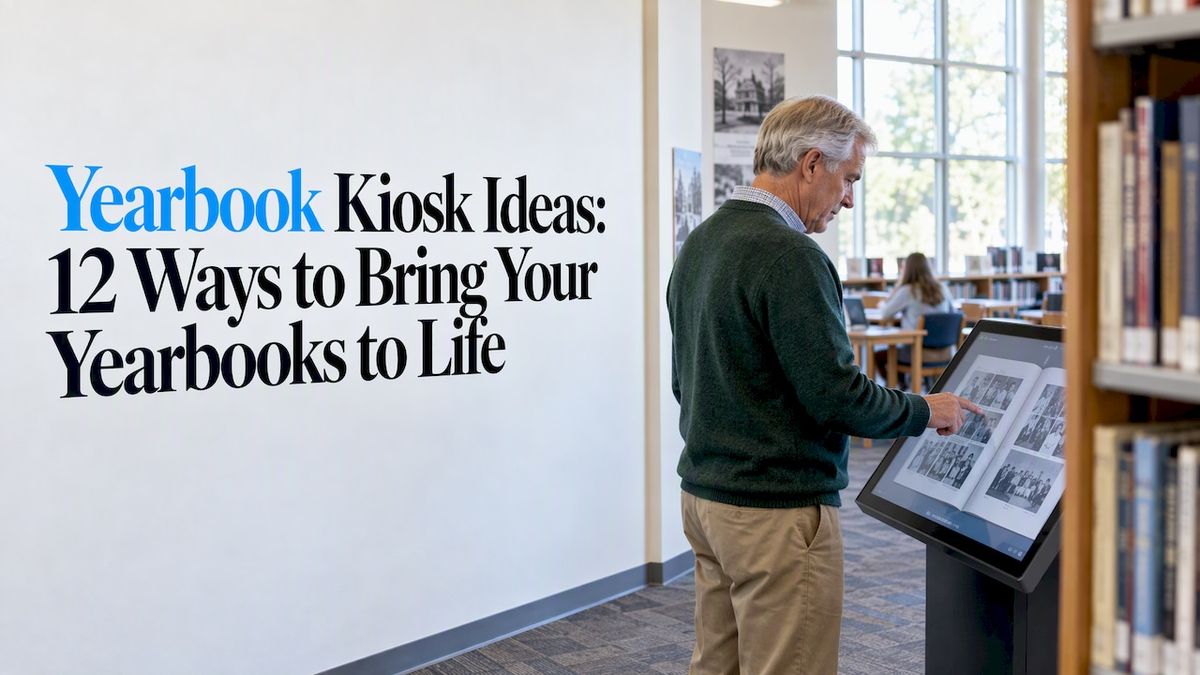
A yearbook kiosk is a touchscreen, usually in a lobby, library or hallway, that lets anyone browse your school’s yearbooks, searchable by name, year, team or club. The best ones go further than page-turning: they pair scanned yearbooks with stories, records, photos and alumni voices. Below are twelve ideas you can use, plus the privacy, accessibility and hardware questions to settle before you build.
Touchstone-dsBring School Memories to LifeTouchstone creates interactive digital displays that celebrate school achievements and help students, alumni, and communities connect with their history.Explore Touchstone
TL;DR
- Start with a searchable archive of scanned yearbooks, then layer on extras like athletic records, alumni profiles and “then and now” photo pairs.
- Interactive means participation: trivia, fill-in-the-blank memories and submitted stories keep a kiosk from feeling like a dusty shelf.
- Plan a privacy buffer for recent years and check with your district’s counsel before publishing anything online.
- Choose hardware and software that meet accessibility needs from day one, and pick a content system your staff can update without a vendor call.
- Wall-mounted bundles from Touchstone run $3,100 to $4,900 one-off, and floor-standing bundles run $3,550 to $4,300.
Table of Contents
- What a yearbook kiosk actually does for a school
- Twelve yearbook kiosk ideas that work
- Digitizing old yearbooks: where to start
- Privacy and copyright: the part that stalls projects
- Accessibility: build it in from the start
- Choosing hardware and placement
- Our perspective: make it a place people return to
- Putting the pieces together with Touchstone
- A simple rollout plan
- FAQ
- Sources
What a yearbook kiosk actually does for a school
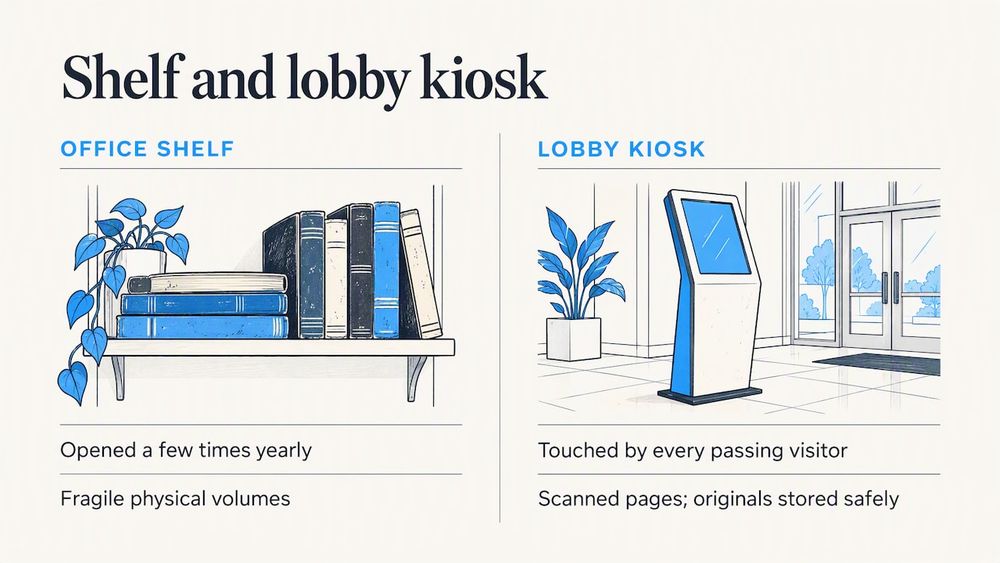
A shelf of old yearbooks in the front office gets opened maybe a few times a year. A kiosk in the main lobby gets touched by every visitor, parent, alumnus and new student who walks past. That’s the whole idea: take something your school already owns and put it where people will use it.
A kiosk also protects the books. Originals are fragile, and the only copy of a 1962 annual shouldn’t be passed around at homecoming. Once the pages are scanned, the physical volumes can stay safely stored while visitors browse the digital versions.
If you want the broader case, our post on the benefits of digital yearbooks covers it. Here, we’ll focus on what to put on the screen.
Twelve yearbook kiosk ideas that work
1. A searchable archive, decade by decade
The foundation is every yearbook you own, scanned and searchable. Let visitors search by name, jump to a class year, or browse by decade. Name search is the feature alumni use first, and it’s the reason they come back with friends.
Offer a simple decade view on the home screen too, with one cover image per era. Visitors who don’t have a name in mind still get a place to start.
2. “Find yourself” for visiting alumni
Reunion weekends are your best kiosk moment. Set up a “find yourself” flow: type a name, see the senior portrait, activities and any team photos. Add a button to save or email the page so the memory leaves the building with them.
3. Then-and-now photo pairs
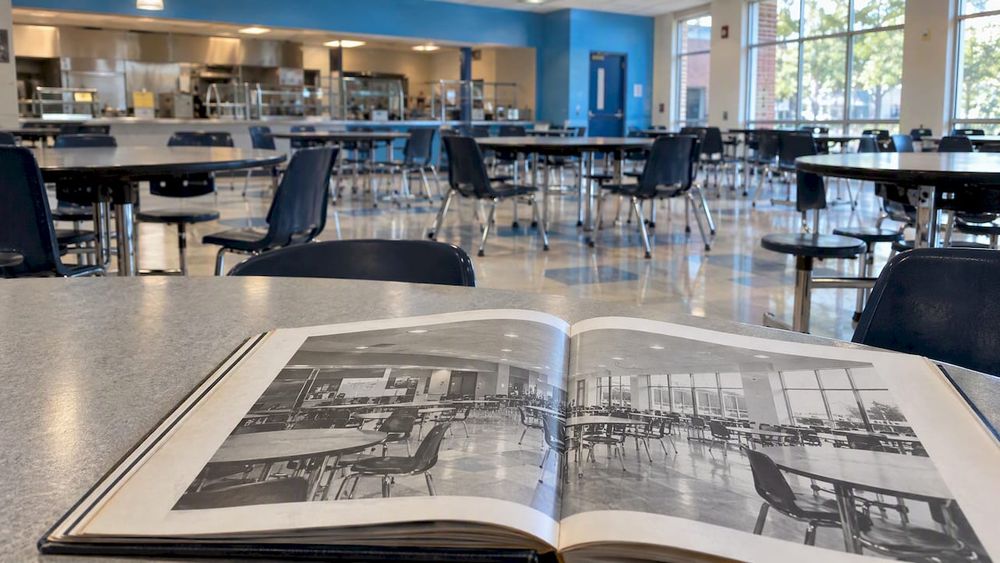
Pair a yearbook photo of the main entrance, the gym or the cafeteria with a current photo of the same spot. Students love seeing the same hallway with different hair and lockers. It also gives younger visitors a reason to dig into the archive.
4. Athletic records tied to yearbook team pages
Sport pages are some of the most-visited content in any archive. Link each team photo to the season’s results, the roster and any records set that year. A digital athletic Hall of Fame can sit in the same kiosk, so a visitor who finds Dad’s 1988 basketball photo can tap through to his profile.
5. Alumni profiles that grow over time
Start with the yearbook entry, then add what happened next: career, service, a short note from the graduate. Invite alumni to submit updates through a simple form that your staff approves before it goes live. The kiosk then becomes a living record, not a finished project.
Our guide to top achievements for an academic wall of fame can help you decide who and what to feature.
6. Trivia and puzzles built from your own history
Educators who write about interactive yearbook pages suggest trivia, puzzles and fill-in-the-blank stories to get readers contributing their own voice. A kiosk is a natural home for that. Try questions like “Which year did our mascot change?” or “Who was the first girls’ team to win a state title?” with answers that open the relevant yearbook page.
Student clubs can write the questions. That gives them ownership, and the content stays fresh.
7. A memory wall for submitted stories
Let visitors leave a short memory: a favorite teacher, a bus ride, the night the lights went out at the big game. Route submissions to a moderator before publishing. Pin the best ones to the matching class year so the story and the yearbook page appear together.
8. Faculty and staff through the years
Beloved teachers and coaches are often what alumni remember most. Build a section that follows individual staff members across decades of yearbooks: their first photo, their last, and the clubs they sponsored. Retired staff often love this, and they bring their families.
9. Clubs, traditions and school spirit
Marching band, robotics, drama, student council. Give each organization a page that shows its yearbook photos over time and a paragraph on what it does today. Current students then see themselves as part of a long line, and recruiting new members gets easier.
10. Donor recognition next to the archive
People who love the yearbooks often love the school. Place a digital donor wall in the same system, so a visitor can move from a 1975 senior photo to the scholarship fund named for that class. It keeps giving visible without a separate display.
11. A timeline of the school’s biggest moments
Use yearbook pages as evidence in a visual timeline: the founding, the new building, state championships, the year of the flood. Each milestone opens the pages that documented it. This is the idea we’d recommend for schools with a gap in written history, because the yearbooks often fill it. A digital history archive can pull in photos, programs and clippings next to the yearbooks.
12. Current-year preview and student spotlights
The newest yearbook shouldn’t be left out, but handle it with care (see the privacy section below). A safe approach is to feature the current year’s cover, theme, and approved student spotlights, such as academic honors, athletic wins and arts. Recognition screens like these also fit with a digital trophy case and digital record boards.
Digitizing old yearbooks: where to start
Most projects begin in a closet or a library cabinet. A few steps keep them moving.
- Inventory what you have. List every year, note missing volumes and flag damage. Libraries often hold a complete or near-complete run, and a Wisconsin digitization toolkit suggests asking alumni to donate old copies to fill the gaps.
- Check the legal side before scanning (more on that below).
- Scan once, at high quality. Archivists recommend keeping a high-quality master file from which smaller versions are made for web and screen use, which means you won’t rescan later. State library guides, such as North Dakota’s digital projects toolkit, walk through the basics.
- Make the text searchable and tag names, teams and clubs. This step is what turns a stack of images into a kiosk people use.
- Decide who maintains it, and how often.
If you’d rather not run a scanning project yourself, our professional yearbook digitization service handles it for schools.
Privacy and copyright: the part that stalls projects
This is where well-meaning projects slow down. Yearbooks contain photos and names of minors, and some contain material from outside photographers or contributors.
A law-library paper on digitizing yearbooks while considering student privacy and other legal issues is a good starting point for administrators. It’s written for libraries, but the questions it raises apply to schools too: what counts as directory information, who owns the photos, and how to respond to a removal request.
A practical approach many schools take:
- Hold back recent years. A rolling buffer, such as keeping the most recent several years off public screens, reduces the risk of objections from current families.
- Publish a simple removal-request process, and follow it quickly.
- Keep a kiosk-only version separate from any public website version if your counsel recommends it.
- Get your district’s legal counsel to confirm your approach. Rules and policies vary by state and district, and we’re not lawyers.
Accessibility: build it in from the start
A kiosk that some visitors can’t reach or read isn’t recognition for everyone. Think about screen height, reach range, contrast, text size, and whether touch targets are large enough for all users. Public schools should also check with their district about what digital accessibility standards apply to them.
Our guide to ADA-compliant kiosks and reach ranges for schools walks through mounting heights and layout choices. When you evaluate any vendor, ask for written accessibility documentation, not just a verbal yes.
Choosing hardware and placement
Where the kiosk lives shapes how it’s used. A few thoughts:
- Main lobby: highest traffic, best for alumni and visitors. Pair it with the Hall of Fame.
- Library or media center: quieter, better for long browsing and research.
- Gym or athletic hallway: great for team pages and records, especially on game nights.
- Mobile or movable stand: helpful for reunions, community events and anniversaries.
For most schools, the choice comes down to wall-mounted or floor-standing. Wall-mounted saves floor space in tight hallways. Floor-standing works in open lobbies and can move if the space changes. Both should be placed at a height and with clearance that works for wheelchair users and younger students alike.
| Option | Published price | Best for |
| Wall Mounted Touchscreen Bundle | $3,100 to $4,900, one-off | Hallways, lobbies with wall space |
| Floor Standing Touchscreen Bundle | $3,550 to $4,300, one-off | Open lobbies, events, flexible placement |
If you want a larger display for a main lobby, there’s also a 75-inch interactive display option.
Our perspective: make it a place people return to
We’re a family-run business, and we work directly with schools on how their history should look and feel. Here’s what we’ve learned shaping these projects.
The kiosks that last aren’t the ones with the most features. They’re the ones with a clear reason to visit. A yearbook archive alone draws people once. A yearbook archive connected to records, honorees, stories and donors draws them again, because there’s always another thread to follow.
Design matters more than administrators expect. Our team includes UI/UX designers from the gaming industry, and our work has been Emmy-nominated, so we treat the interface the way a game studio would: it should be obvious in seconds, fun to explore, and clearly yours. That means your colors, mascot and fonts, not a generic template.
Support matters too. A kiosk that nobody can update becomes a museum piece in two years. Our cloud-based content management lets your staff add a new season, a new inductee or a corrected name, and updates reach the screen in real time. There are no maintenance costs on our end, and you work with the founders, not a ticket queue.
Our advice: start with the yearbooks, add one “living” section in the first year (alumni profiles or records), and grow from there. If you’re planning a Hall of Fame as well, our implementation guide lays out the process.
— Gardner Gendron
Putting the pieces together with Touchstone
If you’re ready to move from ideas to a real kiosk, Touchstone’s touchscreen software brings yearbooks, Halls of Fame, record boards, donor walls and archives into one branded interface, with hardware bundles available from the touchscreen hardware page. You can also browse our yearbook articles for more ideas, or see the full range at touchstone-ds.com.
A simple rollout plan
A first-year plan that works for most schools:
- Month one: choose a project lead (often an athletic director, librarian or alumni coordinator) and a small advisory group, including a student or two.
- Months one and two: inventory yearbooks, confirm privacy approach with counsel, pick the placement.
- Months two to four: scan, tag and organize. Draft the first living section.
- Month five: install, test with real visitors, and fix what confuses them.
- Launch at a homecoming, reunion or open house, and announce a way to submit stories.
- After launch: add something new each season so the kiosk stays current.
The launch event matters more than most schools expect. Invite a few alumni from different decades, put them in front of the screen, and let them find themselves. That’s the moment the project sells itself.
FAQ
What should a yearbook kiosk include besides scanned pages?
The best kiosks add context: athletic records, alumni profiles, staff histories, a timeline and a way for visitors to submit memories. Trivia and puzzles drawn from your own history also work well. The goal is to give people a reason to keep tapping after they’ve found their own photo.
Can we put old yearbooks online or on a kiosk without permission?
It depends on the year, the content and your district’s policies. Older volumes carry less risk than recent ones, and many schools keep recent years off public screens. Talk with your district’s legal counsel before publishing, and offer a clear removal-request process.
How much does a yearbook kiosk cost?
With Touchstone, wall-mounted touchscreen bundles are $3,100 to $4,900 one-off, and floor-standing bundles are $3,550 to $4,300 one-off. Software and digitization services don’t have published prices, so contact us for a quote based on your volume of yearbooks and the features you want.
Who updates the content after launch?
Your staff can, if the system is cloud-based and built for non-technical users. Touchstone’s content management supports real-time updates, so adding a new season or correcting a name doesn’t require a service visit. Assign one owner and one backup so updates don’t depend on a single person.
Where should a school put a yearbook kiosk?
The main lobby gets the most traffic, and it’s best for alumni and visitors. A library suits longer research sessions, and an athletic hallway suits team pages and records. Make sure any location leaves enough clearance and a reachable screen height for wheelchair users.
Sources
- How to create interactive yearbook pages
- The Toolkit: Digitizing Yearbooks, Recollection Wisconsin
- Yearbooks, Digital Projects Toolkit, North Dakota State Library
- Digitize Your Yearbooks: Creating Digital Access While Considering Student Privacy and Other Legal Issues