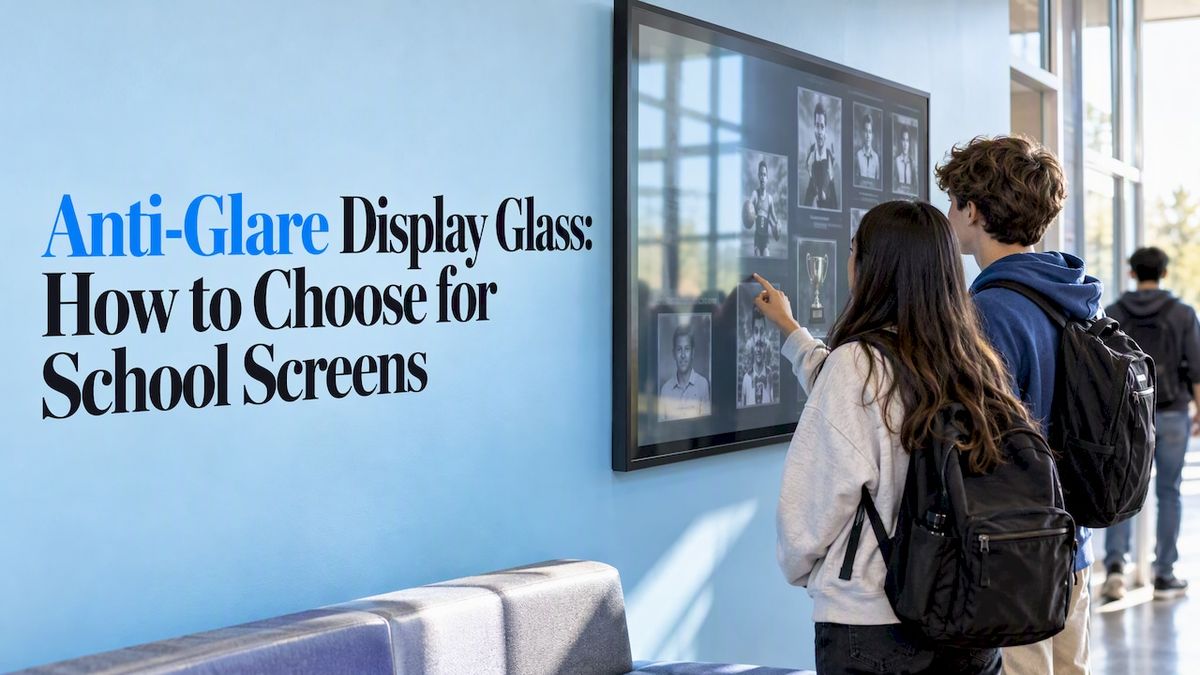
Anti-glare display glass is glass with a treated surface that scatters bright reflections, so a window or ceiling light stops showing up as a mirror image on your screen. For a school touchscreen in a lobby, gym entrance or hallway, it is often the right choice. It is not the only choice, and it works best when paired with sensible brightness and placement.
This guide explains how anti-glare (AG) glass differs from anti-reflective (AR) glass, what the trade-offs are, how to read a brightness spec in nits, and how to put it all together when you buy a display for a Hall of Fame, donor wall or record board.
Touchstone-dsMake School Achievements Easier to SeeTouchstone creates interactive Digital Hall of Fame displays that help schools celebrate achievements and connect their communities.Explore Touchstone displays
TL;DR
- Anti-glare glass diffuses reflections with an etched or textured surface. Anti-reflective glass uses thin-film coatings to reduce the light that bounces back at all.
- AG is usually the more affordable option for general indoor use, but it slightly softens sharpness and contrast. AR keeps images crisper and usually costs more.
- Indoors, 200 to 400 nits is typical. Rooms with big windows need more, and direct sunlight calls for more than 1,000 nits.
- Glass alone will not save a badly placed screen. Orient the display away from windows and overhead fixtures before you blame the panel.
Table of Contents
- What anti-glare glass actually does
- Anti-glare vs. anti-reflective: the difference that matters
- Why glare is worth solving at all
- Reading the brightness spec: what nits mean
- Match the glass to the room
- Placement mistakes that glass cannot fix
- A note on fingerprints and cleaning
- Our perspective
- Hardware that fits a school hallway
- Questions to ask before you buy
- FAQ
- Sources
What anti-glare glass actually does
Standard glass behaves like a mirror for any bright light source. Anti-glare glass changes that surface. According to AGC’s technical page on etched glass, the glass is physically modified, by chemical etching or specialized coatings, to scatter light. Harsh reflections disappear, but the same page notes a slight loss in image sharpness and contrast.
Think of it as turning a sharp, mirror-like reflection into a soft, even haze. Your eye no longer locks onto the shape of the window behind you. The trade-off is that the screen surface has a fine texture, and that texture can make tiny text look a touch less crisp.
Makers describe two main routes:
- Chemical etching, where the glass surface is roughened in a controlled acid process.
- Spray or sputtered coatings that leave a textured layer on top.
Manufacturer process guides list typical surface roughness figures in the range of 0.5 to 2.5 micrometers, adjustable to the finish a buyer wants. A rougher surface scatters more light but also softens the image more, which is why one “anti-glare” label can mean very different screens.
Anti-glare vs. anti-reflective: the difference that matters
People use the two terms as if they were one. They are not.
Anti-reflective glass carries optical thin-film layers that cancel part of the reflected light. Abrisa Technologies explains that AR coatings can bring reflectance below 0.5%, compared with roughly 4% for untreated glass. Anti-glare etching, by contrast, scatters light rather than lowering the total amount reflected.
An optical filter supplier makes the same point: etched AG glass is not coated, and the glass surface reflectivity is not reduced. The matte texture just spreads the reflection out.
| Anti-glare (AG) | Anti-reflective (AR) | |
| How it works | Etched or textured surface diffuses reflections | Thin optical coating reduces reflected light |
| Best at | Killing mirror-like reflections from lamps and windows | Keeping images bright, sharp and high-contrast |
| Weak spot | Slight softening of fine detail | Costs more, and can show fingerprints more visibly |
| Typical cost | Lower | Higher |
| Good fit | Classrooms, lobbies, offices | Bright rooms where image fidelity matters most |
Industry guidance from Plastic Service Company lands in the same place: AR gives superior clarity and brightness without diffusion, while AG is often the more cost-effective answer for general-purpose use and handles distracting reflections from localized light sources well in typical classroom or office settings.
There is also a combined option. Some manufacturers put an AR coating on top of an AG-etched surface to get wide-angle glare control and better light throughput. The same guidance warns that this significantly raises unit cost. For most school hallways, that is more glass than you need.
Why glare is worth solving at all
A recognition display only works if people stop and read it. A reflection of a skylight across a photo of a state champion team is a good reason to walk past.
There is a comfort side too. A review in PubMed Central reports that computer vision syndrome affects about 74% of heavy screen users, and that glare reduction, correct viewing distance (18 to 24 inches) and regular breaks can cut eye-strain complaints by half or more. A lobby kiosk is not an all-day workstation, but the same logic applies to a student scrolling through a digital yearbook or a parent searching for a name. Squinting past a reflection is a poor experience, however long it lasts.
Older research agrees. A Cornell study from the 1990s found that optical glare filters on monitors dramatically reduced vision problems in full-time computer users. The technology has moved on, but the basic finding has held.
Reading the brightness spec: what nits mean
A nit is one candela per square meter (cd/m²), the standard measure of how bright a display looks. BenQ’s explainer on nits gives a useful rule of thumb:
- Indoor rooms: 200 to 400 nits
- Covered outdoor areas: 400 to 700 nits
- Direct sunlight: above 1,000 nits
There is a catch. The ISO 9241 guidance discussed in Microsoft’s adaptive brightness documentation suggests only 100 to 150 nits for office work under 500 lux, as long as the display is calibrated for its real installation. That figure is for a person sitting at a desk for hours. A display people glance at while walking past a bright atrium needs more punch, because it is competing with the room.
A school-specific buyer’s guide puts interior locations with controlled lighting at around 350 to 500 nits. That is a reasonable target for most hallways and lobbies.
How brightness and anti-glare work together
They solve different problems. Brightness fights washed-out images when the room is bright. Anti-glare handles the mirror effect from specific light sources. A very bright screen with glossy glass still reflects the window. A matte screen with low brightness still looks faded in a sunny lobby. You usually want both: a panel in the 350 to 500 nit range for typical indoor halls, and a surface treatment matched to how much direct light hits it.
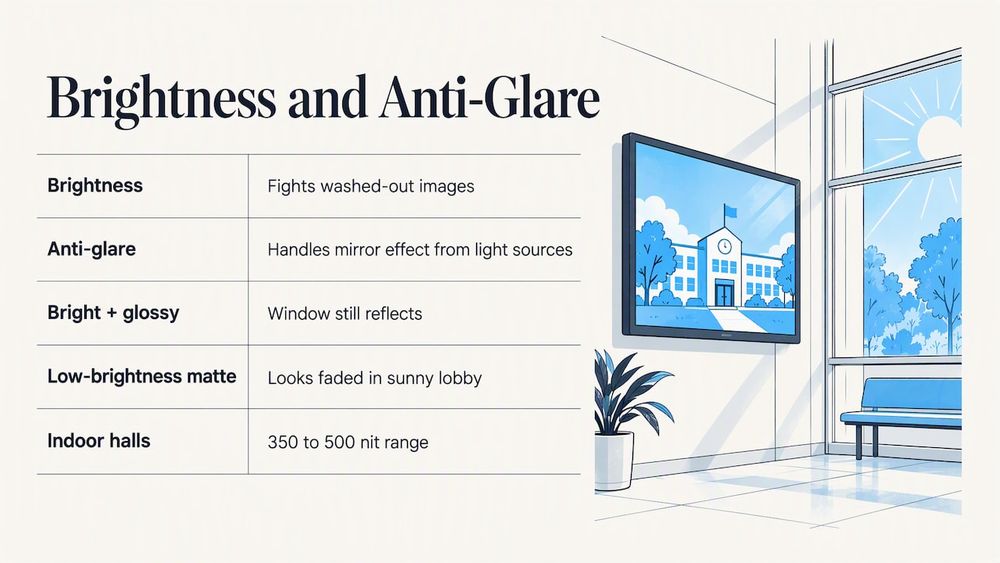
Keep in mind that diffusion costs a little light and a little contrast, so the AG treatment is one more reason to avoid an under-bright panel.
Match the glass to the room
Here is a practical way to decide. Walk the proposed spot at the times of day when the most people pass through, and look at what the screen would reflect.
Interior hallway with ceiling lights
Overhead fixtures create reflections that are spread out and predictable. AG glass handles these well. A 350 to 500 nit panel is plenty.
Main lobby with large windows
This is the hard one. A window behind the viewer shows up as a bright rectangle on a glossy screen. Good AG glass reduces it, but even the best treatment can be overwhelmed by strong, poorly positioned light. Experts quoted in the Cornell piece above stress pairing glass with spatial planning, such as turning the screen so it does not face a window. Consider a brighter panel, a different wall, or window film or blinds for the worst hours.
Gym entrance or trophy corridor
Trophy cases are often lit on purpose, with spotlights that create hot spots. Mount the digital version away from those lights. If a wall is the only option, favor matte AG over glossy glass.
Library or alumni center
Quiet rooms with softer lighting and people standing close to the screen. Here the slight softening from heavy AG can be more noticeable, so choose a lighter-texture finish or AR glass if the budget allows.
Placement mistakes that glass cannot fix
Before you pay extra for a premium surface, check the basics:
- Do not face the screen toward a window or glass door.
- Avoid putting it directly under a spotlight or a row of bright downlights.
- Tilt matters. A wall-mounted display angled slightly down will often reflect the floor instead of the ceiling lights, and floors are usually dimmer.
- Mount at a comfortable height. Eye level for a standing adult in the middle of the screen, with room for students and wheelchair users to reach the touch area.
- Test at the worst time of day. Check mid-morning and late afternoon sun before you drill.
Even high-quality AG glass can be overwhelmed by intense overhead light or windows, so positioning is half the job. Our guide to setting up touchscreen lobby software in K-12 schools covers the rollout steps that follow placement, and our roundup of interactive touchwall ideas can help you decide where a screen earns its spot.
A note on fingerprints and cleaning
A touchscreen gets touched, which makes surface texture a daily issue. Textured AG surfaces can hold oils differently from smooth glass, and one display-industry overview frames the choice around readability, the real goal of either treatment. Ask any supplier what cleaner is safe for the finish, and put that in your custodial instructions. A screen cleaned with the wrong product can lose its coating, and then the whole point is lost.
Our perspective
We build digital Halls of Fame, donor walls, record boards and yearbook archives for schools and universities, so we see how these screens live in real buildings. Our view is simple: a recognition display is only as good as the moment someone stops in front of it. If that moment starts with a reflection of the ceiling, the story of your best athlete or alumna is already competing with the room.
That is why we treat the screen as part of a package. We design the interface with the same care as the hardware: large, readable type, clear contrast, and layouts built to look good on touch displays. Our designers come from the gaming industry and our work has been Emmy-nominated, and we believe that visual quality should not disappear under a bad reflection. When we talk with a school, we ask about the room as much as the content: where the windows are, how the lights are set up, who walks by and when.
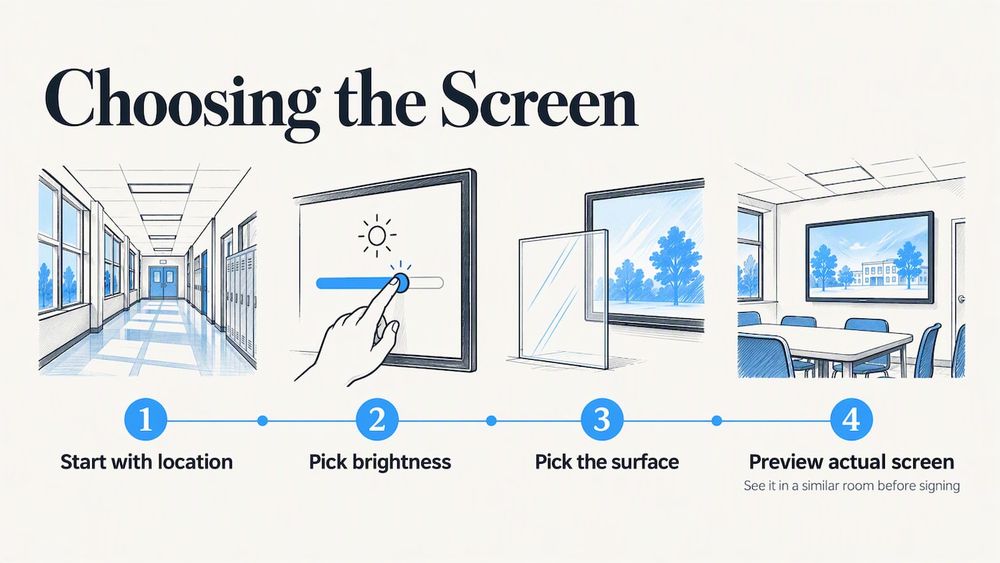
Our advice for most schools is to start with the location, then pick brightness, then pick the surface. Do not let a spec sheet pick the wall for you. And whichever hardware you choose, ask your vendor to show you the actual screen in a room like yours before you sign.
— Gardner Gendron
Hardware that fits a school hallway
If you are ready to compare options, our touchscreen hardware bundles pair the display with our software for a complete recognition system. The Wall Mounted Touchscreen Bundle runs $3,100 to $4,900 one-off, and the Floor Standing Touchscreen Bundle runs $3,550 to $4,300 one-off. Size options include 55-inch, 65-inch, 75-inch and 86-inch displays. Tell us about your lobby or hallway lighting when you reach out, and we will help you match the setup to the space.
Questions to ask before you buy
Whether you buy from us or anyone else, put these questions to the vendor:
- Is the glass anti-glare, anti-reflective, or both? What is the finish, and can I see it in person?
- What is the panel’s brightness in nits, and is that typical or peak?
- How does the surface hold up to fingerprints and daily cleaning?
- Will the display look right at the angle people will actually view it from?
- Who supports the screen and the content after installation?
For wider context on why interactive recognition beats the old trophy case, see our piece on honor roll touchscreen displays, and for donor-focused spaces, touchscreen versus traditional donor walls.
FAQ
Is anti-glare glass worth it?
For most school lobbies and hallways, yes. It cuts distracting mirror-like reflections from lamps and windows and usually costs less than anti-reflective glass. The price you pay is a slight softening of sharpness and contrast, so choose a finish that balances both.
Is anti-glare the same as anti-reflective?
No. Anti-glare scatters reflected light with an etched or textured surface. Anti-reflective uses thin-film coatings to reduce how much light reflects, with reflectance that can fall below 0.5% against about 4% for untreated glass. Some displays combine both at a higher cost.
How many nits does a school display need?
Indoors, 200 to 400 nits is the usual range, and 350 to 500 nits suits many lobbies and hallways with controlled lighting. Spaces with large windows need more, and direct sunlight takes more than 1,000 nits. Check the room at its brightest hour before you decide.
Can anti-glare glass fix a screen facing a window?
It will help, but it may not be enough. Strong light from a window can overwhelm even good anti-glare glass. Turning the screen, moving it to another wall or controlling the light with blinds usually does more than upgrading the surface.
Sources
- AGC: Anti-Glare Etched Glass
- Saiwei Glass: How AG glass is made
- Abrisa Technologies: Anti-reflection and anti-glare glass
- Optical Filters USA: Cover glass and display lens
- Plastic Service Company: Anti-reflection vs. anti-glare
- PubMed Central: computer vision syndrome review
- Cornell Chronicle: optical glass glare filters
- BenQ: What are nits
- Microsoft Learn: Adaptive brightness
- Touchwall: Interactive touchscreen for school buyer’s guide
- TSP Inc.: Anti-glare vs. anti-reflective