Cloud content management means your content lives on a vendor’s secure servers instead of a computer in a closet, and your team updates it from any browser. For a school, that content is often your proudest material: athletic records, inductee profiles, donor names, yearbooks and decades of photos. When that material sits in a cloud-based system connected to a touchscreen display and an alumni website, one edit shows up everywhere. That is the idea behind how we build every Touchstone display, and this guide explains how it works, what to ask any vendor, and what it means for a recognition program.
Touchstone Digital Solutionscalendly.comKeep School Recognition Content ConnectedTouchstone brings school histories into one place, connecting touchscreen displays with online content for alumni and supporting the project from setup onward.Schedule A Demo
TL;DR
- Cloud content management stores, organizes and publishes digital content on a vendor-hosted platform you reach over the internet, so there is no local server for your staff to maintain.
- For recognition programs, the payoff is simple: update a record, inductee or donor once and the change reaches the display and the alumni site.
- The features that matter most to schools are user roles, approval workflows, version history, accessibility to WCAG 2.1 AA, encryption, backups and clear data ownership.
- Before you sign anything, confirm who owns your data, how deletion works and how you can export your content.
- Touchstone pairs cloud-based content management with commercial touchscreen hardware, content setup, data migration, staff training and 24/7 support.
Table of Contents
- What cloud content management actually is
- How it differs from cloud storage and document management
- What schools gain from it
- Where cloud content management meets recognition displays
- The features that matter when you evaluate a system
- Data ownership, privacy and long-term costs
- What a good rollout looks like
- Promo: bring the whole history into one place
- Perspective
- FAQ
- Sources
What cloud content management actually is
A cloud content management system creates, stores, organizes and publishes digital content in a cloud computing environment rather than on local servers. Kentico’s glossary describes it as hosted by the vendor or a cloud provider and accessed over the internet. Cloudinary puts the same idea in practical terms: a platform to centralize, protect and distribute content, with data kept on remote servers and reachable from any device with a connection.
Three terms come up in every vendor conversation, so here they are in plain language:
- Hosted (SaaS): the vendor runs the software and the servers. You log in and work. Updates and bug fixes are the vendor’s job, not yours.
- Version control: the system keeps a history of edits, so a mistaken change to a record can be rolled back.
- Headless or API-driven delivery: content is stored once as modular pieces and sent to different places (a kiosk, a website, a phone) through connections called APIs. Sitecore explains that this lets one body of content reach many endpoints and devices, where it is displayed for each audience.
That last idea is the one schools benefit from most. You are not maintaining a separate slideshow for the lobby, a separate page for alumni and a separate spreadsheet for the athletic office. You maintain one body of content.
How it differs from cloud storage and document management
Schools already pay for cloud storage, so it is fair to ask why a content management system is a different thing. The short answer: storage holds files, while content management organizes, controls and publishes them.
| Cloud file storage | Document management | Cloud content management | |
| Main job | Keep files and share them | Store, index and track documents | Create, organize and publish content to audiences |
| Typical content | Office files, working drafts | Records, forms, scanned paperwork | Profiles, photos, video, records, rich media |
| Output | A shared folder | A searchable repository | Websites, apps, displays |
TechTarget draws this line between the two later columns: a document management system focuses on workflow and compliance for electronic documents, while a content management system lets people create, manage and publish content, including rich media, through a graphical interface.
Microsoft’s own education guidance supports the storage point. Its information lifecycle paper says Microsoft 365 storage is meant for small-file collaboration and short-term needs, such as one academic year, and not for archival material or large, infrequently accessed collections. A school’s history is exactly that kind of material: large, permanent and rarely touched until homecoming weekend.
What schools gain from it
The general benefits are well documented. OpenText’s guide lists less information sprawl, faster retrieval, access from anywhere, collaboration on up-to-date content and layered security. Kentico adds lower IT overhead, since the provider handles maintenance and security updates. Hyland notes that cloud platforms scale up for peak periods, such as university application season, and ease back down afterward, with predictable operating expenses.
Translate that into the daily life of an athletic director, advancement officer or yearbook advisor:
- No one needs to be at the display to update it. A coach can enter a new school record from a laptop the night of the meet.
- Your content survives staff turnover. The records are on the platform, not on a retired employee’s desktop.
- Alumni can see it too. The same content that appears on the wall can be browsed online, which matters when most of your graduates live far from campus.
- Your IT office carries less. With a hosted system there is no server to patch and no software to reinstall.
- Growth is easy. Adding a new decade of inductees or a new donor tier is a content task, not a rebuild.
Where cloud content management meets recognition displays
A digital recognition program has several content types, and each one benefits from the same cloud foundation:
- Halls of Fame: inductee bios, photos, videos and induction years. See our Digital Athletic Hall of Fame.
- Record boards: current records, previous holders and event details that change every season. See Digital Record Boards.
- Trophy cases: photographs and stories behind physical trophies that are too fragile or too numerous to display. See Digital Trophy Case software.
- Donor walls: names and giving levels that grow every campaign. See Digital Donor Walls.
- Yearbooks and archives: scanned pages, photos and documents that become searchable. See Digital History Archive.
On a physical plaque, a correction means a new engraving and a few weeks of waiting. In a cloud system, a spelling fix or a new inductee is live as soon as it is saved. That real-time updating is part of what we build into our cloud-based content management.
The features that matter when you evaluate a system
School procurement guidance gives a useful checklist. Finalsite’s RFP guidance for K-12 districts recommends asking vendors about user roles and permissions, approval workflows, versioning and edit history, WCAG 2.1 AA accessibility checks, alt-text prompts, keyboard navigation, encryption at rest and in transit, multi-factor authentication, audit logs, uptime and disaster recovery, and third-party security certifications. Here is what each means for you.
Permissions and approvals
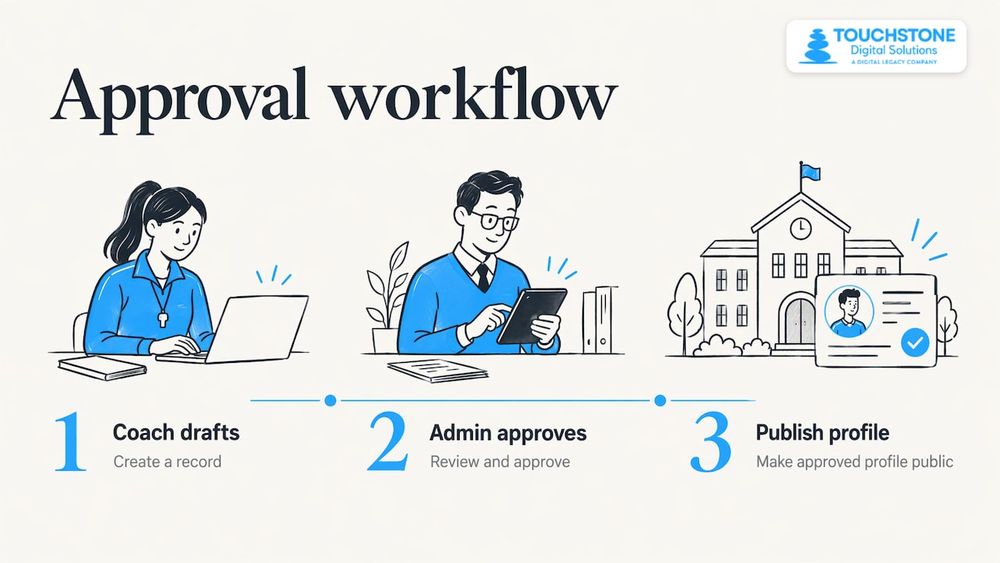
Not everyone who can add a photo should be able to publish a profile. Roles let a coach draft a record while an administrator approves it. This protects your school’s accuracy and its reputation, especially when the content names real people.
Accessibility
A recognition display is a public-facing piece of your school, and every student, alum and visitor should be able to use it. WCAG 2.1 is the widely used set of web accessibility guidelines, and AA is the level school buyers typically specify. Our displays are designed to ADA (WCAG 2.1) standards, so accessibility is part of the design from the first screen rather than a patch added later.
Security and access control
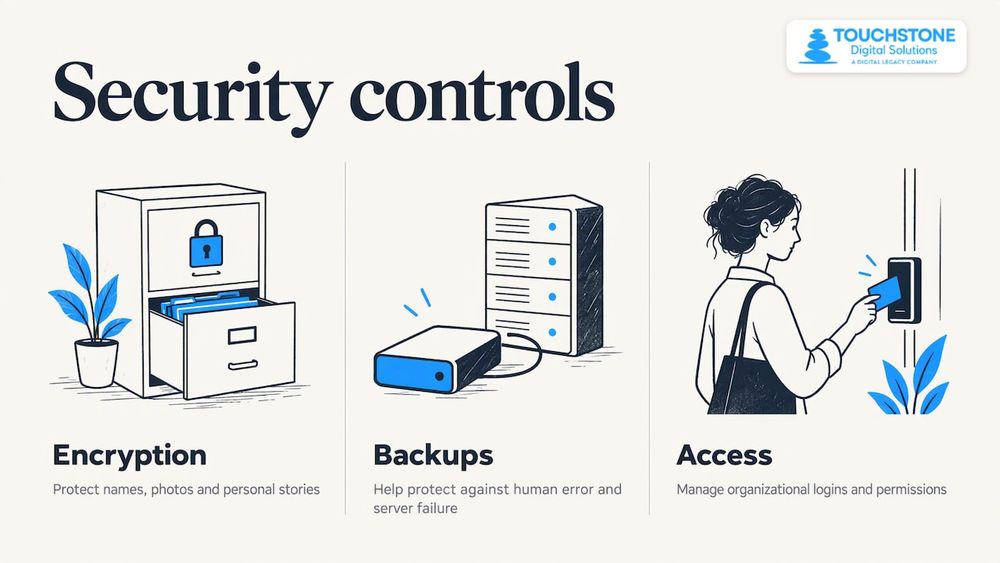
A content system holds names, photos and sometimes personal stories, so it should be protected with encryption and multi-factor authentication. HubSpot’s overview notes that providers invest in encryption and multi-factor authentication, and that version control and backups protect against human error and server failure. If you want a plain-language primer on how logins and permissions are managed across an organization, this explanation of identity and access management covers the basics. Our own walkthrough, how schools ensure data security, goes further on the school side.
Backups and uptime
Ask what happens if a server fails and how quickly content comes back. A hosted platform should have a recovery plan you can read, not just a promise.
Migration
This is where many projects stall. Your content is probably spread across binders, old websites, spreadsheets, shoeboxes of photos and yearbooks on a shelf. A system is only as useful as what gets into it. We handle content setup and data migration, and our yearbook scanning is non-destructive, so your original volumes are not harmed. If you are mapping out a records project, our guides on migrating paper records to digital software and building a college digital archive lay out the steps.
Data ownership, privacy and long-term costs
This is the part of cloud adoption that deserves a careful read, and school technology groups are clear about it.
The Consortium for School Networking’s When Cloud? guidance (January 2025) says that with software-as-a-service, vendors and districts often share responsibility for data ownership and control. It advises confirming ownership terms, reviewing breach protocols and secure-deletion procedures, asking for business-continuity and disaster-recovery plans, planning for how pricing scales, and having an exit strategy so you are never locked in.
A state education technology brief, the K-12 Digital Infrastructure Brief (August 2023), adds that accepting a provider’s click-wrap terms of service creates a contractual relationship much like signing a contract. Staff who add content should know that.
A good question list for any recognition platform:
- Who owns the content we upload, and can we export it at any time?
- What happens to our data if the contract ends?
- How is deletion handled when someone asks for their information to be removed?
- Who at the school can edit, approve and publish?
- What does support cover, and when is it available?
For recognition content, most of what you publish is celebratory and public by design, such as achievements, honors and donor names. Even so, treat anything that touches a current student’s record with extra care and keep it within your district’s privacy approval process. As EdTech Magazine reported in November 2025, Digital Promise’s Stef Mills noted that COPPA requires schools to be able to fully delete a student record on request, and that many vendor contracts are unclear about how deletion is verified. Put that question in writing before you sign.
On cost, the structure matters more than the headline. Cloud platforms generally replace a large server purchase and its upkeep with a subscription or bundled fee. Our touchscreen hardware bundles are published: the Wall Mounted Touchscreen Bundle runs $3,100 to $4,900 one-off, and the Floor Standing Touchscreen Bundle runs $3,550 to $4,300 one-off. Our positioning is zero maintenance costs, with continuous updates included. Software and service projects are scoped to your school’s content and goals.
What a good rollout looks like
Whether you work with us or plan internally, a recognition project moves through the same stages. Here is the routine and what our team takes off your hands at each one.
- Define what you honor. List the categories: athletic inductees, records, academic honors, donors, yearbooks. A clear list prevents a half-built wall. We design every display around your school’s colors, logo and story.
- Gather the material. This is the slowest step. Names and dates are easy; photos and clippings are not. Our team handles content setup and data migration, and yearbooks are scanned without damaging the originals.
- Choose the display. Wall-mounted or floor-standing, and size depends on the room and the viewing distance. Our guide to the right interactive wall size for a university helps, and we offer 55-inch, 65-inch, 75-inch and 100-inch displays.
- Set roles and approvals. Decide who can draft and who can publish before launch, not after the first error.
- Train your staff. We provide staff training, so more than one person knows how to manage the content.
- Keep it current. Add this season’s records, this year’s inductees and this campaign’s donors. Unlimited 24/7 support is part of what we provide.
Promo: bring the whole history into one place
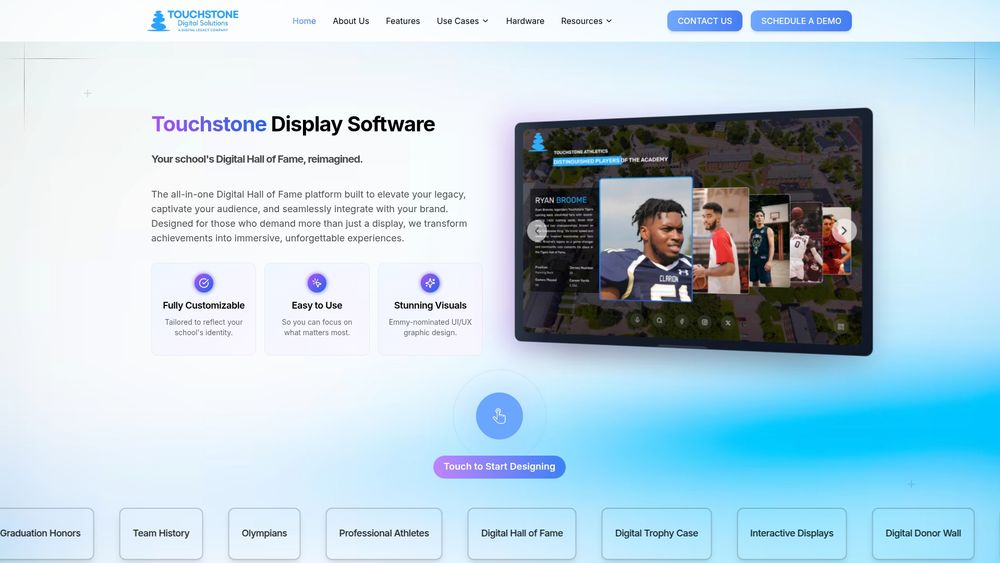
Touchstone Digital Solutions is a family-run company in Bedford, NH, building interactive recognition displays for schools, universities, athletic departments and community organizations. More than 350 schools and organizations use our platform, which combines Emmy-nominated UI/UX design, cloud-based content management, commercial touchscreen hardware, custom wall wraps and data migration in one project. Explore our Touchscreen Software or see the full picture at touchstone-ds.com.
If your program also needs funding for the build, Touchstone Fundraising helps organizations raise money for their projects.
Perspective
Schools do not usually struggle to find things worth honoring. They struggle to keep that recognition alive. A plaque is finished the day it is installed, and the next ten years of achievement have nowhere to go.
That is why we build around the cloud. When your content is managed in one place, a record set on Friday night can be on the display Monday morning, and the alumni who graduated in 1984 can browse the same stories from their living room. Nobody has to rebuild anything.
We are a family-run company, and we work directly with founders on projects because recognition is personal. Your colors, your logo and your history should shape the design, and the technology should disappear behind it. Our approach to accessibility, to migration and to ongoing support comes from the same belief: if a school invests in honoring its people, the system should make that honor easy to maintain for decades.
The best cloud content management is the kind your staff barely notices, because it simply works and the stories stay current.
Gardner Gendron
FAQ
What is cloud content management in simple terms?
It is software that stores, organizes and publishes your content on a vendor-hosted platform you reach through the internet. You do not run your own servers. Your team signs in, makes changes, and those changes reach the places the content appears, such as a display or a website.
What are the benefits of cloud content management for a school?
The main ones are access from anywhere, easier collaboration, built-in version history, less IT maintenance and easy scaling as your content grows. For recognition programs, it also means a record or inductee can be updated once and appear on the display and in the alumni view. Our guide on digital record management in schools covers related ground.
Is cloud-based content management different from cloud storage?
Yes. Storage keeps files in folders. Content management adds structure, permissions, approvals, version history and publishing to audiences. Microsoft’s education guidance describes its storage services as suited to small-file collaboration and short-term use, while a school archive is long-term material that benefits from a purpose-built system.
What should a school ask before choosing a cloud platform?
Ask who owns the data, how you can export it, how deletion is verified, what roles and approvals exist, how accessibility is handled, and what support is included. School technology guidance also recommends having an exit plan from the start, so your content always stays portable.
Do we need a lot of internet bandwidth to run a cloud-based display?
A typical recognition display shows profiles, photos and video, so a stable connection at the display location is the main requirement. Our team can walk you through your setup during planning.
Touchstone Digital SolutionsDiscuss Your School’s Digital HistoryTell us what your school wants to preserve and share, and we can discuss Touchstone’s interactive recognition displays and project support.TTouchstone Digital SolutionsEmail Touchstoneinfo@touchstone-ds.com+1( 603) 361-7541
Sources
- Cloud Content Management System, Kentico glossary
- Cloud Content Management, Cloudinary glossary
- What Is Cloud Content Management? Sitecore
- What is Cloud Content Management? OpenText
- Document management vs. content management, TechTarget
- Best practices for information lifecycle and storage management, Microsoft Education
- Modern Cloud Content Management, Hyland
- How to Write an RFP for School Districts, Finalsite
- Cloud Content Management: Definition and Best Systems, HubSpot
- When Cloud? CoSN, January 2025
- K-12 Digital Infrastructure Brief, August 2023
- Cloud Computing for AI Infrastructure, EdTech Magazine, November 2025