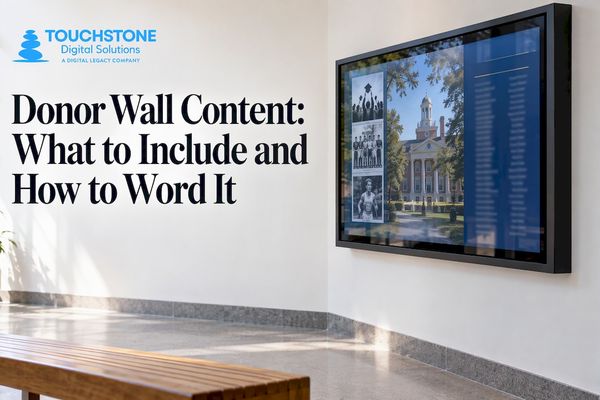

The best donor wall content goes well beyond a list of names. It pairs each donor’s name and giving level with a story, a photo and the project the gift made possible, then keeps that content current. A digital donor wall makes this practical because every profile, tier and campaign update lives in one place and can change without a new plaque. At Touchstone, we build these walls for schools, universities and athletic departments, so this guide covers what to put on the screen, how to name your levels and how to keep the content accurate for years.
Touchstone Digital Solutionscalendly.comMake Every Gift Part of Your StoryTouchstone creates custom digital donor walls where schools can bring donor names, stories and supported projects together in one place.Schedule A Demo
TL;DR
- Show more than names: add donor photos, short quotes, the project each gift supported and a campaign progress view.
- Use four or five giving levels with names that fit your mission, and set the thresholds from your actual giving patterns.
- Group donors by level, list them alphabetically inside each level, and keep wall copy short enough to read in a hallway.
- Get written permission before a name goes on public display, and plan who updates the wall and how often.
- A digital wall lets you add donors, stories and new categories at any time instead of reordering metal and engraving.
Table of Contents
- Donor wall content ideas that go beyond a name list
- Donor recognition categories a school can use
- Donor levels examples you can adapt
- How to display levels so visitors can read them
- Tell the story behind the giving
- Ideas for athletic programs
- Get permission, keep it accurate, keep it current
- What a donor wall costs
- A digital donor wall built around your school
- Our perspective
- FAQ
- Sources
Donor wall content ideas that go beyond a name list
A name list says thank you. Content that explains what the gift did makes visitors stop, tap and read. Here are the ideas that work best on a school or university touchscreen.
- Donor profiles. A photo, a one- or two-sentence statement about why they give, and their connection to the school (class year, parent, coach, faculty member). A hybrid wall at the Eye & Ear Foundation of Pittsburgh pairs engraved metal tiers with digital monitors that show current donor biographies, photographs and quotes, with larger gifts given larger text.
- Project links. Tie each donor or giving level to what the money built: a scholarship, a new weight room, a robotics lab. A visitor who sees “your gift bought this” understands the value of giving.
- Campaign progress tracker. A simple goal-and-progress view keeps a live campaign visible in the lobby. When the goal is met, the same screen becomes a celebration.
- Thank-you messages. Short notes from students, coaches or teachers who benefited. These are the content donors screenshot and share.
- Giving timelines. A history view that shows how the school’s major gifts built the campus decade by decade turns the wall into a piece of your school’s story.
- Named spaces and funds. List classrooms, scholarships and endowments with the people behind them, so the wall shows where giving lives on campus.
- Impact numbers. Scholarships awarded, students served, equipment funded. One or two honest figures from your own records are enough.
- Video. A 30-second message from a scholarship recipient will outperform a paragraph of text.
- Memorial and honor tributes. Gifts made in memory of a teacher or in honor of a coach are some of the most moving entries on any wall. Give them their own category (more on categories below).
One caution from signage experts: keep what appears on the screen’s main view brief. WallWords recommends names, giving levels, a campaign title and a short gratitude message, because long paragraphs are hard to read in a lobby or hallway. Put the longer stories one tap deeper, where a visitor chooses to read them. Our guide on what to include and how to word it goes further on wording.
Donor recognition categories a school can use
Levels sort donors by how much they gave. Categories sort them by who they are, what they supported or how they give. Most schools use both, and a touchscreen lets a visitor switch between the two views.
Categories that fit schools, universities and athletic programs:
- Giving societies by amount (the levels covered in the next section).
- Loyalty or consecutive-years societies for donors who give every year, at any amount.
- Capital campaign donors, grouped by building or project.
- Scholarship and endowment donors.
- Athletics donors and booster club members, split by sport if your program is large.
- Alumni class and reunion giving, so a visitor can find their graduating year.
- Parent and family donors.
- Faculty, staff and retiree donors.
- Corporate and community partners.
- Memorial and honor gifts.
- In-kind donors who gave equipment, services or time.
- Student and senior class gift donors, which builds a giving habit early.
Larger universities often combine several of these. Texas State University’s naming opportunity toolkit places walls by location: its University Events Center walls recognize members of its university-wide and athletics giving societies, college walls generally recognize donors of $25,000 or more, and a digital wall in the Wittliff Collections recognizes gifts of $5,000 or more for the year. The lesson for any school: decide which wall or screen serves which audience, and set the threshold for each.
Donor levels examples you can adapt
Level names and dollar ranges should reflect your community, not a template. Look at how established institutions do it, then size the ranges to your own donor base.
| Institution | Example levels and ranges |
| RIT Sentinel Society | Visionaries ($50,000+), Innovators ($25,000 to $49,999), Collaborators ($10,000 to $24,999), Investors ($5,000 to $9,999), Champions ($2,500 to $4,999), Members ($1,000 to $2,499) |
| Duke giving societies | Executive Cabinet ($100,000+), Cabinet ($50,000 to $99,999), Executive Council ($25,000 to $49,999), down to Executive Partner ($10,000 to $24,999) and Senior Class Gift Leader ($100) |
| University of Delaware 1743 Society | Sustainers ($2,500 to $4,999), Founders ($1,000 to $2,499), Fellows ($500 to $999), Sponsors ($250 to $499), Members ($100 to $249) |
| Midland University Fountain Society | Consecutive years of giving at any amount: Navy (3 to 5 years), Orange (6 to 10), Warrior (11 to 15), University (16 to 19) |
Three patterns are worth copying.
First, name tiers after your identity. Delaware named its society for the year the university began as an academy, and Midland names its circles after school colors and its mascot. Your mascot, founding year, colors and traditions are the best raw material.
Second, recognize loyalty as well as size. Midland’s tiers count years of giving, not dollars, so a $50 donor who gives for a decade is honored beside larger donors. Duke’s Cornerstone Society, which Duke says had more than 30,000 members last year, recognizes any amount given two or more consecutive years.
Third, build in a starter level. Duke’s Senior Class Gift Leader at $100 and RIT’s $500 level for recent graduates bring young alumni in early.
If you want a ready framework for an athletic program, a simple ladder works well: a top circle for the largest gifts, a middle tier named for your team nickname, a supporter tier and an entry-level booster tier. Set the dollar lines after reviewing your last three years of gifts.
On the number of levels, the Campai donor recognition guide suggests four or five levels for most organizations, thresholds based on actual giving patterns, meaningful gaps between levels and tier names that fit the mission. The University of Pennsylvania Perelman School of Medicine’s style guidelines likewise recommend distinct labels with stated contribution ranges for each tier. Our own articles on setting tiers that work and naming your levels walk through the process.
Some schools tie levels to something the community understands. Snow College’s donor recognition policy, amended in March 2021, sets its Heritage Scholarship Wall at one year of tuition and fees (rounded up to the next $100), its Heritage Endowment Wall at 20 times that amount, and its President’s Wall of Honor at 40 times and above. It also sets naming thresholds of $25,000 for classrooms, $50,000 for conference rooms and $100,000 for large meeting areas. A tuition-linked formula stays fair as costs rise.
How to display levels so visitors can read them
Content is only useful if people can find themselves in it. A few display rules help.
- Group by level, then alphabetize. The Campai guide says annual honor rolls read most clearly when donors are grouped by level and alphabetized by last name inside each level. It also recommends showing the giving period covered and generally leaving out individual gift amounts.
- Use size and finish to signal rank. A wall at Playhouse Square in Cleveland used alphabetical listings with varying type sizes and metallic finishes to separate levels. On a screen, the same idea becomes type size, color and animation.
- Add search. On a touchscreen, a visitor types a name or class year and lands on the right profile. That one feature changes a wall from something you walk past into something you use.
- Make it accessible. Large, high-contrast text and alternatives such as screen-reader support or touchless controls make a digital wall easier for everyone to use, as Rise Vision’s guide notes. Our displays are built to ADA (WCAG 2.1) standards.
- Keep the home screen simple: your logo, the campaign title, a few clear entry points (by level, by category, search) and a short thank-you.
For more layouts, see our donor wall examples.
Tell the story behind the giving
The strongest walls connect gifts to student outcomes. A scholarship donor’s profile sits beside the student who received it. A gym donor’s entry shows the team that won in the new facility. Use real photos, real quotes and real numbers from your own records, and keep each story short.
If you are building those stories and want a refresher on pairing narrative with data, these visual storytelling tips are a handy reference for choosing images and framing a message.
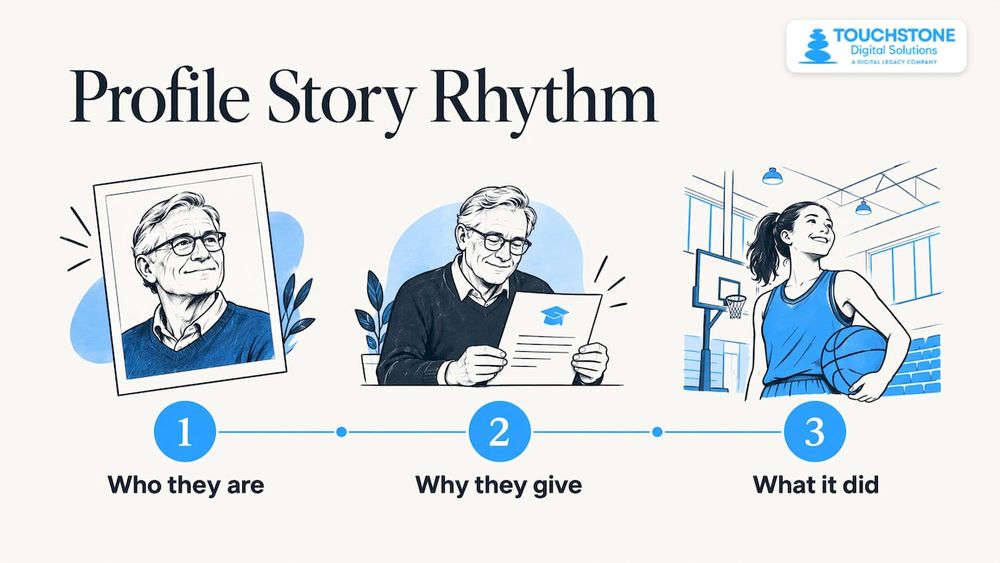
A good rhythm for each profile is: who they are, why they give, what it did. Three short lines, one photo. If you have a student thank-you video, link it from the same profile.
Ideas for athletic programs
Athletic donors respond to energy and tradition. Content that works in a gym lobby or stadium concourse includes:
- Booster tiers named for your team, with a sport filter so a swim parent finds the swim program.
- Facility naming recognition, with before-and-after photos of the project.
- Season-by-season campaign trackers during fundraising pushes.
- Records and honors displayed beside the people who fund the program. Our digital record boards and digital athletic hall of fame can live in the same system as your donor wall, so donors and athletes share one screen.
A creative physical example comes from Oregon State University. According to an Annual Giving Network case study, donors of $100 or more to its “Build the Dam” campaign received a custom wood panel with their name. The panels were mounted on a wheeled portable wall that traveled campus, and at season’s end the panels were mailed to donors with thank-you notes. The takeaway for a digital wall: give small donors a visible place and a personal thank-you, and let the wall move through the community through events, alumni pages and social posts.
Get permission, keep it accurate, keep it current
Before any name goes up, plan the housekeeping.
- Written permission. Texas State’s toolkit requires written donor permission on file with its advancement office before a name appears on a public display. It also says that, given donor-privacy concerns, labor and material costs and sustainability, it no longer recommends installing new physical donor walls and recommends a digital display when a wall is needed.
- Name conventions. Decide how names appear (Dr., Mr. and Mrs., anonymous, in memory of) and check each gift agreement for recognition preferences. The Penn guidelines specify name conventions, direct gift officers to review agreements for recognition wishes and describe repeated accuracy checks.
- A named owner. Pick one person in advancement or the athletic office who approves additions and corrections.
- A schedule. Many schools update after each fiscal year closes and after each campaign. Our article on how long donor recognition should stay up covers the timing question.
This is where a digital wall repays the investment. Adding a donor, correcting a spelling or moving someone up a level takes a few edits in a content manager. No engraver, no waiting for new plates and no empty space left over for the next campaign.
What a donor wall costs
Cost depends on the hardware size, the amount of custom design and how much content has to be migrated. On our side, the touchscreen hardware bundles are published: the Wall Mounted Touchscreen Bundle runs $3,100 to $4,900 one-off, and the Floor Standing Touchscreen Bundle runs $3,550 to $4,300 one-off. Software and design services for digital donor walls are quoted per project, because every display is custom-designed around the school’s colors, logo and story. If you are sizing a screen, we offer displays from 55" up to 100", including 75" and 86" models.
A practical way to budget: list the content you want (profiles, video, search, campaign tracker), the number of donors you will load on day one, and where the screen will hang. Those three answers shape most of the quote.
A digital donor wall built around your school
We are a family-run company in Bedford, NH, and we build interactive recognition displays for schools, universities, athletic departments and community organizations. For a donor wall, we handle the full project: commercial touchscreen hardware, custom wall wraps, content setup and data migration, staff training and unlimited 24/7 support. Alumni can also browse the same content online, so a graduate across the country can find a donor profile too. More than 350 schools and organizations use our displays.
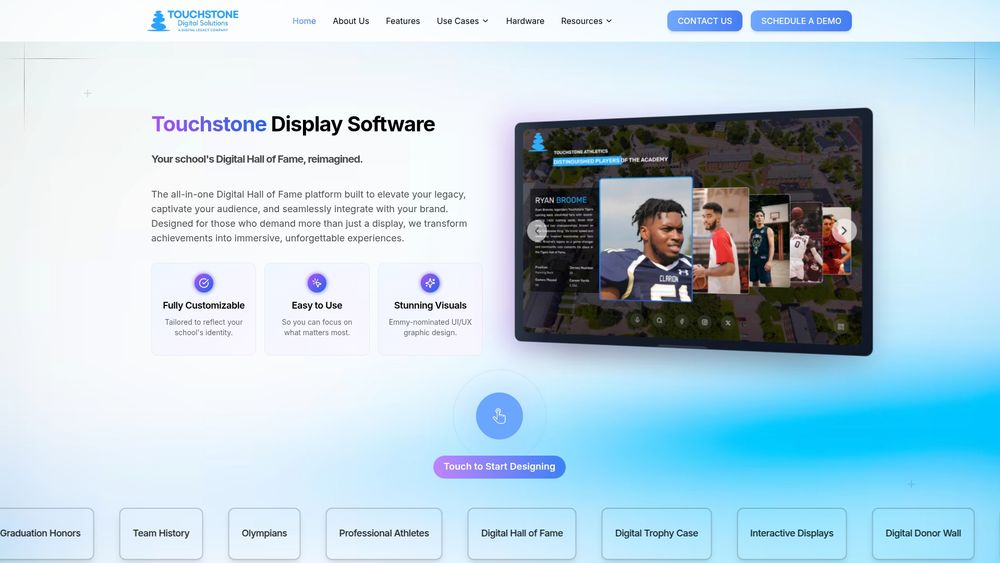
If you have a donor list, a campaign and a wall in mind, start with our Digital Donor Walls page, or see how the pieces fit together on our touchscreen software page.
Our perspective
A donor wall is a thank-you that people can walk up to and explore. The schools that get the most from theirs treat it as a living story, not a finished plaque.
We design every display around the school’s own colors, logo and history, because a donor should feel your school the moment they see the screen. Our designers come from the gaming industry and our work has been Emmy-nominated, so the experience is built to invite a tap, not just to sit on a wall.
Our advice is to start with the story and the levels, then let the technology carry them. Pick four or five levels that sound like your school. Collect a photo and a sentence from as many donors as you can. Put athletics, academics and alumni giving in one place so visitors see the full picture of a community that gives.
Because the content is cloud-managed, the wall grows with every campaign. As founders, we work directly with our customers, and we back the project with staff training and round-the-clock support, so your team is never left alone with the screen.
Gardner Gendron
FAQ
How many donor levels should a school have?
Four or five works for most organizations, according to the Campai guide. Base the thresholds on your actual giving history, leave meaningful gaps between levels and name them after something your community recognizes, such as your mascot or founding year.
Should a donor wall show gift amounts?
Usually it shows the level and not the exact amount. The Campai guide recommends grouping donors by level and generally omitting individual gift amounts, and listing the giving period covered. Always follow each donor’s stated recognition preference.
Do I need donor permission before listing a name?
Yes, as a best practice. Texas State University’s toolkit requires written donor permission on file before a name appears on a public display. Keep that record with your advancement or athletic office and check it before each update.
How much does a donor wall cost?
Our published touchscreen bundles start at $3,100 for wall-mounted hardware (the range is $3,100 to $4,900) and $3,550 for floor-standing (the range is $3,550 to $4,300), both one-off. Software and design are quoted per project, depending on the content, the number of donors to migrate and the level of customization.
What content should I collect from donors?
A preferred name format, a photo, a short statement on why they give, their connection to the school and recognition preferences. Add the project or fund their gift supported. That set fills a profile and keeps the wall personal.
Touchstone Digital SolutionsTalk Through Your Donor WallShare what your school hopes to recognize, and learn how Touchstone can create a custom digital donor wall around its story.Email Touchstoneinfo@touchstone-ds.comCall Touchstone+1( 603) 361-7541
Sources
- Supporter Recognition, Eye & Ear Foundation of Pittsburgh
- How to Create Donor Recognition Wall, WallWords
- Texas State University Naming Opportunity Toolkit
- Sentinel Society, Giving to RIT
- Annual Fund Giving Societies, Giving to Duke
- The 1743 Society, University of Delaware
- Fountain Society, Midland University Alumni
- Donor Recognition Policy, Snow College
- Donor Recognition Style Guidelines, Perelman School of Medicine
- Donor Recognition: Giving Levels, Donor Walls and a Policy, Campai
- Playhouse Square Donor Recognition, Karen Skunta & Company
- How to Design a Digital Donor Wall, Rise Vision
- Build The Dam Recognition Wall, Annual Giving Network
- Visual storytelling tips