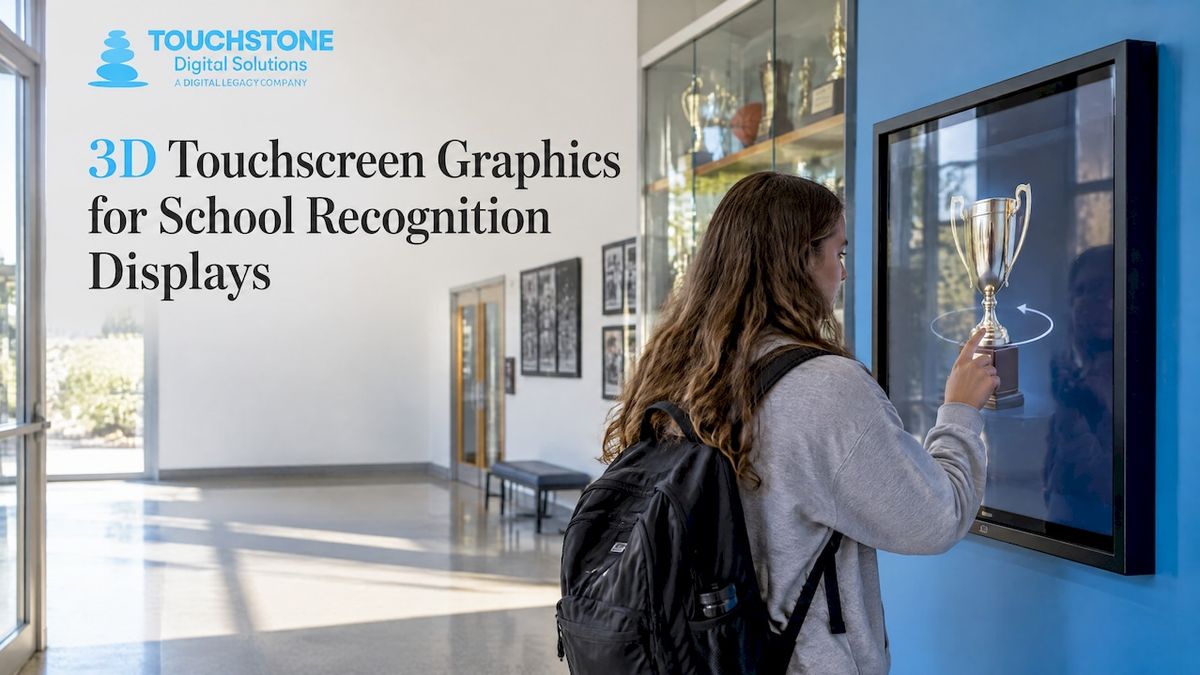
3D touchscreen graphics are on-screen objects, rooms and scenes that a visitor can spin, zoom, tilt and explore with a finger, instead of just tapping through flat pictures. For a school, that means a trophy case you can turn in your hand, a hall of fame that feels like a place and a history archive that invites people in. Touchstone Digital Solutions builds interactive recognition displays with advanced 3D graphics and Emmy-nominated UI/UX design, so your school’s colors, logo and story drive the experience from the first touch.
This guide explains what the term means, how visitors control 3D content, where schools and athletic departments use it, and what to plan before you commit.
Touchstone Digital Solutionscalendly.comBring School Recognition Into 3DSee how custom interactive displays can bring your school’s achievements, history and story to life through touchscreen graphics.Schedule A Demo
TL;DR
- 3D touchscreen graphics let visitors rotate, zoom and explore objects on a screen with simple finger gestures, which keeps people at a display longer than a static slideshow.
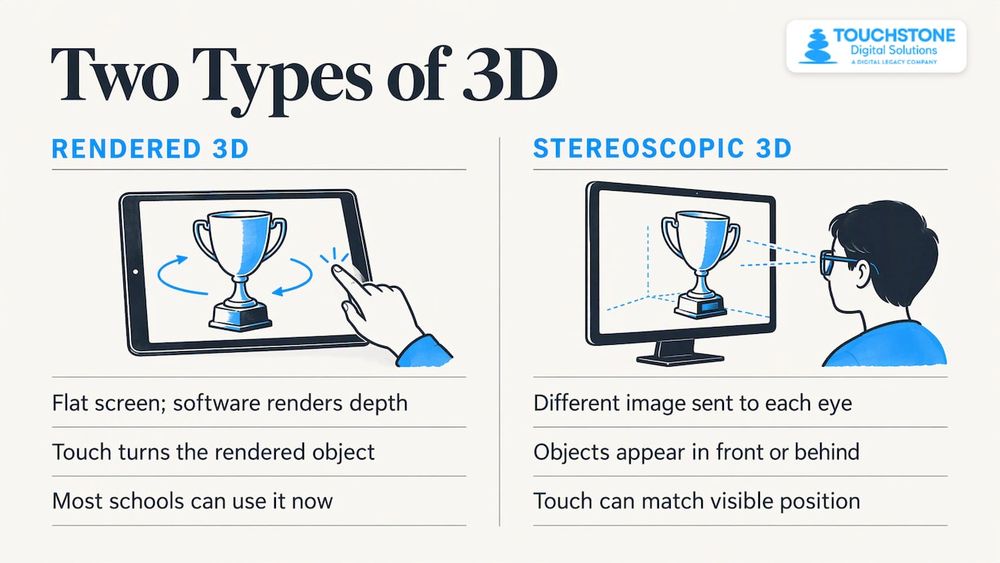
- Two things get called 3D: rendered 3D on an ordinary touchscreen (what schools install today) and stereoscopic or light-field displays that need special hardware and are still mostly in research labs.
- The best school displays pair 3D visuals with real content: inductee profiles, records, donors, yearbooks and archives that staff can update.
- Accessibility is part of the design. Public schools face a federal web accessibility standard (WCAG 2.1 Level AA), and the physical screen needs to be reachable too.
- Wall-mounted bundles from Touchstone are published at $3,100 to $4,900 and floor-standing bundles at $3,550 to $4,300, one-off.
Table of Contents
- What “3D touchscreen graphics” actually means
- How visitors explore 3D content with their fingers
- Where 3D earns its place in school recognition
- Rendered 3D today, holographic 3D in the lab
- What you need to build one that works
- Accessibility belongs in the design from the start
- Planning your project: a short checklist
- Our perspective
- See it in your own school
- FAQ
- Sources
What “3D touchscreen graphics” actually means
The phrase covers two different ideas, and it helps to separate them before you plan anything.
The first is rendered 3D on a normal touchscreen. The screen is flat, but the software draws a three-dimensional object with depth, lighting and perspective. You touch the glass and the object turns. A championship ball, a trophy, a school building or a mascot can be shown this way. This is the form most schools can put in a lobby now.
The second is true stereoscopic 3D, where the display sends slightly different images to each eye so objects appear to float in front of or behind the screen. University researchers describe this with a parallax scale: objects can sit in front of the display, centered on it or behind it, and objects near the screen surface can create a sense that what you see and what you touch are in the same place. A 2013 academic chapter notes that stereoscopic screens now range from cinema screens to tabletops, TVs and mobile devices, and that touch has become one of the main ways people interact with 3D content.
For a hall of fame or donor wall, the first idea does the job: it adds depth, motion and a sense of discovery while the content stays easy to read for every visitor. The second is worth knowing about, and we cover where it stands further down.
How visitors explore 3D content with their fingers
A display only works if people know what to do without instructions. Most 3D touch interfaces borrow the same small set of gestures, which is why a visitor who has used a phone already knows them.
The documentation for one 3D model viewer, form•Z Mobile Viewer, lays out the common pattern:
- Swipe with one finger to spin the model (orbit).
- Pinch to zoom.
- Swipe with two fingers to pan.
- Double tap to fit the object back into view.
It also has a walk mode, where dragging moves you forward or backward and a second touch lets you look up or down. Another 3D viewer’s guide, EON-XR’s 3D Xperience documentation, describes similar orbit and walk controls and adds exploration tools such as annotations and animation views.
Researchers have studied how far this can go. A design study from Tobias Isenberg’s group used at most two simultaneous touch points for the core move-rotate-scale controls and kept three-finger techniques for more specialized tasks. The takeaway for a school lobby is simple: keep the core gestures to one or two fingers. A parent, a visiting alumnus and a second grader should all succeed in the first few seconds.
Design rules that follow from this
- Make one obvious thing happen on the first touch. A trophy that gently turns invites a swipe.
- Always give a visible way back to the start, since a double tap to reset is a convention many visitors already know.
- Keep text in standard 2D panels next to the 3D object. Names, years and stories should never depend on a visitor finding the right angle.
- Design for several people at once. A large wall or floor-standing screen is often used by a small group, so gestures should not conflict.
We go deeper on layout and flow in our guide to interactive display design principles for schools.
Where 3D earns its place in school recognition
The strongest uses of interactive 3D are not novelty. They make a school’s achievements feel present. Here are the places it fits best.
Digital trophy cases
A physical case holds a limited number of items and one angle of each. A digital trophy case can show every trophy, ball, jersey and banner the school has ever earned, and let a visitor turn each one while reading the story behind it. Items that have been in storage, damaged or lost can be shown again.
Athletic halls of fame and record boards
Athletic departments use touchscreens to give each inductee a full profile with photos, years played and highlights. The pattern is common across the country:
- The University of Nebraska Omaha’s alumni association and athletics department installed three large interactive displays at Baxter Arena in 2025 for the 50th anniversary of their hall of fame, where guests explore archives, photos and inductee stories.
- Iona University’s 2019 Hynes Athletics Center renovation added a digitally interactive hall of fame with two touchscreens, a display honoring all 21 teams and a championship trophy case.
- The University of New Hampshire launched a digital athletics hall of fame in March 2026 that brings honorees, All-Americans, academic award winners and Olympians into one interactive experience.
Record boards benefit in a similar way. A digital record board can update the moment a record falls and keep every previous holder on screen, so the history never has to be repainted or re-engraved. For a dedicated showcase of your program’s legends, see our digital athletic hall of fame.
Donor walls
A digital donor wall can recognize every giving level without running out of room on a plaque. Depth and motion draw the eye, and donors can look themselves up by name.
Yearbooks and history archives
A digital history archive pulls yearbooks, photographs, newspaper clippings and memorabilia into one place. Our yearbook scanning service is non-destructive, so books stay intact while their pages become searchable on screen and, for alumni, online.
Bigger, more ambitious builds
Some programs go further. Stanford’s Home of Champions, as reported by Forbes in 2017, features an interactive table where custom books for each decade come to life with bios, photos and social media when placed on it, covering nearly 15,000 former scholar-athletes. It shows how far a recognition space can go when the content is deep and the design is ambitious. You do not need that scale to get the effect. You need a clear story, good content and a display built around it.
For more ideas, our list of top uses for interactive touchwalls in education covers everything from admissions lobbies to training spaces.
Rendered 3D today, holographic 3D in the lab
If you read about 3D displays, you will run into research that sounds like science fiction. It is useful to know where it stands, so you can tell a product you can install from a prototype.
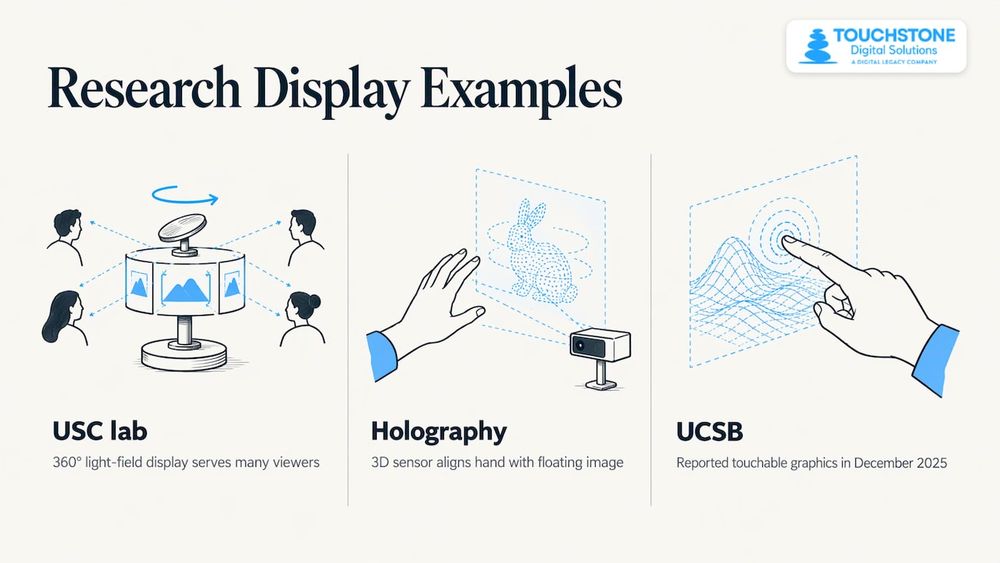
The University of Southern California’s graphics lab built an autostereoscopic 360-degree light-field display that needs no glasses and serves many viewers at once, by projecting high-speed video onto a rapidly spinning mirror. A 2022 paper in the Journal of the Society for Information Display describes a holographic light-field display combined with a 3D sensor, so a hand’s position lines up with the floating image. UC Santa Barbara researchers have also reported a display that lets people feel on-screen graphics through touch, a December 2025 result that shows how quickly this field is moving.
Those projects are valuable because they point to where interaction is heading. The researchers behind one stereoscopic touch study note that touch is intuitive for flat content, and that floating 3D objects raise new questions about how people reach for them. Flat screens with rendered 3D avoid that question: the object lives on the glass, right where the finger lands.
Another paper, on touch-controlled 3D animation, makes a point that matches what we see in recognition work: a static 3D model alone is rarely enough, and the content gets more compelling when visitors can control animated objects. That is the principle behind a good school display. The 3D is the hook, and the stories are the reason people stay.
What you need to build one that works
A responsive 3D touchscreen experience has four parts, and each one affects how the display feels on day one and years later.
1. The screen
Commercial-grade touch hardware is built for all-day public use, which is different from a consumer TV. Size and mounting matter: a wall-mounted screen suits a hallway or lobby with limited floor space, and a floor-standing unit can go where there is no wall to use. Touchstone’s touchscreen hardware comes as bundles: wall-mounted at $3,100 to $4,900 and floor-standing at $3,550 to $4,300, both one-off prices. Larger formats include an 86-inch display and a 100-inch 4K display for bigger spaces.
2. The software
The software draws the 3D scenes, handles the gestures and holds your content. Cloud-based content management lets staff add an inductee, a new record or a donor from a regular computer, with updates showing on the display in real time. Our touchscreen software is built around that workflow. If you want to see what a rollout involves, we walk through it in our step-by-step lobby software setup guide.
3. The 3D and visual design
Rendered 3D only looks good when the design is strong and matches the school. Colors, logo, typefaces and mascot should all show up in the scenes. Our displays are custom-designed around each school’s identity, with Emmy-nominated UI/UX design behind them.
4. The content
This is the part that takes longest and matters most. Photos need scanning, names need checking, and old records need to be moved into a structured format. Content setup and data migration are part of a Touchstone project, along with non-destructive yearbook scanning.
If your team reviews photos, layouts and spreadsheets side by side while you gather content, a triple portable laptop monitor can make that sorting faster.
Accessibility belongs in the design from the start
A recognition display is for everyone in the community, so it has to work for visitors with disabilities.
On the software side, the U.S. Department of Justice’s final rule under Title II of the ADA adopts WCAG 2.1 Level AA as the technical standard for web and mobile content of state and local government entities, which includes public schools and public universities. Compliance dates are April 24, 2026 for entities serving populations of 50,000 or more and April 26, 2027 for smaller ones. Touchstone displays are built to ADA (WCAG 2.1) standards, and because alumni can browse the same content online, that web version is designed to the same standard.
On the experience side, research on touchscreen graphics for visitors with visual impairments suggests that vibration cues work better for spatial information, while speech and audio work better for meaning. In practice, that points toward labeled content, readable type, strong contrast and sound options for key stories, rather than relying on the visuals alone.
A few practical habits help:
- Put the same information in text as in 3D so nobody has to find the “right” angle.
- Keep touch targets large and spaced out.
- Choose a mounting height that wheelchair users and young children can reach, and check it against your facilities team and local accessibility requirements before installation.
- Offer a way to browse without gestures, such as buttons for next and previous.
Planning your project: a short checklist
- Define the story. Decide what you want visitors to feel: pride in a program, gratitude to donors, connection across generations.
- Choose the location. Foot traffic, sightlines, power and network access decide hardware choice.
- Gather the content. List what exists (yearbooks, plaques, record sheets, photos) and who owns it.
- Pick the display types. Many schools start with a hall of fame or trophy case and add record boards or a donor wall later.
- Plan upkeep. Name who adds new inductees and records each season, and how often.
- Plan the launch. An induction ceremony or homecoming weekend gives the display a built-in audience.
Our comparison of 3D versus 2D displays for schools is a good next read if you are deciding how much depth your project needs.
Our perspective
We build these displays because recognition should feel as big as the achievement. A name on a plaque tells a visitor that someone was honored. A rendered trophy they can turn, next to a story they can read, tells them why.
Our designers come from the gaming industry, and that shows in how a Touchstone display moves and responds. We use advanced 3D graphics for the same reason a game does: to make people want to touch the screen and keep exploring. But the graphics always serve the school’s own story, colors and logo, never a template.
We are a family-run company, and you work directly with the founders. That matters for a project like this, because the best recognition displays come from conversations about your history, your people and what you want visitors to feel. We handle hardware, wall wraps, content setup, data migration and yearbook scanning, then train your staff and stand behind the display with unlimited 24/7 support.
More than 350 schools and organizations trust us with their history. Our advice to every school is the same: start with the stories you most want told, and let the technology make them impossible to miss.
Gardner Gendron
See it in your own school
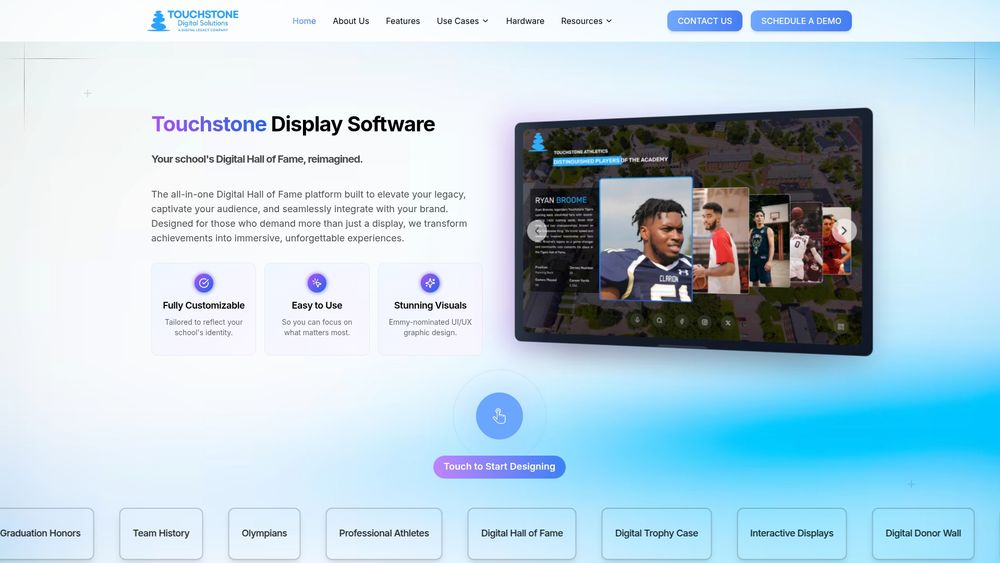
If you want a 3D-rich recognition display built around your school’s identity, start with our touchscreen hardware bundles and software. We handle the full project, from design and hardware to content setup and staff training, so your team can focus on the people being honored.
You can also explore the full range of interactive digital halls of fame and tell us which story you want to bring to life first.
FAQ
Do 3D touchscreen graphics require special glasses?
No. Rendered 3D on a touchscreen appears on an ordinary flat display, so visitors just walk up and touch. Glasses are only needed for certain stereoscopic setups, which are a different technology from what school recognition displays use.
What is the difference between interactive 3D graphics and a regular touchscreen slideshow?
A slideshow moves from one flat image to the next. Interactive 3D graphics respond to what the visitor does: they can spin a trophy, zoom into a detail or move through a scene. The visitor controls the pace, which tends to keep people at the display longer.
Can we update the content ourselves after installation?
Yes. Touchstone’s cloud-based content management supports real-time updates, so staff can add new inductees, records and donors without special software. Our team also provides staff training and unlimited 24/7 support.
How much does a touchscreen bundle cost?
Touchstone’s wall-mounted touchscreen bundles are published at $3,100 to $4,900 and floor-standing bundles at $3,550 to $4,300, both one-off. Software and service pricing depends on the project, so the best step is to describe what you want to display and talk with our team.
Are the displays accessible?
Our displays are built to ADA (WCAG 2.1) accessibility standards, and the same content can be browsed online by alumni. Your facilities team should also confirm mounting height and clearances for the specific location.
Touchstone Digital SolutionsDiscuss Your Recognition DisplayReach out to talk about interactive displays that bring your school’s achievements, history and story together.TTouchstone Digital SolutionsEmail Touchstoneinfo@touchstone-ds.com+1( 603) 361-7541
Sources
- Design and Evaluation of 3D GUI Widgets for Stereoscopic Touch Displays
- Touch the 3rd Dimension! Understanding Stereoscopic 3D Touch Interaction
- form•Z Mobile Viewer, Knowledge Base
- 3D Xperience, EON-XR User Guides
- A Design Study of Direct-Touch Interaction for Exploratory 3D Scientific Visualization
- Omaha Athletics Hall of Fame, UNOAA
- Hynes Upgrade / Arrigoni Challenge, Iona University
- UNH Athletics Accepting Nominations for Hall of Fame Class of 2026
- Stanford’s Home Of Champions, Forbes
- Rendering for an Interactive 360º Light Field Display, USC
- Interactive 3D touch and gesture capable holographic light field display
- Interactive 3D Animation System Based on Touch Interface
- Design Guidelines and Recommendations for Multimodal Touchscreen Graphics
- ADA Title II web accessibility final rule, U.S. Department of Justice