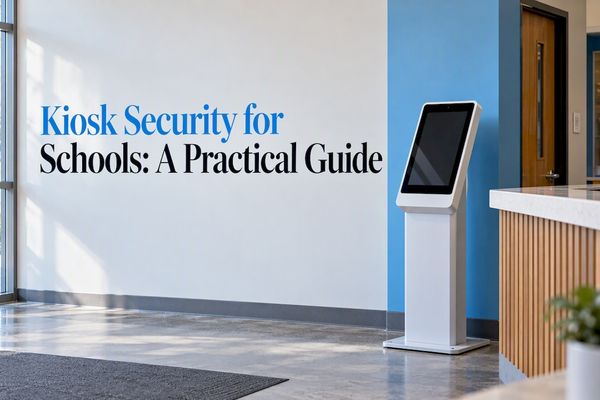
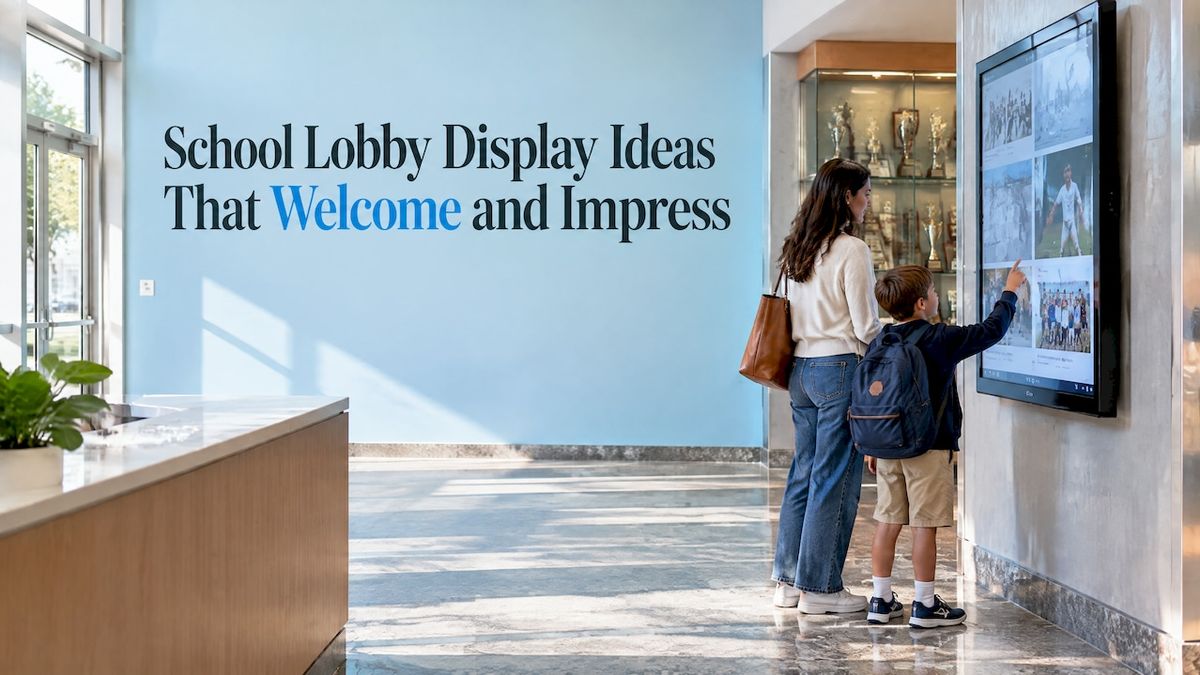
The best school lobby displays do three jobs at once: they tell visitors who you are, they give students a reason to feel proud, and they stay current without eating up staff time. Start with the achievements your community already cares about (athletics, academics, alumni, donors), choose a format you can update easily, and place it where people naturally slow down. The ideas below show how.
Touchstone-dsCelebrate Your School’s AchievementsTouchstone creates customizable digital Hall of Fame displays that showcase academic and athletic accomplishments and help strengthen community connection.Explore digital displays
TL;DR
- Build the lobby around recognition: a hall of fame, record board, trophy case, donor wall or history archive gives every visitor a story about your school in the first thirty seconds.
- Place displays where people pause, such as entrances, intersections and gathering areas, and keep them perpendicular to foot traffic and well lit.
- Brand the display like the rest of your school: your colors, fonts, mascot and tone, applied consistently.
- Plan for accessibility and upkeep from day one, with a simple monthly check of content and accessibility.
- Digital touchscreens let one person update a lobby in minutes, and wall-mounted bundles are published at $3,100 to $4,900.
Table of Contents
- Why the lobby deserves your best display
- Ten lobby display ideas that work
- Where to put each display
- Branding your lobby displays
- Accessibility and upkeep
- How to choose between physical and digital
- Our perspective
- Getting started with a Touchstone lobby display
- A simple plan for your first month
- FAQ
- Sources
Why the lobby deserves your best display
Your lobby is the one room every family, visitor, alum and new student sees. It sets the tone before anyone meets a teacher. A cluttered bulletin board says one thing. A clean, current display of student success says something very different: this is a school that notices its people.
Most of what ranks for this topic is bulletin board and decor inspiration: paper letters, quotes, themed walls. Those are fine for a hallway and a good starting point. But a lobby has a bigger job. It has to honor achievement, reflect your identity and hold up through a full school year without someone re-stapling it every month.
An architect writing for a design firm makes the case that achievement displays work best when they are treated as part of the school’s architecture and placed where people naturally pause. In her view, recognition, student work and school values make shared spaces more welcoming and motivate continued effort. That is the right frame: a lobby display is a design decision, not an afterthought.
Ten lobby display ideas that work
1. A digital hall of fame
A hall of fame is the classic entrance feature, and the digital version removes the old limits of wall space. Instead of a row of plaques that runs out of room, a touchscreen can hold every inductee with a photo, a biography, stats and video. Visitors tap to explore, and you add new inductees each year without drilling into a wall.
If you are planning one, our guide to digital hall of fame ideas covers twelve ways to organize categories, and the Digital Athletic Hall of Fame page shows how athletic inductees can be presented.
2. An athletic record board
Record boards are some of the most-read displays in any school. Fans want to know who holds the 100-meter record, who scored the most points in a season, and whether the current team is closing in. A static board needs a new plate or a repaint every time a record falls. A digital board updates the moment you change the entry.
Students who break a record see their name appear in the lobby within the same week. That kind of fast recognition is hard to match with engraved metal. Read how an interactive record board changes campus engagement, or look at Digital Record Boards for the format itself.
3. A digital trophy case
Trophy cases fill up. Then they fill up again, and the oldest trophies end up in a closet. A digital trophy case lets you photograph every trophy, banner and team photo, and attach the story behind it: the season, the roster, the final score. Nothing has to be retired to make room.
Traditional glass cases still have a place. The same design article recommends display cases for academic accomplishments, sports victories, club activities and community-service projects. A strong lobby often pairs one physical case with one digital screen, so a few featured trophies sit next to the complete history.
4. An academic wall of fame
Athletics usually gets the lobby. Academics should share it. Think National Merit finalists, science fair winners, robotics teams, debate champions, arts honors, perfect-attendance streaks and scholarship recipients. If you are not sure where to begin, here are the top 10 achievements to feature on an academic wall of fame.
A lobby that shows a robotics team next to the varsity roster sends a clear message about what your school values.
5. An alumni heritage gallery
Portraits and short biographies of distinguished graduates turn a lobby into a story about where your students can go. One example is a foundation’s Heritage Hall and Museum that uses portraits and biographies of distinguished alumni as an educational and motivational exhibit. The same idea works at any school, in print or on a screen.
A digital version has one big advantage: alumni can be added in a ten-minute update, with career highlights, a short Q&A or a message to current students. That also gives your alumni office a reason to reach out and a place to send people when they visit.
6. A donor recognition wall
People give more readily when they can see that gifts are noticed and honored. A donor wall in the lobby thanks supporters publicly and shows prospective donors what others have done. A digital wall can group donors by campaign, year or giving level, and it never needs a new brass plate when someone upgrades their level.
Our Digital Donor Walls page explains how this works for schools and universities.
7. A yearbook and history archive
Old yearbooks are the most-visited pages in any alum’s life, and they usually sit in a cabinet. Scanned and searchable, they become a lobby attraction. A grandparent can look up the class of 1974, find a name, and share the page with a grandchild standing right there.
If your shelves hold decades of yearbooks, professional yearbook digitization turns them into something people can search and browse, and a Digital History Archive can combine them with photographs, programs and newspaper clippings.
8. A rotating student work showcase
Art, writing, STEM projects and class presentations belong near the entrance. A rotating display (a few pieces per month, a few screens for digital portfolios) shows families what students are actually doing. The NEA’s parent-engagement guidance describes sharing student successes and school experiences with families through items like student-produced newspapers, sports schedules, upcoming events, photos and rewards. A lobby is the natural place for that kind of sharing, because every parent passes through it.
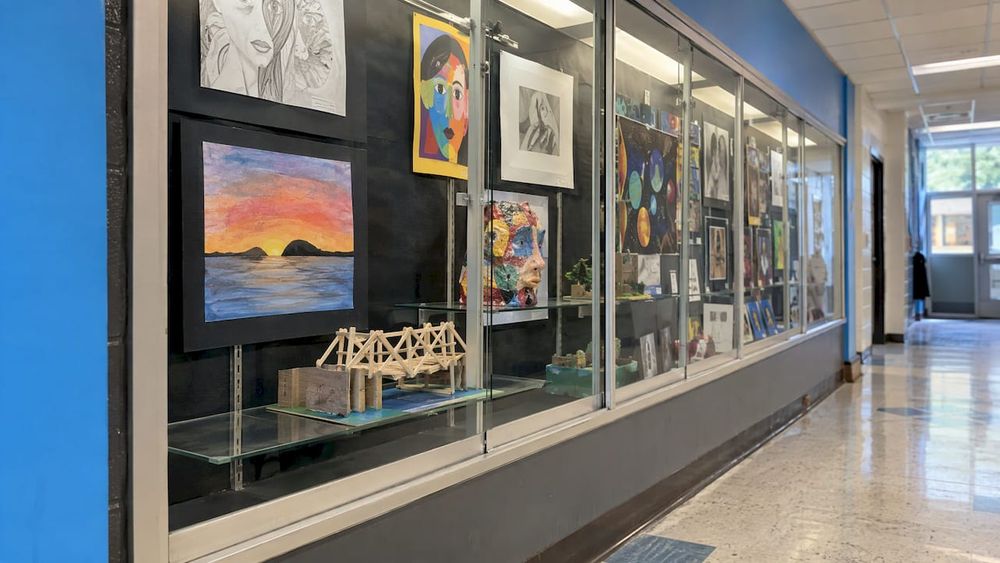
A simple rule: every grade level and department appears at least once a semester, so no group feels invisible.
9. A campus directory and wayfinding screen
Visitors arrive confused. A touchscreen directory helps them find the main office, the gym, a classroom number or the nearest restroom. It also doubles as an events board, so the same screen that guides a first-time visitor shows next week’s concert. We cover this in more detail in why every school needs a campus directory touchscreen.
Design guidance used by one large district says wayfinding aids should be placed in prominent, well-illuminated positions perpendicular to traffic flow so people find them easily. That is a handy test for any screen you add.
10. A signing wall and community moments
Signing day is one of the proudest moments in a school year. A signing wall (digital or physical) gives each student-athlete a spot with a photo, the college logo and a few words. See our list of college signing wall ideas for formats.
If you want the display to feel alive between events, you can also pull in school social media posts. Our social media integration guide for school digital displays explains how.
Where to put each display
Placement matters as much as content. The same architect’s advice is to put digital displays at natural pause points: entrances, intersections and gathering areas. In a lobby, that usually means these spots:
- Across from the front door, where visitors look first. Put your hall of fame or a large welcome display here.
- Near the front office or check-in desk, where people wait. A directory, event calendar or record board earns long looks here.
- At a natural gathering area, such as outside the gym or cafeteria entrance, where students pause. Trophy cases and student work work well here.
- Along the side wall of the main walk path, not directly in it. Keep the main path clear.
A few practical checks before you commit to a spot:
- Stand where a visitor stands. Can you read the screen without moving?
- Look for glare from windows at morning and afternoon hours.
- Check that two people can use the screen while a third walks by.
- Confirm power and network access nearby, so you are not running cables across the floor.
- Test the height for a seated user, such as someone in a wheelchair.
Branding your lobby displays
Branding is what makes a display feel like yours rather than a generic screen. Consistent institutional branding strengthens the link between a district’s visual identity, its informational goals and the community’s experience, as one large school district’s web branding guide stresses. The same logic holds on a lobby wall.
What to carry from your brand guide onto the screen:
- Colors: your primary and secondary palette, used for backgrounds, buttons and highlights.
- Fonts: the same typefaces as your website and printed materials. A serif font for headings can signal tradition; a clean sans-serif suits stats and menus.
- Logo and mascot: a prominent but not overpowering placement, with the same clear space you use on letterhead.
- Photography: consistent style, with action shots and candid moments rather than stiff group poses wherever possible.
- Voice: the same tone as your newsletters. Encouraging, plain and specific beats formal.
If your school does not have written branding guidelines, a one-page sheet listing hex color codes, font names, logo files and a short note on tone is enough to keep every display consistent. Hand it to whoever builds or updates the screen.
A custom interface can bring all of this together. Our software is designed so a school can reflect its own identity, from colors to layout to the way an inductee page looks, rather than fitting itself into a stock template.
Accessibility and upkeep
A display is only useful if everyone can use it. Under Title II of the ADA, public entities must ensure that communications with people with disabilities are as effective as communications with others, and programs must comply in online or virtual contexts. If your lobby screen shows information the public needs, treat it as part of that obligation, and talk to your district’s compliance officer or counsel about your specific setup.
Building guidance points the same way. A professional design guideline from the National Institute of Building Sciences calls for Universal Design principles to support equal access to facilities. In practice, that means:
- High contrast between text and background, and type large enough to read from a few feet away.
- A touch height reachable from a seated position.
- Captions for any video and alternative text for images where your platform supports them.
- A clear path to the display, free of steps and obstacles, since the same guideline recommends accessible building approaches without steps or stairs where possible.
Then make upkeep routine. Some schools use regular audit systems, such as monthly accessibility and content accuracy checks, across their communication channels. A lobby display fits neatly into that rhythm. Put a recurring reminder on a staff calendar: check names, dates, scores and photos, then test the touch response and the contrast.
How to choose between physical and digital
Physical displays are warm, tactile and affordable at small scale. Digital displays win when you have a lot to show, when the content changes often, or when you want visitors to explore by tapping.
| Question | Physical display | Digital touchscreen |
| How much can it hold? | Limited by wall space | Hundreds of profiles, photos and videos |
| How fast can you update it? | Needs fabrication or reprinting | Edit online and publish |
| Can visitors search? | No | Yes, by name, year or sport |
| Does it carry stories? | A line or two | Bios, stats, video and archive material |
| Best for | Featured trophies, banners, murals | Halls of fame, records, donors, archives |
Most lobbies do best with both: a physical anchor piece (a mural, a banner wall, a signature trophy) and a digital layer that holds the depth. Our overview of how schools use interactive touchwalls shows how that mix looks in practice, and the benefits of digital signage for private schools and universities are worth a read if you are making the case to a board.
Our perspective
We have spent our time with schools that all say some version of the same thing: we have a great story, and nobody sees it. The trophies are in a closet, the record board is three seasons behind, and the yearbooks are in a box.
Our view is that a lobby should recognize people the way they deserve to be recognized: promptly, beautifully and fairly. That is why we build custom, brand-integrated displays with a design team that comes from the gaming industry, and why our work has been nominated for an Emmy for its visual design. A touchscreen should feel like something students want to use, not a spreadsheet on a wall.
We also believe the people running the display should not have to be technical. Our platform is cloud-based, so updates are made online and show up in the lobby, and we carry no maintenance costs for our schools. As a family-run business, we work directly with you from the first design conversation onward.
If you take one thing from this article, let it be this: choose the achievements your community is proudest of, put them where people pause, and make them easy to keep current.
Gardner Gendron
Getting started with a Touchstone lobby display
If you are ready to move from ideas to a working display, we build interactive touchscreen software and hardware for digital halls of fame, record boards, trophy cases, donor walls and archives. Our published hardware bundles are one-off prices: the Wall Mounted Touchscreen Bundle ranges from $3,100 to $4,900, and the Floor Standing Touchscreen Bundle from $3,550 to $4,300. Software pricing for each display type is not published, so get in touch through our site to talk through your lobby.
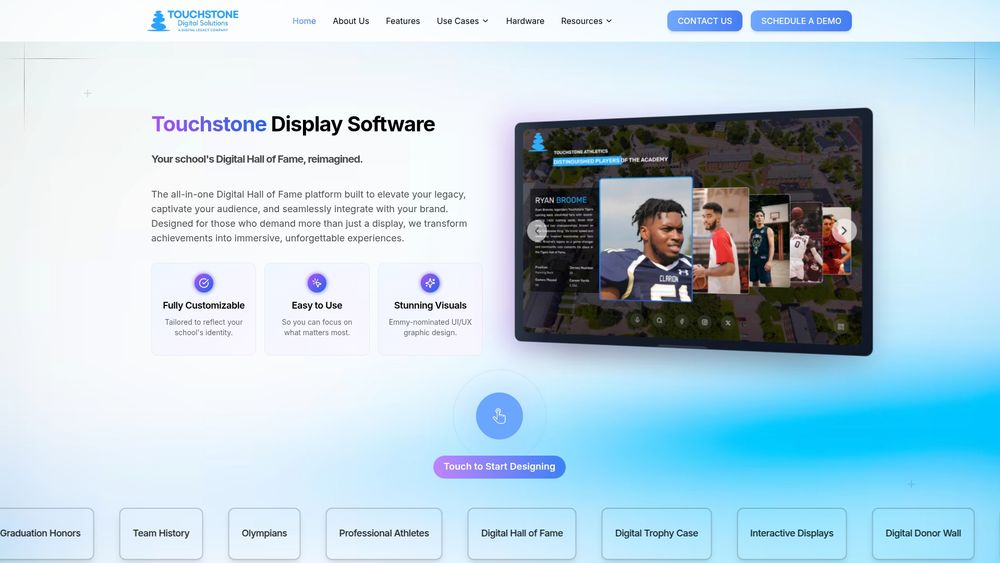
If you already know the size you want, browse the 55-inch, 65-inch and 86-inch display options, or start with the touchscreen software that powers them.
A simple plan for your first month
You do not need to redo the whole lobby at once. Here is a practical order of operations:
- Week one: walk the lobby at different times of day and list what is there now. Note what visitors look at and what they ignore.
- Week two: gather content. Pull records, rosters, award lists, donor names, old yearbooks and photographs. Ask coaches and department heads for their top achievements.
- Week three: write your brand sheet (colors, fonts, logo files, tone) and choose your location and size.
- Week four: decide who owns updates. One named person, plus a backup, keeps a display fresh.
Then build in phases. Start with the category that your community cares about most, usually athletics or alumni, and add donors, academics and archives as you go. Phased rollouts also let you listen: ask students and families what they look up, and adjust.
FAQ
What is the best display for a small school lobby?
Start with one strong focal point rather than many small ones. A single wall-mounted touchscreen can hold your hall of fame, records and directory in one place, and a framed mural or banner can sit beside it. Keep the rest of the wall clear so the display reads well.
How big should a lobby touchscreen be?
It depends on the distance people view it from and how many users stand at it. Larger screens suit wide lobbies and group viewing, while smaller ones fit narrow walls and one-person use. Compare the 55-, 65- and 86-inch options on our hardware pages, then test with a cardboard cutout of the size on your wall.
How do I keep a lobby display from looking outdated?
Assign an owner, set a monthly reminder and update on a schedule: after each season, at signing day, after graduation and when donors give. Digital displays make this much easier because changes are made online rather than by fabricating new plates.
Do lobby displays have to meet accessibility requirements?
Public schools are covered by Title II of the ADA, which requires communications with people with disabilities to be as effective as those with others. Choose high contrast, readable type, reachable touch heights and captioned video, and ask your district’s compliance contact to review your plan.
How do I brand a digital display so it matches my school?
Use the same colors, fonts, logo and tone as your website and printed materials. Write a one-page sheet with those details and give it to whoever builds the display, so every screen looks like it belongs to your school.
Sources
- Display Cases: Showcasing Success in K-12 School Corridors
- Heritage Hall & Museum, East Angel Foundation
- 10 Ideas for Engaging Parents, NEA
- APS Web Branding
- U.S. Department of Education guidance on Title II communications
- School Design Standards and Guidelines, Albuquerque Public Schools
- Design Guidelines for the Visual Environment, National Institute of Building Sciences