
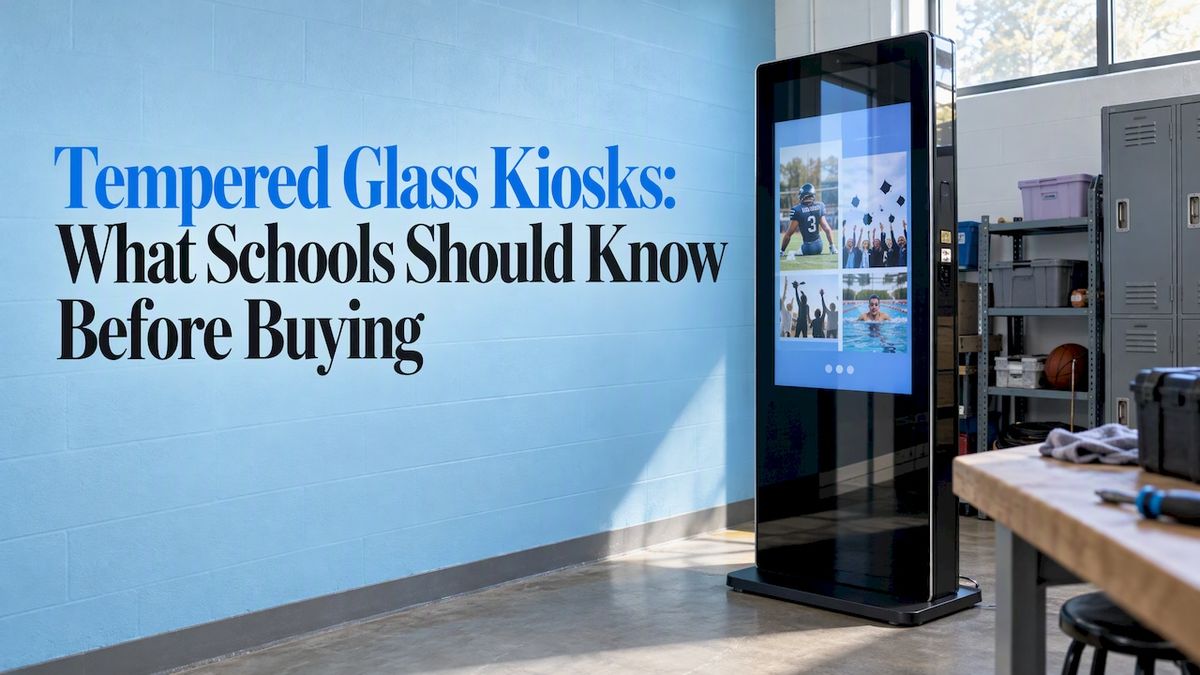
A tempered glass kiosk is a touchscreen display sealed behind heat-strengthened safety glass, so it can take years of fingerprints, backpacks and hallway traffic without cracking into sharp shards. For a school, that matters most when the screen hangs in a lobby or gym entrance, where hundreds of students pass it every day. This guide explains what tempered glass actually does, what to check before you buy (thickness, mounting, accessibility, coatings, cleaning), and how schools and universities use these kiosks for halls of fame, donor walls and record boards.
Touchstone-dsCelebrate Your School’s AchievementsTouchstone helps schools turn academic and athletic accomplishments into interactive digital displays that celebrate their legacy and connect their community.Explore Touchstone
TL;DR
- Tempered glass is heated and rapidly cooled, which makes it several times stronger than ordinary glass and makes it break into small, blunt pieces instead of shards.
- Glass is only one part of a good kiosk. Mounting height, reach range, clear floor space, glare control and how you update content decide whether people actually use it.
- Ask any vendor for safety certification on the glass (ANSI Z97.1 is the common U.S. reference), an accessibility report and a plain answer on who handles updates.
- Clean with a damp microfiber cloth with the power off. Glass cleaners, bleach and pressure can damage the display or its touch sensors.
- Our wall mounted and floor standing touchscreen bundles cost $3,100 to $4,900 and $3,550 to $4,300 respectively, one-off.
Table of Contents
- What tempered glass is and why kiosks use it
- What the top kiosk listings tell you
- What to check before you buy
- Accessibility is part of the glass decision
- The glass is not the whole kiosk
- How schools use tempered glass touchscreens
- Our point of view
- Cleaning and caring for a tempered glass touchscreen
- What a school bundle costs
- Getting a display that fits your school
- FAQ
- Sources
What tempered glass is and why kiosks use it
Tempered glass is made by heating glass and cooling it rapidly. That process builds internal stress that makes the finished pane much more resistant to breakage. If it does break, it fractures into small, relatively harmless pieces instead of long, jagged shards.
The U.S. Forest Service’s security guidance puts numbers on the difference: tempered glass is three to five times as strong as annealed glass and breaks into small, cube-like pieces that are much less dangerous than shards. Ordinary window glass does neither.
For a school, that gives you two practical benefits:
- Durability. A kiosk in a main hallway gets bumped by bags, instruments, hockey sticks and the occasional thrown ball. A hardened front surface keeps the LCD underneath protected.
- Safety. Schools carry real liability around broken glass. If a pane does fail, small blunt pieces are a far better outcome than a sheet of shards.
Tempered glass is not unbreakable. A sharp hit on the edge or a deep chip can still fail it, which is why mounting and enclosure design matter as much as the pane itself.
What the top kiosk listings tell you
If you search for tempered glass kiosks, you will mostly find enclosure and cover products: on-wall and floor-mounted housings that bond a glass front to a frame around a commercial display, cinema-style ticketing covers, and retail showcases. A few details show up again and again in those listings, and they are worth borrowing as a checklist:
- Glass thickness stated in inches or millimeters. Listings for impact-rated enclosures commonly cite a bonded pane of about 5/32 inch.
- A frame depth that adjusts to fit different displays.
- Standard display sizes, with the exact screen size and mounting pattern (VESA) named.
- Options such as custom silk-screen printing and cutouts.
Notice what those listings leave out: the software. An enclosure protects a screen. It does not tell your story. For schools, the other half of the purchase is the content, which we cover below.
What to check before you buy
Use this list on any quote, ours included.
Glass thickness and certification
Ask for the pane thickness and whether the glass has been tested. Tempered glass control panels should be tested and certified to standards such as ANSI Z97.1 in the United States. If a vendor cannot name the standard, treat that as a warning sign.
Bonding and enclosure
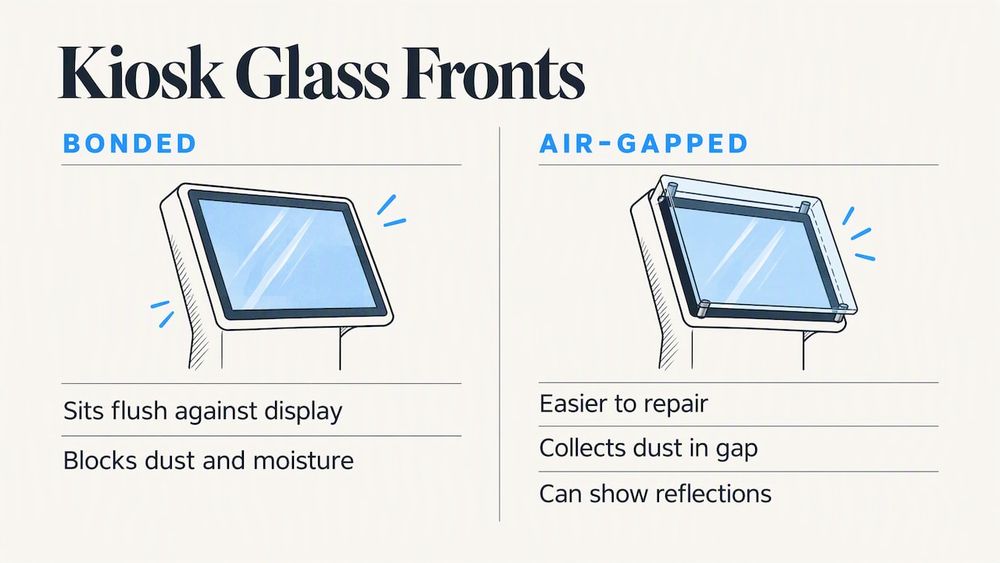
Ask how the glass attaches to the display. A bonded front sits flush and keeps dust and moisture out of the gap. An air-gapped front is easier to repair but collects dust and can show reflections. Neither is wrong, but you should know which you are getting.
Coatings
Touchscreen glass can carry anti-microbial, anti-glare and anti-fingerprint treatments. In a school lobby with windows, anti-glare is usually the one that decides whether the screen is readable at 3 p.m. Our guide to choosing anti-glare display glass for school screens walks through the trade-offs.
Display size and viewing distance
Match the screen to the room. A 43-inch portrait screen works in a narrow hallway. A wide landscape screen suits a gym lobby, where a group of visitors can gather. Think about how many people will stand in front of it at once during a game night or an alumni weekend, not on a quiet Tuesday.
Mounting: wall or floor
Wall mounted units save floor space and suit corridors. Floor standing units go where there is no wall to use, such as open atriums or the middle of a trophy area. Both need a plan for cables, power and network. Our touchscreen hardware page shows both formats.
Accessibility is part of the glass decision
A kiosk that a student in a wheelchair cannot reach is not a recognition display for everyone. Build accessibility into the purchase, not into a fix afterward. Rice University’s digital accessibility team treats it as a procurement issue, covering documentation, placement, assistive technology, security and vendor accountability together.
The practical guidance from Rice University is specific:
- Controls should generally sit within 15 to 48 inches of the floor.
- Touch targets should meet WCAG sizing requirements.
- Systems should support screen-reader or voice navigation.
- Captions, transcripts, adjustable text size or zoom, high contrast and non-glare screens are recommended.
- Leave at least 30 by 48 inches of clear floor space in front of the unit for a wheelchair approach.
The federal picture is still developing. In 2022 the U.S. Access Board asked for public comment on supplemental accessibility guidelines for self-service transaction machines, including electronic kiosks. The same notice points out that without tactile controls, kiosks can be unusable for many people who are blind or have low vision unless information is also provided audibly.
So a smooth glass front raises a real design question: how does someone who cannot see the screen use it? The Access Board’s 2021 presentation to its advisory committee notes that universal design is simpler than personalization, and that all machines should be equally usable. For a hall of fame, that points toward audio options and clear navigation, not a design that only works by sight.
We have a longer walk-through in ADA compliant kiosks and the 15 to 48 inch reach range for schools.
The glass is not the whole kiosk
Purdue University IT describes three parts of any digital signage or kiosk setup: the display, the content source and a content-management method. Management might be browser-based through a hosted provider, run over the local network, or done manually with a USB drive. Each has trade-offs.
That is the part many glass-focused searches miss. A beautifully protected screen showing last year’s roster is a bad kiosk. Before you buy, ask:
- Who adds a new inductee, record or donor, and how long does it take?
- Can a coach or an alumni coordinator do it without calling IT?
- Does the content live in the cloud, or on a single machine in the hallway?
- What happens when the software needs a security update?
Rice’s checklist adds that you should ask for an accessibility conformance report (an ACR, often called a VPAT), see a live demonstration, confirm security and compatibility, and write accessibility fixes, security updates and maintenance into the contract. If you are setting up for the first time, our step-by-step guide to touchscreen lobby software in K-12 schools covers the rollout.
How schools use tempered glass touchscreens
The hardware is the same across uses. What changes is what you put on it.
Halls of fame and trophy cases
A physical trophy case holds a limited number of items. A touchscreen can hold every inductee, season and team photo, and it does not run out of wall space. Southern Nazarene University’s Hall of Witnesses is one example: honorees receive biographies on a touch-screen display, and recognition ties to gifts that support endowed ministerial scholarships. It combines individual stories, donor acknowledgment and educational impact in one place.
Donor walls
A printed donor plaque is final the day it is engraved. A touchscreen donor wall can add new names the week a gift arrives, group donors by campaign or year, and show photos and stories behind a gift. If you are weighing options, look for these traits in a donor wall:
- Easy updates by development staff, not a vendor ticket.
- Search by name, year and giving level.
- Room for a short story, not just a list of names.
- Branding that matches your school colors and logo.
See how this works on our digital donor walls page.
Student history and admissions storytelling
Touchscreens work for more than donors. The University of Miami described an interactive kiosk that used touch screens to present the past, current and expected accomplishments of Black students, tying donor-supported technology to student history. Colgate University reported that touch-screen displays in its admission center helped visiting families explore current students’ work and graduates’ success stories. The same screen that honors alumni also helps recruit the next class.
Record boards and campus wayfinding
Athletic record boards are a natural fit, since records change every season and a painted board is out of date by spring. Our post on how an interactive digital record board transforms campus engagement shows what that looks like. If you want more ideas, we also collected ten ways schools use interactive touchwalls, and a campus directory touchscreen can share the same hardware.
Our point of view
We build digital halls of fame for schools, and we see the same pattern in almost every project: the glass gets chosen in ten minutes and the content gets argued about for ten months. Pick sturdy glass, certainly, but spend your real energy on the question of what people will feel when they walk up to it.
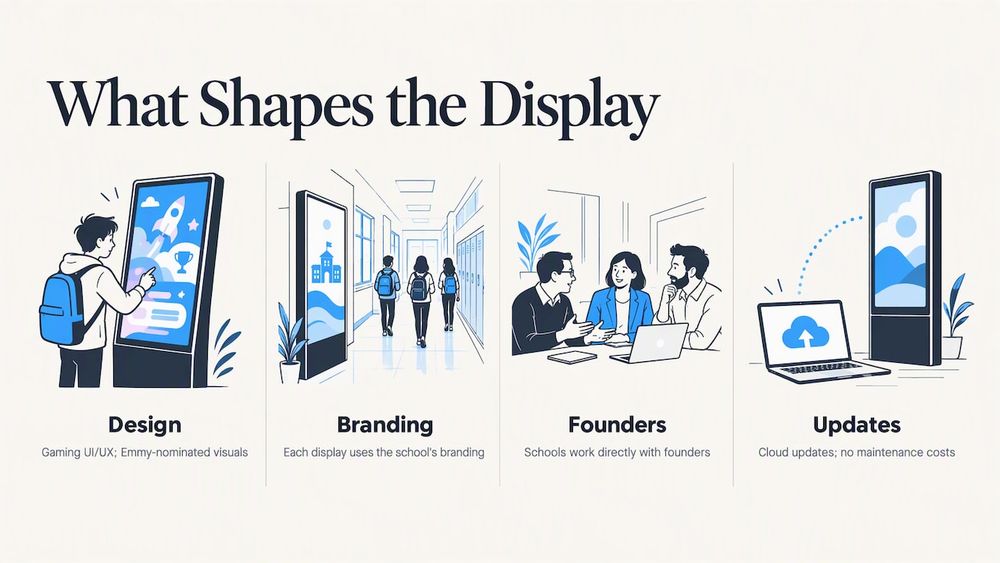
That is why our displays are designed by UI/UX people from the gaming industry, with visuals that have earned Emmy nominations. A student should want to touch the screen and keep exploring, not tap once and walk away. We build each display around your school’s own branding, so it looks like your hallway and not a template.
We are a family-run business, and schools work directly with the founders. Our cloud-based content management means updates happen when you make them, and we do not charge maintenance costs. Whichever vendor you choose, hold them to the same standard: ask who updates the screen in year three, and get the answer in writing.
— Gardner Gendron
Cleaning and caring for a tempered glass touchscreen
Tough glass still needs the right care. Always power the display down first. These manufacturer instructions are a good baseline, and you should defer to the guide for your exact model.
- Planar’s guidelines call for disconnecting power, then dampening a lint-free microfiber cloth with a 50/50 mix of distilled water and isopropyl alcohol. Do not spray the display directly. Let surfaces dry completely. For disinfecting, use a solution of at least 70% isopropyl alcohol and avoid bleach on viewable surfaces.
- SMART advises a lint-free, non-abrasive cloth, light pressure and no strong cleaners or glass cleaners. It also recommends checking infrared touch sensors weekly, and cleaning accessible ventilation holes monthly with a dry cloth.
A simple routine for a custodial team:
- Power the screen down at the end of the day.
- Wipe with a damp microfiber cloth, working top to bottom.
- Dry with a second clean cloth.
- Check that ventilation openings are clear.
- Power back up and test touch response in all four corners.
What a school bundle costs
Prices vary widely across the market, and many vendors do not publish them. Ours are listed on our site. Our Wall Mounted Touchscreen Bundle runs $3,100 to $4,900, and our Floor Standing Touchscreen Bundle runs $3,550 to $4,300. Both are one-off prices. Software for trophy cases, record boards, donor walls, yearbooks and history archives is quoted to your project, since a ten-name donor wall and a 60-year athletic archive are not the same job.
Getting a display that fits your school
If you are comparing tempered glass kiosks, start with the hall, wall or lobby where it will live, then work backward to the hardware. Our touchscreen hardware bundles pair the screen with touchscreen software built for schools, so the recognition content and the display come from one team. If your goal is honoring athletes, start with our digital athletic hall of fame. We can walk you through options and show you the interface before you commit.
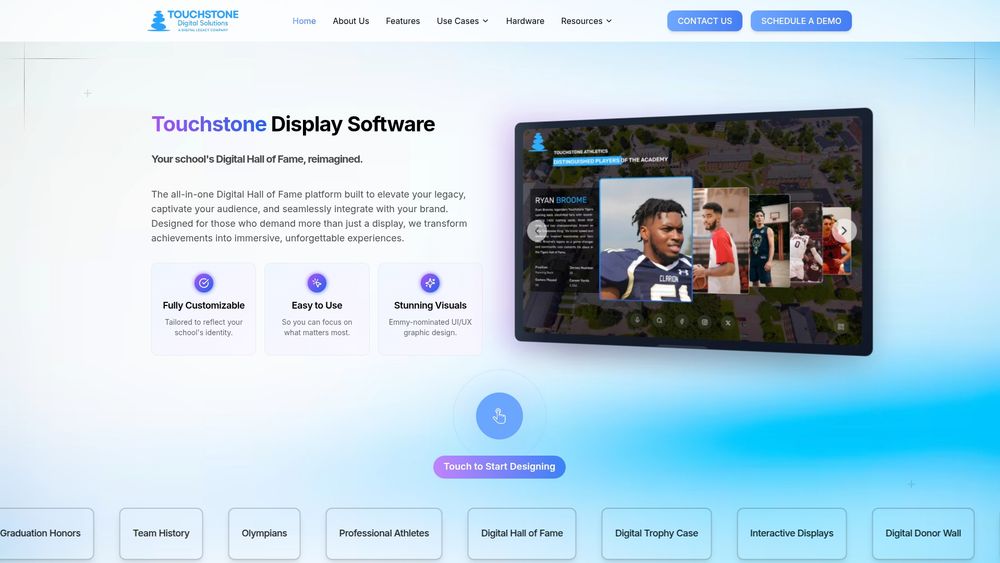
To see everything we offer in one place, visit Touchstone Digital Solutions.
FAQ
Is tempered glass the same as a screen protector?
No. A screen protector is a thin film or sheet applied to a device. Tempered glass in a kiosk is a thick, heat-strengthened pane, often bonded to the enclosure, that serves as the front surface. It is built to protect the display from impact and constant touch.
How strong is tempered glass compared with regular glass?
The U.S. Forest Service describes tempered glass as three to five times as strong as annealed glass. When it does break, it crumbles into small cube-like pieces instead of shards. It can still fail from a hard strike to the edge, so enclosure design matters.
What is the best touchscreen donor wall setup for a school?
The best setup is one your staff can update without outside help. Look for easy content management, searchable donor names, space for stories and photos, branding that matches your school, and accessible reach heights. Ask for an accessibility report and a live demo before you sign.
Can I use a glass cleaner on a tempered glass touchscreen?
Usually not. SMART advises against glass cleaners and strong chemicals on its displays, and Planar recommends a damp microfiber cloth with a 50/50 distilled water and isopropyl alcohol mix instead. Power the display off first and never spray directly onto the screen.
Do school kiosks have to meet ADA requirements?
Schools should plan for accessibility from the start. Federal rulemaking for self-service kiosks was still at the comment stage after the Access Board’s 2022 notice, so many schools follow university guidance such as Rice’s, which covers a 15 to 48 inch control range and 30 by 48 inches of clear floor space. Check your district’s or state’s current requirements with your facilities or compliance office.
Sources
- What are the requirements for a tempered glass control panel in kiosk applications
- Physical Security Toolbox: Types of Glazing (USDA Forest Service)
- Touch Screen Glass Solutions for POS & Self-Service Kiosks
- Digital apps and kiosks (Rice University Digital Accessibility)
- U.S. Access Board Seeks Public Comment on Accessibility Guidelines for Self-Service Transaction Machines
- U.S. Access Board self-service transaction machines presentation, May 2021
- Digital Signage & Interactive Kiosks (Purdue University IT)
- Hall of Witnesses (Southern Nazarene University)
- Permanent exhibit to highlight the history of Black students (University of Miami)
- The Hurwitz Admission Center opens to campus visitors (Colgate University)
- Display Cleaning Guidelines (Planar)
- Cleaning and maintaining hardware, SMART Board GX