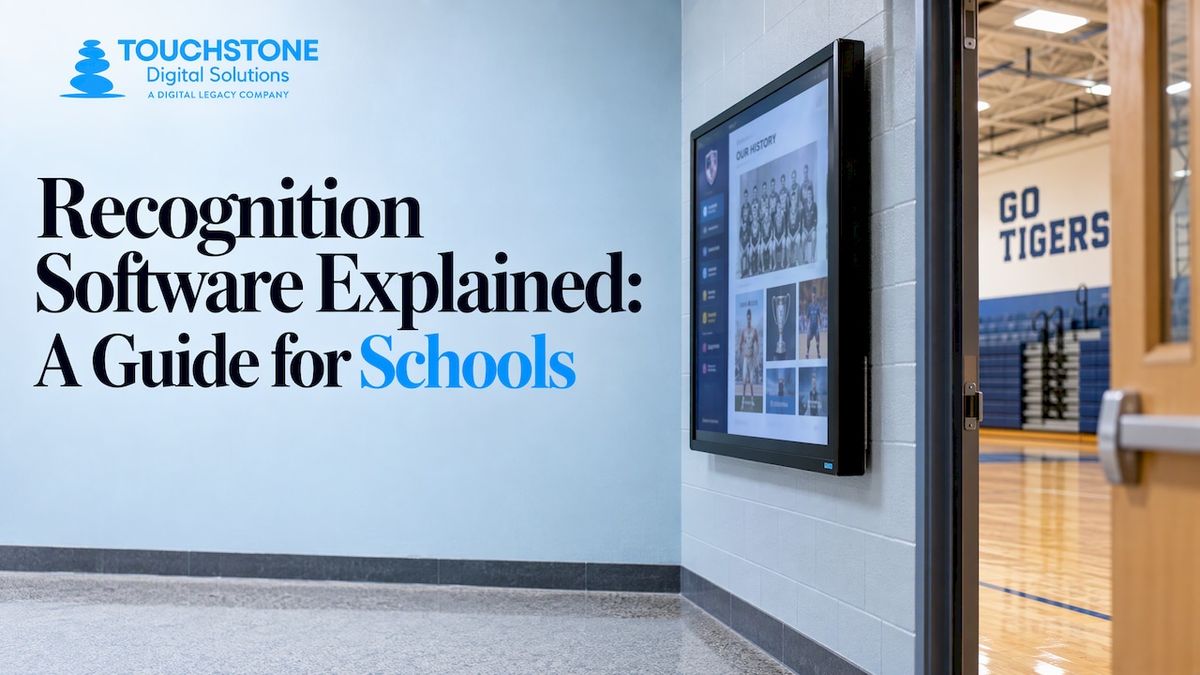
Recognition software is the program behind a digital Hall of Fame, record board, trophy case, donor wall or yearbook archive. It stores your school’s achievements as organized content, then presents them on a touchscreen in the lobby and on the web. It is not the voice and face recognition technology that dominates search results for this phrase. It is software that recognizes people: the athletes, graduates, donors and teams who built your school’s story.
We build this software at Touchstone Digital Solutions, a family-run company in Bedford, NH, and this guide explains it the way we would for an athletic director or an alumni office: what it does, what it is made of, what accessibility requires, and how to choose well.
Touchstone Digital SolutionsBring Your School’s Story TogetherExplore interactive recognition displays that bring achievements, records, donors, yearbooks and school history together on screen and online.Schedule A Demo
TL;DR
- Recognition software organizes honors, records, donors, yearbooks and history in one searchable touchscreen display, and alumni can browse the same content online.
- A complete project has four parts: software, commercial touchscreen hardware, content setup, and ongoing support.
- Accessibility is a purchasing requirement, not a bonus. WCAG 2.1 Level AA is the benchmark that universities and U.S. public-entity rules point to.
- Start with recent content, then grow into the full archive.
- Our wall mounted and floor standing bundles are published at $3,100 to $4,900 and $3,550 to $4,300, one-off.
Table of Contents
- What recognition software actually is
- The types of digital recognition
- How the software is organized
- Who uses it and why
- Hardware: the part visitors touch
- Accessibility: what to require
- How to choose recognition software
- How we handle a recognition project
- Our perspective
- FAQ
- Sources
What recognition software actually is
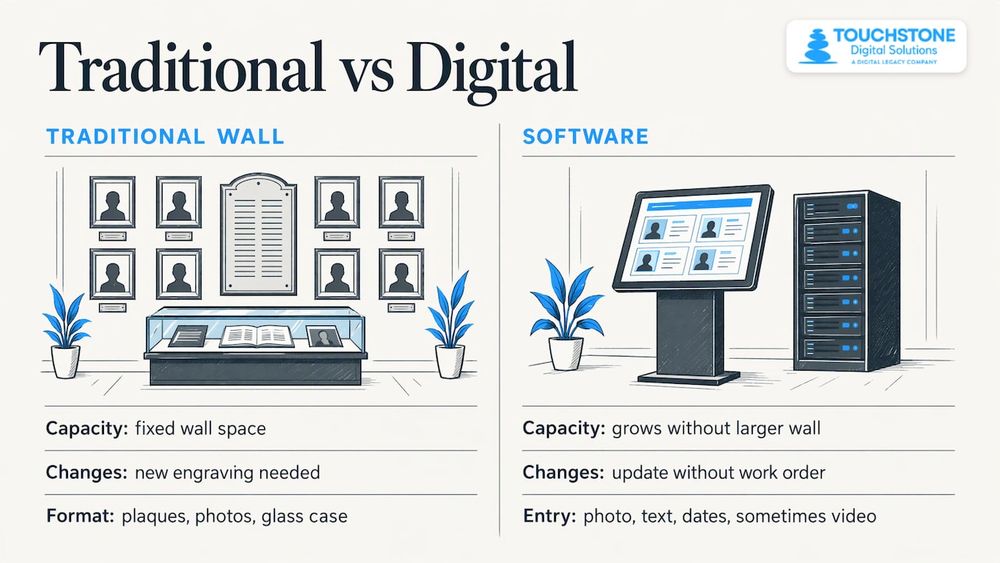
A traditional recognition wall is a set of plaques, framed photos and a glass case. It has a fixed size. Once the wall is full, someone gets left off, and a name that needs correcting means a new engraving.
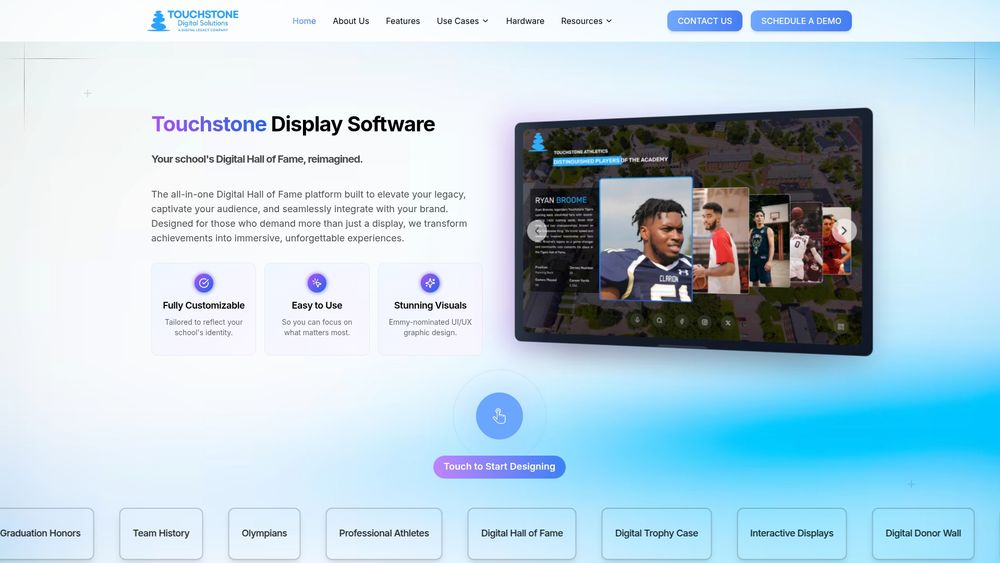
Recognition software replaces that fixed space with a database. Each inductee, record, donor or yearbook page is an entry with a photo, text, dates and sometimes video. The touchscreen is the front door to that database. A visitor taps a sport, a decade, a name or a graduating class and sees the matching profiles.
Because the content lives in software, the display can grow without a bigger wall. It can also be updated without a work order. That is the practical difference between digital recognition and a plaque: a new state champion goes on the board the week it happens.
The types of digital recognition
Most schools begin with one of these and add others over time, since they share the same platform:
- Digital Athletic Hall of Fame: inductee profiles with photos, stats, career highlights and induction year, browsable by sport or era.
- Digital Record Boards: current and past school records that update when a mark is broken, with the former holder preserved.
- Digital Trophy Case software: championship trophies, banners and team photos shown with the story behind each.
- Digital Donor Walls: donors listed by giving level, campaign or year, with room for the stories behind the gifts.
- Professional Yearbook Digitization and a Digital History Archive: scanned yearbooks and historic material that visitors can search by name instead of paging through shelves.
A school with a Hall of Fame, a record board and a yearbook shelf does not need three systems. One content library can feed all three views.
How the software is organized
Under the hood, good recognition software has three layers. Knowing them helps you ask better questions of any vendor.
The content library
This is where profiles, photos, records and scanned pages are stored. Structure matters more than volume. If every inductee has the same fields (name, class year, sport, achievement, induction year), visitors can filter and search them. If the data is a pile of unlabeled files, the display is only a slideshow.
The management system
This is the part your staff touches. Cloud-based content management means an advisor, coach or alumni director can add a profile from a browser, with no software installed on the display. Real-time updates mean the change shows on the screen and online without anyone visiting the lobby.
The display experience
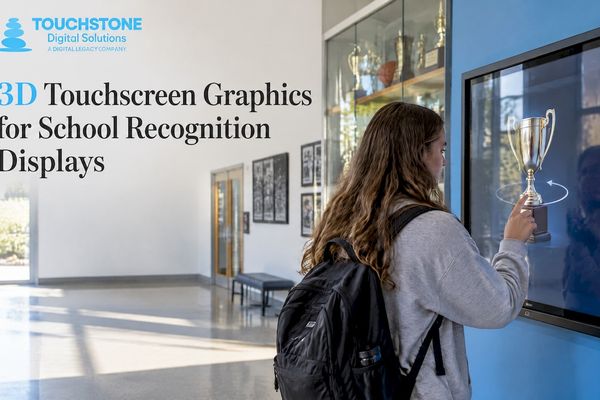
This is what visitors see: your colors, logo and school story, laid out so a ten-year-old and a 70-year-old alumnus can both find what they came for. Design is not decoration here. It decides whether people stay at the screen for thirty seconds or ten minutes. Our own principles on this are in our post on interactive display design for schools, and our approach to depth and motion is covered in 3D touchscreen graphics for recognition displays.
Our displays are custom-designed around each school’s colors, logo and story, and our UI/UX design has been nominated for an Emmy. Alumni can browse the same content online, which matters for graduates who live far from campus.
Who uses it and why
Different offices buy recognition software for different reasons, but they tend to land on the same platform.
- Athletic departments want a Hall of Fame and record boards that stay current without reprinting.
- Alumni and advancement offices want a reason for graduates to come back, search for classmates and, eventually, give.
- Principals and administrators want every student’s achievement, not just the athletic ones, represented in the building. Academic awards, arts, service and clubs all fit the same structure.
- Community organizations want to honor members and supporters in a way that is easy to extend.
The common thread is fairness. A plaque wall rewards whoever was recognized when space existed. A digital wall can make room for everyone who earned it. For more ideas on how classrooms and campuses put interactive walls to work, see our list of top uses for interactive touchwalls in education.
Hardware: the part visitors touch
Software needs a screen, and the screen needs a place to live. The two common formats are a wall mounted display and a floor standing kiosk. Wall mounting saves floor space in a narrow hallway. A floor standing unit works in a lobby or gym entrance where there is no suitable wall.
Our bundles pair commercial touchscreen hardware with the software. As published on our touchscreen hardware page, the Wall Mounted Touchscreen Bundle runs $3,100 to $4,900 one-off and the Floor Standing Touchscreen Bundle runs $3,550 to $4,300 one-off. Screen sizes include 55-inch, 65-inch and 86-inch displays. Custom wall wraps tie the installation to the rest of the building.
Placement matters as much as size. Where you mount the screen decides who can use it, which brings us to accessibility.
Accessibility: what to require
A recognition display is a public-facing piece of technology. Students who use wheelchairs, visitors with low vision and alumni with hearing loss should all be able to use it. Universities increasingly write this into purchasing policy.
What universities ask for
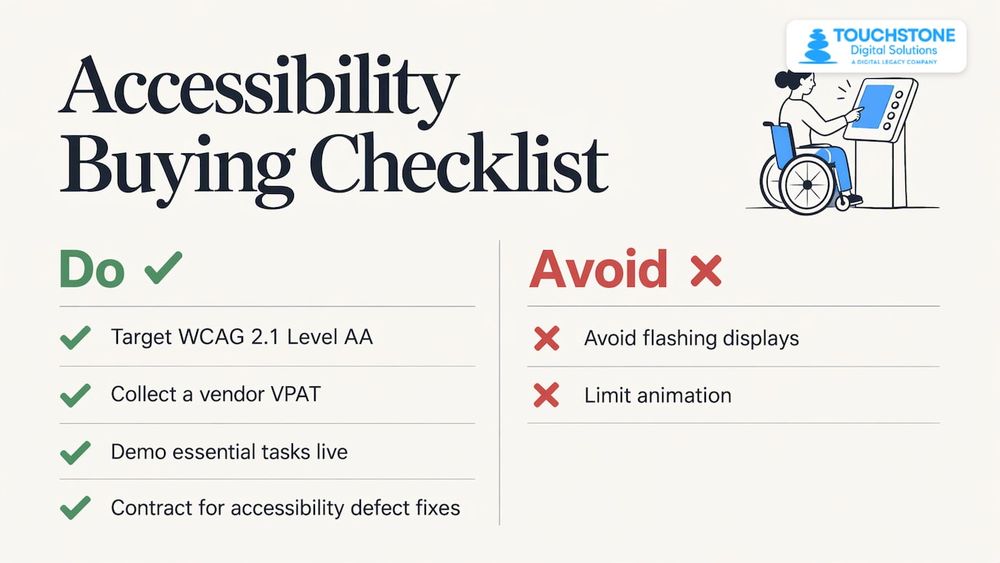
Rice University’s guidance says apps and kiosks bought for the university must adhere to the ADA, and that the best way to meet the standard is WCAG 2.1 Level AA. WCAG stands for Web Content Accessibility Guidelines, the widely used technical standard for accessible digital content. Level AA is the middle conformance tier that most policies target.
The same guidance lists reach ranges of 15 to 48 inches from the floor for kiosks, touch targets that meet WCAG, screen reader or voice-controlled navigation, and hands-free options such as trackballs, tactile buttons or Braille labels. Rice also advises buyers to collect a VPAT (Voluntary Product Accessibility Template, a vendor’s written report on how a product meets accessibility standards), to see a live demonstration of essential tasks, and to secure contractual commitments for fixing accessibility defects.
Utah State University’s kiosk and interactive display guidance adds more: strong color contrast, alt text for images, plain language, captions and transcripts for video, adjustable display durations, controls within 48 inches of the ground with clear floor space, and alternatives to touch such as keyboards or tactile keypads. It also notes that excessive motion, flashing and animation can create barriers for people with cognitive, vestibular or seizure-related disabilities, so displays should avoid flashing, limit animation and offer a way to pause moving content.
What the law says
If you are a public school, district or public university, a federal rule applies. The Department of Justice’s Title II regulation, published April 24, 2024, makes WCAG 2.1 Level AA the technical standard for state and local government web content and mobile apps. Public entities serving a population of 50,000 or more were to comply beginning April 24, 2026. Smaller entities and special district governments follow beginning April 26, 2027. The rule allows exceptions where compliance would fundamentally alter a service or impose an undue burden.
Some states go further and name kiosks directly:
- Colorado’s accessibility rules cover public entities’ technology in use on or after July 1, 2024, and call for WCAG 2.1 A/AA for digital content plus specified Section 508 hardware standards.
- Hawaii’s access standards, effective January 1, 2025, cover digital kiosks and public schools. They require WCAG 2.1 A/AA conformance and set display rules such as no more than three flashes per second.
If you are unsure how these apply to your district, your district’s ADA coordinator or counsel is the person to ask. Either way, buying a display built to WCAG 2.1 from day one avoids a retrofit later.
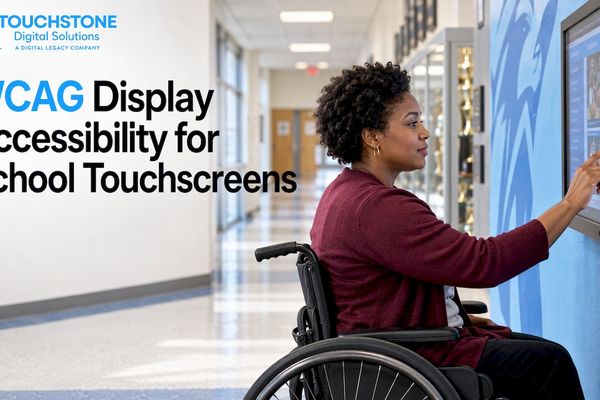
Our displays are built to ADA (WCAG 2.1) standards. If you want the practical detail, we cover reach ranges in ADA compliant kiosks for schools and display design in WCAG display accessibility for school touchscreens.
Accessible content, not only accessible software
Software can be accessible and still show inaccessible content. A photo with no description, a video with no captions or a low-contrast scan will undercut the best interface. Build these habits into your content routine:
- Write a short description for every photo.
- Caption and transcribe every video or oral history.
- Use plain language in profiles.
- Represent the full range of your community: sports and arts, past decades and the present, every group of students who earned recognition.
- Decide how you will handle name and pronoun preferences, privacy for current students, and corrections when a family disputes a detail.
How to choose recognition software
Here is a practical order of questions for a school or university committee.
1. Decide what you are honoring first
List the categories: athletic Hall of Fame, records, trophies, donors, yearbooks, academics. A platform that covers all of them lets you start with one and add the rest without rebuilding.
2. Check the management system
Ask who will update it and how. If adding a profile takes training from the vendor each time, updates will stall. Cloud-based management that a coach or secretary can use is the standard to look for.
3. Ask for the accessibility documentation
Request the VPAT and a written plan for any area not yet met. Accessibility belongs in the design from the start, not added afterward.
4. Look at design and branding
The display should look like your school, with your colors, logo and story, not a template with your name dropped in. Ask to see how the interface handles a long list of names and how it looks to a first-time visitor.
5. Plan hardware and placement
Choose wall mounted or floor standing based on traffic and clearance. Confirm the screen sits within the reach range and has clear floor space in front.
6. Plan the content migration
This is where projects stall. You may have yearbooks on a shelf, records in spreadsheets, and photos in a coach’s drawer. Look for a provider that handles data migration and scanning, so your staff is not typing in decades of names. Ours includes content setup and data migration, along with non-destructive yearbook scanning, so the books stay intact.
7. Start small and grow
A phased approach works best: launch with recent classes and current records, then add the older history as you collect it. Alumni associations and booster clubs are natural volunteers for finding photos and confirming names. A launch that waits for a complete archive can wait forever.
8. Confirm training and support
A display lasts for years, and so should the help behind it. We provide staff training and unlimited 24/7 support. Anyone who trains colleagues on a new platform may find that skill carries over elsewhere, as in this guide to online teaching jobs.
How we handle a recognition project
Touchstone handles the full project, so the school does not have to coordinate separate vendors for the screen, the software and the content. That covers commercial touchscreen hardware, custom wall wraps, content setup and data migration, and yearbook scanning, along with staff training afterward. More than 350 schools and organizations use our displays, and you work directly with the founders of a family-run company. If your project includes a fundraising goal, Touchstone Fundraising helps organizations raise money for it.
You can see how the pieces fit on our software features page and our Touchscreen Software page. When you are ready to scope a project, start at touchstone-ds.com and tell us which categories you want to honor first.
Our perspective
Schools do not buy recognition software because they love software. They buy it because a name is missing from a wall, a record was broken and no one updated the board, or a yearbook from 1962 is falling apart in a closet.
We build every display around that human moment. That is why we design each one around the school’s own colors, logo and story, and why accessibility is part of the design from the first sketch. A hall of fame that some visitors cannot use is not honoring everyone it should.
Our advice is to treat recognition as a program, not a one-time install. Pick a launch group, set a simple routine for adding new honorees, and let the archive grow each season. With a cloud-based system, that routine is a few minutes of work, and we stay with you with training and support after the screen goes up.
Gardner Gendron
FAQ
Is recognition software the same as voice or face recognition?
No. Voice and face recognition identify a person or a spoken word. School recognition software is a content platform that recognizes achievement: it organizes honorees, records, donors and history for display on a touchscreen and online.
What can a digital recognition display include?
Athletic Hall of Fame inductees, record boards, trophy cases, donor walls, digital yearbooks and history archives all fit on one platform. Profiles can include photos, text and video, and visitors search by name, year or category.
How much does a recognition display cost?
Our published hardware bundles run $3,100 to $4,900 for a wall mounted bundle and $3,550 to $4,300 for a floor standing bundle, both one-off. Software and services are quoted for your project, so contact us with the categories and content you have in mind.
What makes a recognition display accessible?
Look for WCAG 2.1 Level AA conformance, strong contrast, captions, limited motion, controls within the 15 to 48 inch reach range, and alternatives to touch. Ask any vendor for a written accessibility report. Ours is built to ADA (WCAG 2.1) standards.
Can alumni see the display if they live far away?
Yes. Alumni can browse the same content online, so graduates anywhere can look up classmates, teams and records.
Touchstone Digital SolutionsDiscuss Recognition Software for Your SchoolTell us what your school hopes to recognize, and we can discuss a custom display built around its colors, logo and story.info@touchstone-ds.comEmail us+1( 603) 361-7541
Sources
- Digital apps and kiosks, Rice University Digital Accessibility
- Kiosk and Interactive Display Accessibility, Utah State University
- Title II Regulation Supplement, ADA.gov
- Code of Colorado Regulations 8 CCR 1501-11
- Hawaii Electronic Information Technology Disability Access Standards