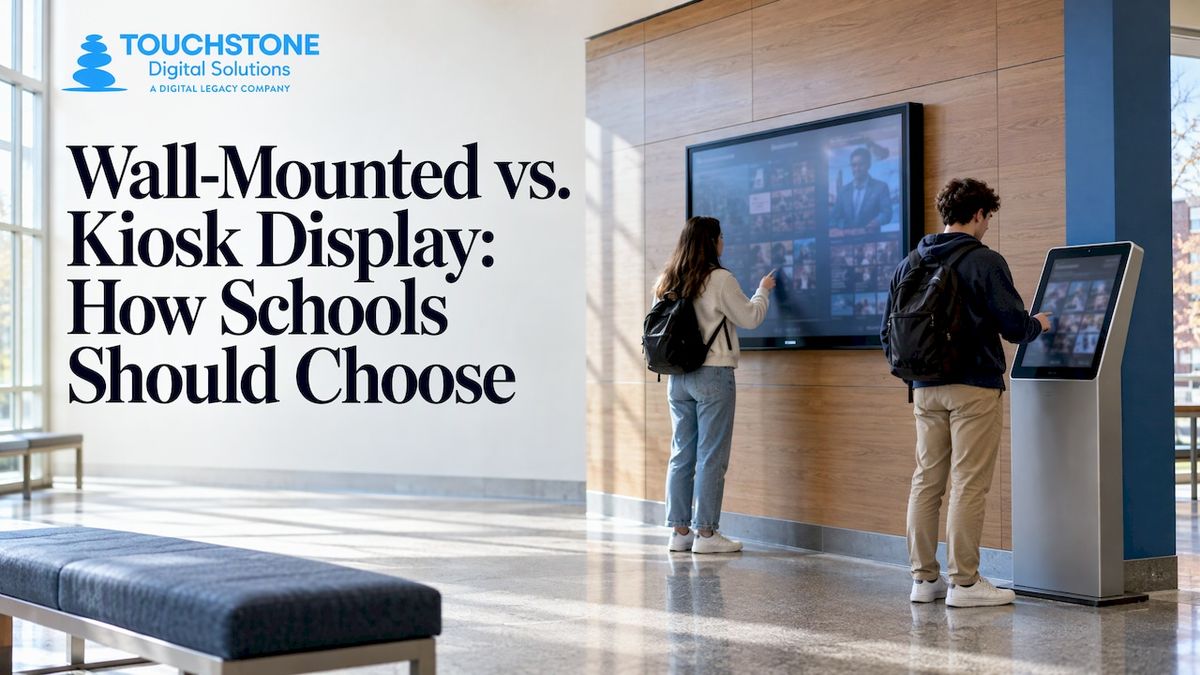
Choose a wall-mounted display when you want to save floor space, keep a lobby or corridor clear, and let people browse content at a fixed spot. Choose a freestanding kiosk when you want a destination that draws people in, can be repositioned, and needs no wall work. For school recognition, the real question is usually not the hardware. It is where your visitors walk, how many people use the screen at once, and whether the screen needs to be touched at all.
This guide walks through the differences in plain terms, then applies them to the places schools actually put screens: main lobbies, athletic hallways, gyms, libraries and alumni centers.
Touchstone Digital SolutionsChoose a Display That Fits Your SchoolSee how Touchstone’s interactive recognition displays bring school history, achievements and records together on wall-mounted or floor-standing screens.Schedule a guided demo
TL;DR
- A wall-mounted display fixes to the wall, uses no floor space and suits corridors, entryways and tight lobbies. A freestanding kiosk stands on its own, makes a visible destination and can move later.
- Passive digital signage is for reading. Interactive kiosks are for doing: searching names, filtering records, browsing a yearbook. Recognition content almost always belongs in the second group.
- Accessibility shapes both formats: ADA protrusion limits apply to wall mounting, and reach ranges apply to anything a person has to touch.
- Our wall-mounted bundles run $3,100–$4,900 and our floor-standing bundles run $3,550–$4,300, both one-off prices published on our hardware page.
- Match the format to the room and the traffic, not to a spec sheet.
Table of Contents
- What is the difference between a wall-mounted display and a kiosk?
- Side-by-side comparison
- When a wall-mounted display makes sense
- When a freestanding kiosk makes sense
- Does your display need touch, or just a screen?
- Reach ranges and accessibility for touch displays
- Planning checklist for a school display
- What to put on the display
- Our perspective
- Our wall-mounted and floor-standing options
- Choosing by space: quick scenarios
- Common mistakes to avoid
- FAQ
- Sources
What is the difference between a wall-mounted display and a kiosk?
A wall-mounted display is a screen fixed to a wall, usually on a VESA bracket (the standard hole pattern on the back of most commercial screens). A kiosk is a self-contained unit with its own stand, positioned so one person at a time can use it. Both can be touchscreens, and both can run the same software. The difference is how the screen meets the room.
A useful way to think about it:
- Digital signage is one-to-many. Everyone who walks past sees the same loop of announcements, schedules or photos.
- An interactive kiosk is one-to-one. A person steps up, taps, searches and leaves with the answer they came for.
- A wall-mounted touchscreen sits between the two. It is fixed like signage but can be interactive like a kiosk.
That last point is where most of the confusion lies. People search “digital signage vs. interactive kiosk” as if they were two products. In a school they are often the same screen with different software on it. A wall-mounted touchscreen running a Hall of Fame is a kiosk in function, even though it never touches the floor.
Side-by-side comparison
| Factor | Wall-mounted display | Freestanding kiosk |
| Floor space | None | A footprint of its own, plus room for a person to stand and for others to walk past |
| Installation | Needs a solid wall, power and cable routing | Plug in and place; no wall work |
| Visibility | Eye level, along a path | Strong presence in open areas |
| Flexibility | Fixed once mounted | Can be rolled or moved when the room changes |
| Best rooms | Corridors, trophy walls, gym entrances, tight lobbies | Large lobbies, entrances, libraries, event spaces |
| Typical use | Passive viewing, or browsing at a fixed spot | Browsing, search, self-service |
| Wear and handling | Less exposed to bumps | More exposed to bumps, leaning and moves |
Neither column wins outright. The better format is the one that fits the space you have.
When a wall-mounted display makes sense
Wall mounting is the natural fit when the content belongs to a place. A record board beside the gym doors, a trophy wall in the athletic corridor, or a donor wall near the main office all benefit from being part of the architecture instead of a piece of furniture in front of it.
Wall-mounted screens work best when:
- The hallway is narrow. A freestanding unit in a tight corridor can create a bottleneck, and students move fast between classes.
- You want the display to feel permanent. A screen set into a wall, with a custom wall wrap around it, looks like part of the building.
- Floor space is limited. Every square foot of a busy lobby is already spoken for.
- The display sits where people already pause: outside the gym, near the trophy cases, by the front office.
- You want to reduce the chance of tipping or being shoved around. A mounted screen is anchored.
What you give up is flexibility. Once the bracket is in the wall, the screen is staying there. You also need a wall that can carry the weight, with power and data close by. That is a conversation to have with your facilities team before you pick a location, not after.
The ADA rules that apply to wall mounting
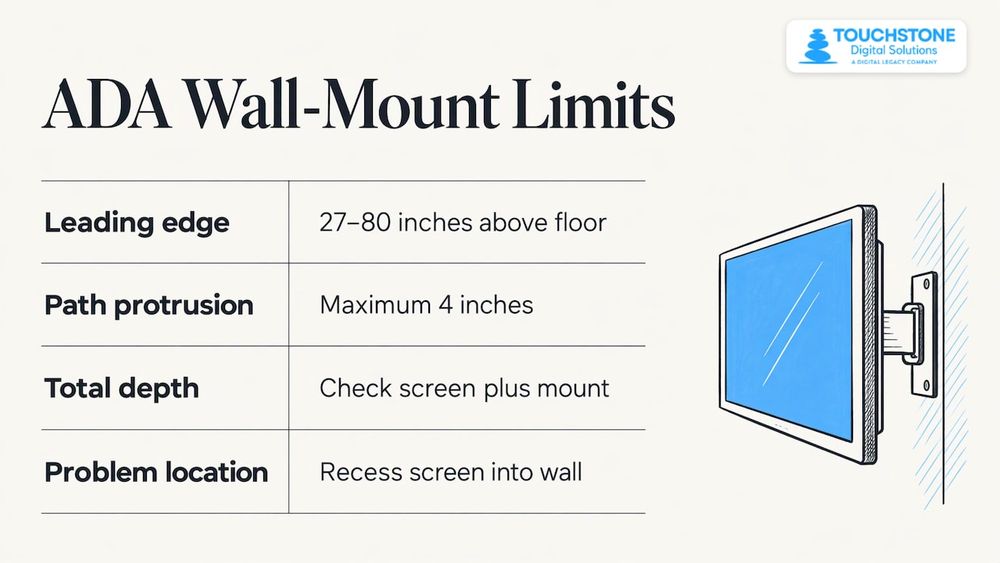
The ADA rule schools run into most often is protrusion. Under the 2010 ADA Standards, an object whose leading edge sits between 27 and 80 inches above the floor can protrude no more than 4 inches into a circulation path, because people who are blind or have low vision may walk into it with a cane’s blind spot. A slim wall-mounted display, including its bracket, has to respect that limit wherever people walk past it.
In practice, that means asking your installer for the total depth of screen plus mount, and checking it against the 4 inch limit before the holes are drilled. If a location is a problem, recessing the screen into the wall is one fix.
When a freestanding kiosk makes sense
A freestanding kiosk is a destination. Place it in a wide lobby and it gives visitors a clear place to go: “Go look at the Hall of Fame.” That works especially well at events, such as homecoming, alumni weekend, or a signing day, when a crowd gathers and you want them to circulate around a feature.
Freestanding units are the right call when:
- You do not have a wall that can take a screen, or the wall is glass, brick that you cannot drill, or historic.
- The room is large and open, and the display needs presence to be noticed.
- You expect to rearrange the space. Gyms, cafeterias and multipurpose rooms double as event venues, and a freestanding unit can move with them.
- You want to move the display between a lobby and an event space for the year’s biggest nights.
- You need something running quickly, without construction work.
The cost is floor space. The unit needs a footprint, and users need room to stand in front of it without blocking a doorway. Check sightlines too: a kiosk in the middle of a lobby should never hide an entrance from the front office.
Does your display need touch, or just a screen?
This is the question that settles the cost more than any other. If people only need to read something, such as a schedule, a welcome message or a rotating slideshow, passive signage will do the job and costs less. If they need to search, filter, tap a name or flip through pages, you need touch.
Recognition content almost always needs touch. Think about what a visitor wants:
- A grandparent wants to find a name from the class of 1974.
- A recruit wants to see who holds the 400 meter record.
- A graduate wants to find their old team photo.
- A donor wants to find their own recognition.
A looping slideshow cannot answer any of those. A touchscreen can. That is the core argument for interactive display over passive signage in a school: a wall can only show so many names, but a touchscreen can hold every honoree, every season and every decade, searchable in seconds.
If you are weighing signage benefits more broadly, our piece on digital signage benefits for private schools and universities covers where non-interactive screens still earn their place, such as announcements and schedules. Many schools run both: signage for the day’s news, touch for the school’s history.
Reach ranges and accessibility for touch displays
Once a screen is touched, a second ADA question appears: can everybody reach it? The 2010 ADA Standards set an unobstructed forward reach of 15 to 48 inches above the floor, and anything a person must operate, such as a button on screen, should fall within that range.
This matters differently for each format:
- On a wall-mounted touchscreen, the mount height decides everything. A very large screen hung for viewing from across a room may put the top half of the interface out of reach for a student in a wheelchair or a younger student.
- On a freestanding kiosk, the stand sets a fixed height, so check that the controls land inside the range.
- On a portrait screen, the design of the interface counts as much as the hardware. As one Legrand AV strategist notes, buttons on a portrait display should be placed within ADA reach guidelines.
A practical rule: put search, navigation and the main menu in the lower portion of the screen and keep the visual showpieces, such as large photos and video, higher up. Our guide to ADA compliant kiosks and the 15 to 48 inch reach range goes deeper on mounting heights, and our interactive display design principles explain how to lay out an interface that works at those heights.
Software matters too. Our displays are built to WCAG 2.1 accessibility standards, with attention to color contrast and readable type, so the content itself is designed to work for every visitor, not only the hardware.
Planning checklist for a school display
Before choosing a format, walk the location with a notepad. These questions settle most decisions:
- Where do people already stop? Put the display at a natural pause point, not at the end of a hallway nobody uses.
- How wide is the walkway? If two students cannot pass a person standing at the screen, a freestanding unit is the wrong choice there.
- What is the wall made of? Drywall over studs, concrete block and glass each need a different mounting approach.
- Where are power and network connections? Running new lines to the middle of a lobby costs more than using an existing outlet by a wall.
- Who uses it? Elementary students, alumni visitors and recruits stand at different heights and use screens differently.
- How will it be cleaned and maintained? Leave access for wiping the screen and servicing hardware.
- Will the room change? If the space hosts events, flexibility may be worth more than the permanence of a wall mount.
- Is it supervised? A display near the front office is watched. A display at the far end of a gym hallway may need extra security. Our kiosk security guide for schools covers this.
If you need help thinking through lobby layout, school lobby display ideas shows how schools combine screens with trophy cases, banners and seating.
What to put on the display
The hardware is only half the project. The content decides whether people come back to the screen. Here are the most common content types schools put on touchscreens, in roughly the order of how often we see them requested:
- Digital Halls of Fame, including athletic halls of fame, with searchable profiles, photos and video.
- Record boards that update automatically as new records fall.
- Trophy cases that hold every trophy and banner, including the ones that no longer fit on a shelf.
- Donor recognition walls that list supporters by giving level or campaign.
- Digital yearbooks and history archives that put decades of pages in one place.
- Campus directories that help visitors find a room. See our piece on campus directory touchscreens for how that works.
If you want more examples of how educators use large interactive screens, our list of top uses for interactive touchwalls in education is a good starting point. And if you are planning a Hall of Fame specifically, see the step-by-step guide to high school Hall of Fame displays and the common mistakes to avoid when installing Hall of Fame boards.
Our perspective
Schools often come to us asking whether they need a wall-mounted unit or a kiosk, as if the screen were the project. We see it the other way around. The project is the story you want to tell, and the screen is how people reach it.
Our view is that recognition deserves a touchscreen, because a wall can only hold so many plaques, and your history keeps growing. Once a school has committed to touch, the format becomes a question about the room. A hallway outside the gym almost always asks for a wall-mounted display. A wide lobby with events asks for a floor-standing one. We build both, with the same software and the same custom design, so you are not forced to bend your building around a product.
What we care about most is that the display feels like yours. Every screen we build is designed around your colors, your logo and your story, with UI/UX design that has earned an Emmy nomination, and accessibility built to WCAG 2.1 standards. We handle the whole project: commercial touchscreen hardware, custom wall wraps, content setup and data migration, and training for your staff. After launch, support is available around the clock.
Pick the place first. Pick the format second. Then let your students, your alumni and your donors see themselves on the wall.
Gardner Gendron
Our wall-mounted and floor-standing options
We offer both formats, so you can match the display to the space. Our Wall Mounted Touchscreen Bundle is priced from $3,100 to $4,900 as a one-off, and our Floor Standing Touchscreen Bundle is priced from $3,550 to $4,300 as a one-off. Both are commercial touchscreen hardware paired with our touchscreen software, and the price depends on the screen you choose.
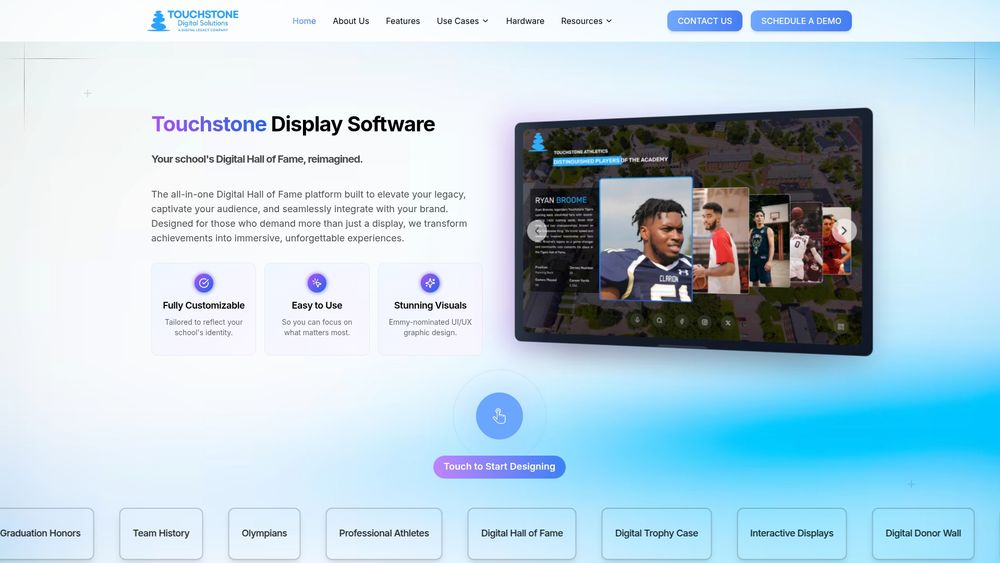
If you already know the size you need, you can look at our 55 inch, 65 inch and 75 inch displays, or the 100 inch 4K touchscreen for larger spaces. Not sure which format fits your lobby? Talk to our team and tell us about the room.
Choosing by space: quick scenarios
Here is how the decision typically plays out in real school spaces.
The athletic hallway
A narrow hall with trophy cases on one side is a classic wall-mounted setup. The screen sits in line with the cases, adds no obstruction and gives visitors a reason to slow down. Digital record boards and an athletic Hall of Fame fit here naturally. See our Digital Athletic Hall of Fame and Digital Record Boards pages for what the software does.
The main lobby
A wide lobby with parents, visitors and event traffic can take either format. If there is a clear wall that visitors face as they enter, mount it there. If the lobby doubles as an event space, or the best wall is glass, a floor-standing unit gives you a focal point you can move.
The library or alumni center
These rooms invite lingering, so people tend to spend more time at the screen. That favors history content such as digital yearbooks and a digital history archive. Either format works. Seating nearby encourages browsing.
The donor wall
Donor recognition tends to go on a prominent wall near the entrance or main office, where visitors and supporters pass. A wall-mounted display with a custom wrap can look like a permanent installation. Learn more on our Digital Donor Walls page.
Common mistakes to avoid
- Choosing hardware before choosing a location. Walk the building first.
- Mounting a touchscreen too high. A screen that looks good from across the room may be out of reach for many users.
- Ignoring the 4 inch protrusion limit when a display sits along a walkway.
- Putting a freestanding unit in a narrow doorway or corridor, where it can slow traffic.
- Buying a passive screen for content that people need to search.
- Treating content as an afterthought. A beautiful screen with a thin Hall of Fame will not draw anyone back.
- Forgetting power and data. Check outlets and network drops before you commit.
FAQ
Is a kiosk the same as digital signage?
No. Digital signage shows content to anyone nearby, with no input from the viewer. A kiosk is built for one person at a time to interact with, usually through touch. In schools the line blurs, because the same touchscreen can show a slideshow when idle and switch to an interactive Hall of Fame when someone touches it.
Can a kiosk be wall-mounted?
Yes. A wall-mounted touchscreen works as a kiosk when it runs interactive software, and it saves floor space in hallways and tight lobbies. The key checks are wall strength, power and data access, the ADA protrusion limit of 4 inches, and a mounting height that keeps the controls within reach.
Which is better for a school lobby?
It depends on the room. A wall-mounted display suits a lobby with a clear wall and heavy foot traffic. A floor-standing display suits a large open lobby, a room with glass walls, or a space that changes for events. We build both formats with the same custom software and design.
How much does a touchscreen display cost?
Our Wall Mounted Touchscreen Bundle is priced at $3,100–$4,900 one-off, and our Floor Standing Touchscreen Bundle at $3,550–$4,300 one-off, as published on our site. Software for Halls of Fame, record boards and other recognition projects is quoted for your school, so contact us for details.
Do I need touch, or will plain signage do?
If visitors only need to read, signage is enough. If they need to search for a name, filter records or browse a yearbook, you need touch. Recognition content almost always falls in the second group.
Touchstone Digital SolutionsDiscuss Your School’s DisplayContact Touchstone to discuss interactive recognition displays, content setup and hardware options for your school or organization.TTouchstone Digital SolutionsEmail Touchstoneinfo@touchstone-ds.com+1( 603) 361-7541
Sources
- ADA Compliant Bathroom Design: Protruding Objects, Reach, Accessible Routes, and Doorways (Ironwood Manufacturing, summarizing the 2010 ADA Standards)
- ADA IN AV (Legrand AV, 2025)